I have a teacher who wants to commit ONE, not all of the grades she has entered for an assignment. Is there a way for her to do this without removing and reentering all of her grades for that assignment?
@Stacey Jansen - Yes, student grades can be committed one at a time. You can't do it from the gradebook, but you can do it from the assignment grading page.
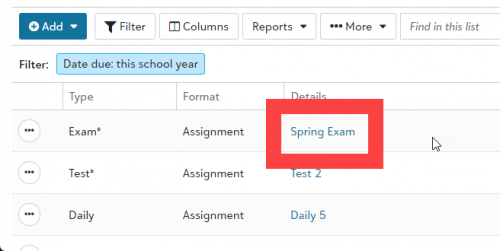
On the Assignments page for the section, click the name of the assignment in the Details column.
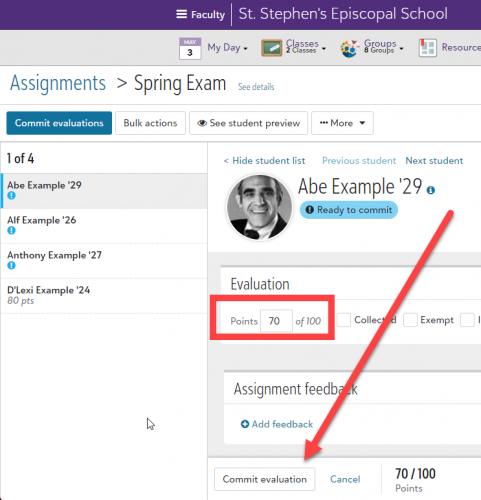
On the page that opens, record the grade (if it's not already there), then click Commit Evaluation at the bottom of the screen. In the left column, the blue circle with an exclamation mark below a student's name indicates that the grade for the student has not been committed.
You can enter grades through the gradebook and then switch to the assignment's evaluation page to commit a student's grade, or you can enter the grade and commit it on the grading page.