Hi,
I'm trying to find the setting that changes the default search in the Appeal tab within a batch.
Currently I can type the number of the appeal and select, but I want to start typing the appeal description with the suggestions to come up.
Example:
If I search 1687, the Appeal result is 1687
If I select the drop down then type “beq" (1687 is Bequest), nothing comes up, I need to scroll through the list to find it. Then once selected the column will show me the ID (1687), not the description.
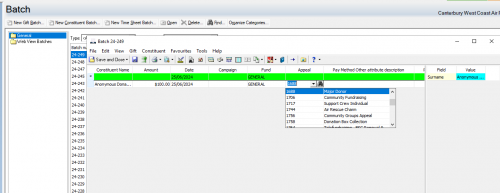
Any ideas on where and what setting to change to enable the appeal description to be my default?
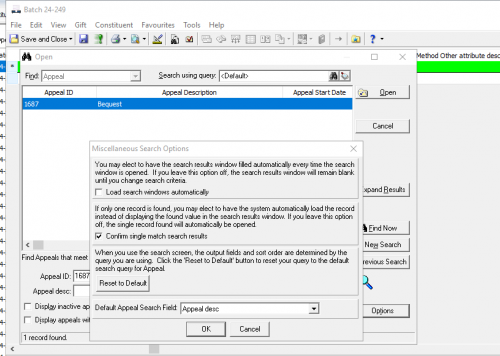
I did find the below option and chnaged to what I though was show appeal by description rather than number, but this hasn't worked.
A co-worker of mine has the setting I'm after but no one is able to tell me where this was changed.
Thanks