This week of BBCON,
Raiser's Edge NXT updated with exciting new features, including enhancements to a constituent's custom ratings and personal info, the ability to view the appeals linked to campaigns and funds, and access to extensions and applications created by approved developers — including someone at your own organization!
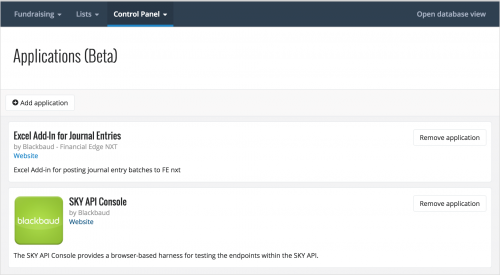 Extend features with applications. As previously discussed
, your organization can now extend the functionality of
Raiser's Edge NXT with applications created by Blackbaud, providers in the
Blackbaud Partner Marketplace, or other approved external developers. These applications securely access your
Raiser's Edge NXT data via the
SKY API, so you can do more with your constituents and fundraising efforts. (
Admins! To enable and manage applications for use by your organization, select
Control Panel,
Applications.) For more information, see
Applications Help.
If you're interested in creating your own application, sign up for a free developer account for access to industry-standard and open REST APIs that extend the functionality of
Raiser's Edge NXT. For more details, see the
SKY API Getting Started page.
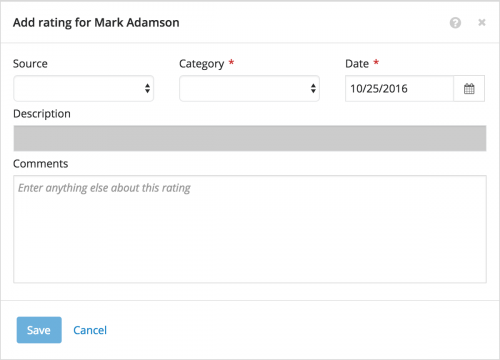 Manage a constituent's custom ratings.
With custom ratings, your organization can track wealth information about your constituents gathered from our own research or other sources like
ResearchPoint or Marts & Lundy. On a constituent's record, you can now add and manage these details under
Ratings. For each custom rating, you can track its source, category, date, description, and any additional comments. For more information, check out the
Custom Ratings Help.
View a constituent's marital status. On the record of an individual constituent, you can now view their marital status — such as married, single, or divorced — under
Constituent summary. A constituent's current relationship status can provide insight into who they are and help identify potential candidates for soft credits or future fundraising efforts. For more information, see
Personal Information Help.
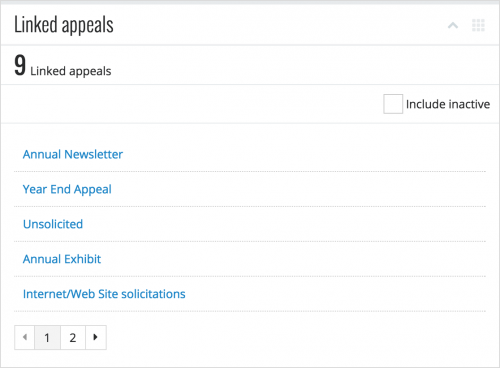 View appeals linked to funds and campaigns.
To help track the effectiveness of your fundraising efforts, you can now view all of the appeals for a fund or campaign under
Linked appeals on its record. For more information about an appeal, select its description to open its record. Previously, you could only view those that acquired the most giving toward the campaign or fund. For more information, see
Campaign Records Help and
Fund Records Help.
For more information about these features, or to catch up on previous releases, see the
What's New Help and
What's Recent Help. And for those of you attending
BBCON, have a safe trip and a great conference!
Enjoy!
