To help narrow the focus on specific constituents or giving,
Raiser's Edge NXT recently released new filters on the map and gift lists.
 Constituent details.
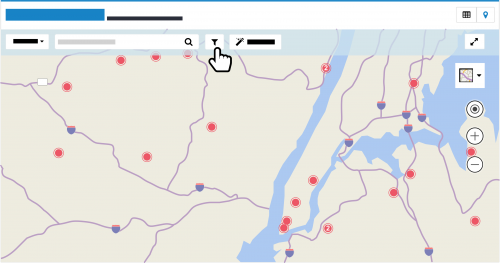
 On the map, you can now pinpoint constituents based on characteristics such as tags, giving, and custom fields — just like on a list — in addition to
the area filters. To use these new filters to narrow the focus of the map, select
Filters (the funnel), choose the criteria of the constituents to include, and select
Apply filters. For more information, see the
Constituent List and Map Filters Help.
Gift custom fields. With custom fields (or
attributes, in the database view), you can track specialized details about a gift, such as whether a payment reminder was sent. In a gift list, you can choose to include specific giving based on this information. To filter a gift list by this detail, select
Filters (the funnel) and
Custom fields.
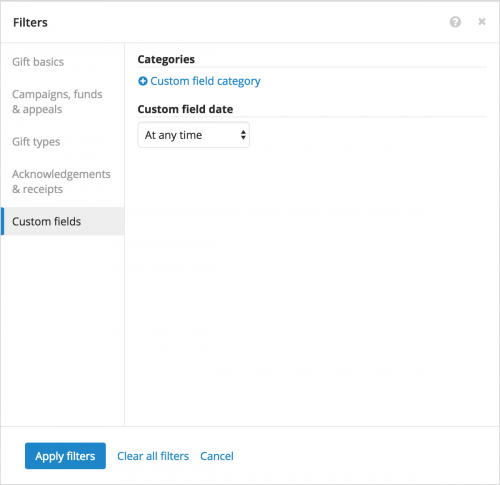 To include gifts based on specific custom field values, select Custom field category under Categories, and choose the categories and values to include.
- To include only gifts with custom fields applied during a specific time period, choose the date range under Custom field date.
For more information, see the
Custom Field Filters Help.
