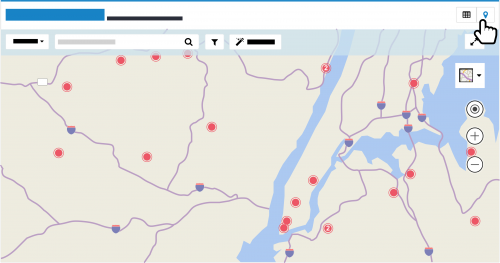
With the constituent map (powered by Microsoft
Bing), you can locate and identify constituents as pins, such as to identify nearby donors or plan meetings with prospects. To access the constituent map, select
Map from a new constituent list in
Lists.
Locate constituents. When you open the map, it displays constituents near you, based on their primary address and the wifi and location settings of your device.
- To view constituents elsewhere, select 'Location' next to the search box, enter the address or location, and select Search.
- To pinpoint a specific constituent, select 'Constituent' next to the search box, enter their name, and select Search.
- To return to constituents near you, select Locate me (the bullseye) to focus on your immediate location.
To
plot the route to a specific constituent in Google
Maps, select their pin and then
Get directions. (To get directions on your mobile device, make sure its location services are turned on.)
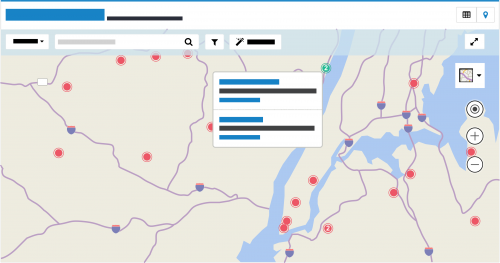 Identify a constituent on the map.
 To identify who's at a location on the map, you can select a pin to view its constituent's name and address.
When multiple constituents are in close proximity or share an address, such as a household or high-rise building, the pin displays how many are at the location. For a list of the constituents — up to 20 — at a location, select its pin.
For more details about a constituent, select their name to view their record.
Narrow the focus. To pinpoint only specific constituents, you can apply filters to the map.
- To include constituents based on shared characteristics such as constituent code or giving, you can use the same filters as a constituent list. To apply these filters, select Filters (the funnel), choose the criteria of who to view, and select Apply filters. For more information, see the Constituent List and Map Filters.
 To include constituents within a specific area, focus the map on the general location, select Filter map (the magic wand), and specify where to pinpoint constituents.
- For a general area, select Rectangle area, draw a box around the area to include, and select Apply filters.
- For a more specific area, such as along man-made or natural borders, select Custom area, draw a shape — regular or irregular — around the area to include, and select Apply filters. To draw your shape, click or tap from point to point, and double-click or double-tap at the final point.
- For multiple areas, select Rectangle area or Custom area to draw the boundary around each location, and select Apply filters.
For a list of the selected constituents, select
List to apply the filters to a constituent list.
Adjust the map's view. To help navigate the map, you can adjust its view as necessary.
- To adjust the magnification of the map, select Zoom in or Zoom out.
- To view the map as a full page, select Expand. To return to the initial view, select Compress.
- To orient yourself, select to view the map as a standard Road map, a detailed Aerial bird's-eye view (with or without labels), or at Streetside eye level.
To return to the constituent list, select
List. For more information, check out the
Constituent Map Help.
