New Decision Release: EMS
Hi Friends - I am unfortunately striking out with Support. It appears as though the new decision release in EMS is forcing us to choose a mail merge template in order to save decision types. We do not use mail merge templates and havent historically when pushing decisions. We only use the Comment (now Body) feature.
Is this a bug or is this something we need to change our process to accommodate?
Answers
-
Interested in the answer as well - we do not use mail merge either. Our Comment (Body) feature used to even have a welcome video embedded and now with this new function, it no longer displays the video.
Our first round of decisions goes out in two weeks so I am scrambling now.
Thanks, Heather, for bringing this up!
1 -
Mary, I was able to code in a video for a client but I can't change it to the new video for 26-27 because it is forcing the mail merge. It is rather irritating! I am going to submit something in ideas as I believe the product owners are looking there and not in this discussion area.
1 -
Hi Heather! Thanks for letting me know! I didn't see where I could code the new video (the old format had a button on the top left corner of the Body box for html coding). May I ask where you coded the new video?
And yes - without the mail merge, I wouldn't be able to "save" the new Decision anyway.. so irritating!!
Glad to know that I am not alone in this!
0 -
So far I have created a blank template and attached that and unchecked the publish button, but it still shows view decision. I am having a hard time believing that a mail merge template is required. When I added a mail merge template it doesn't even show up anywhere. I am not sure if this is fully functioning the way it's suppose to. Also why is the mail merge field required. We don't want any decision to show up in the user profile. Have you all found a way to turn this off completely from displaying the decision box.
0 -
Hi Ami - I have not found a way yet - however, I noticed that the DECISION tab in the Candidate Progress page is gone now so I am really curious to understand where the families will find the decision, especially if the mail merge template doesn't show up anywhere.
0 -
At all - It appears this has actually been fixed! I just went in to confirm and was able to save without a mail merge template! Thanks Blackbaud Team for fixing this quickly!
1 -
@Mary Fernandez I am happy to meet to show you. My email is heather@cullenconsultingservices.com. I do own a consulting business but I won't charge you! Just don't want you to get thrown off by my business name.
1 -
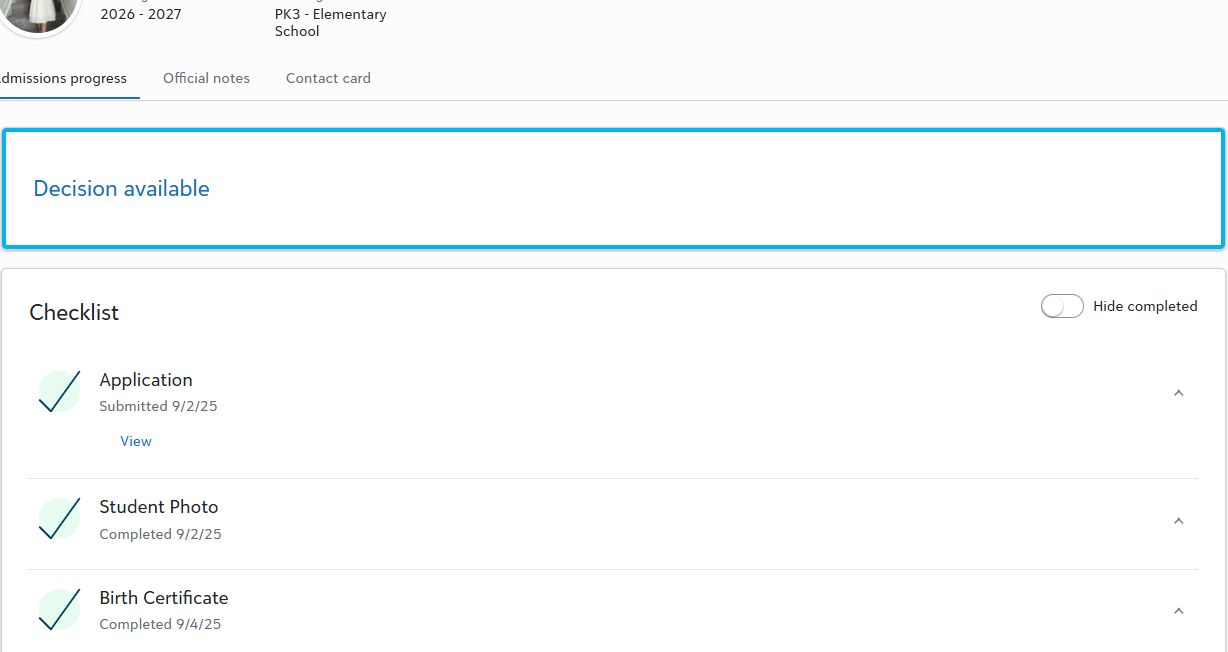
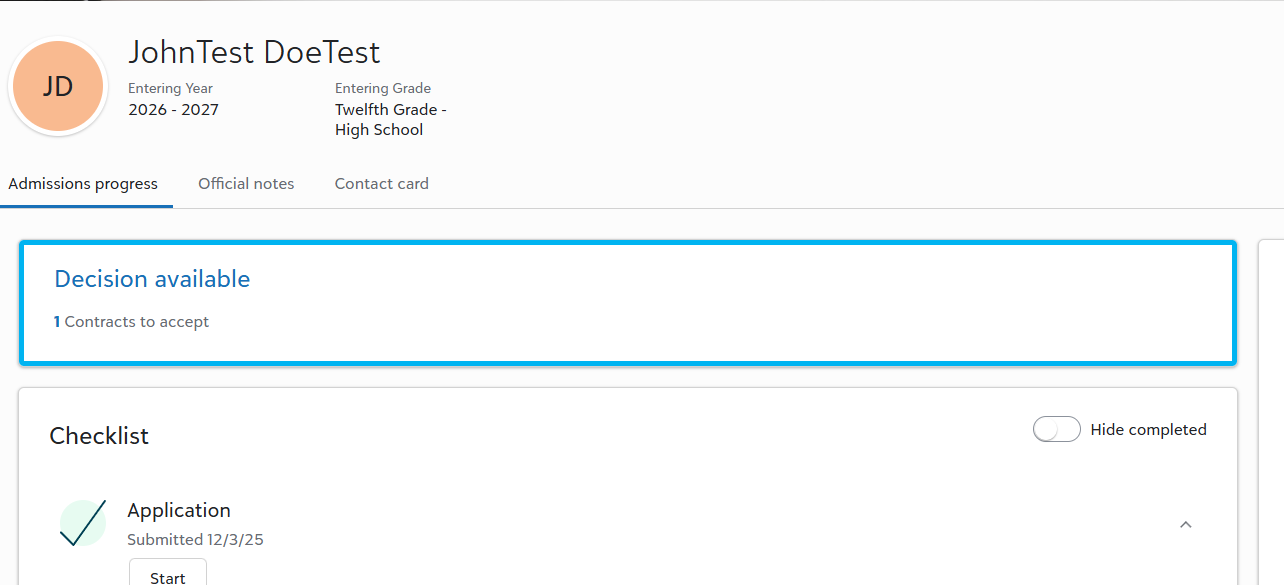
I really think BBID needs do a full detailed video on how to set this up with the video embedded. I typically can figure this out quickly, but they have made it more complicated for no reason and the video doesn't show up anywhere when you add the URL. The way they are displaying in the release is nice, but it's allowing us to program anything in that format. They have at least removed requirement for the mail merge template thank god, but where do you add the video and a message for the family. All a parent can see is there is "decision available" box to view above the checklist. When they click on that it goes to the option you set up where they can accept, decline or defer etc… However, they don't see any type URL link or the video I set up for them. This is has been really frustrating release.
1 -
@Heather Cullen I am so glad to hear that the mail merge portion has been fixed! I am going to attempt to re-do our release with video but based on Ami's post, it looks like we still have some things to iron out! I would be happy to reach out to you, and I really appreciate your willingness to help me!
Thank you both so much! This has been frustrating, and with our release date coming up fast, I was not expecting this change right now!
0 -
Has anyone figured out how to embed the video? I am able to see it when I'm editing the decision type, but once I hit save the video disappears. @Heather Cullen @Mary Fernandez @Ami Naik
0 -
@Jamie Benemerito, I have an open support ticket about the html button removal. It took a while for the support agent to actually admit that the html button was in fact missing. Per the last update, they told me that Blackbaud's product development team is reviewing the issue. We have our first round of decisions this Friday so the timing is not great.
Until the issue is resolved, we have the url to our welcome video linked in the decision comment instead of embedded. You might be able to just add the html code directly into the decision comment but I'm not sure how reliable that would be.
0 -
I have not been able to see the header or the video also. If you say open is current window then the link works with HTML only. However, the video or the body header certainly doesn't show up after it's saved similar to what they are showing in the release. I don't think this is working the way it's intended. Nothing works if you say open in a new window. I wish there was a way to completely turn this off when we add decisions. It shows to the parents there is decision even when we don't publish them. It basically allows them to click on a decision and then it doesn't display anything, because we don't publish the decision. Does anyone know how to turn this off completely, so it doesn't show that there is a decision?
0 -
This update could not have come at a worse time. We are releasing decisions today and now need to rework our entire setup! We use mail merge letters but they no longer display to the end users (candidates), and according to support, this is intended behavior. They did not provide detailed instructions regarding the new update, and the screenshots in the 'What's New' release notes are misleading. Extremely frustrating! 😡😡
1 -
@Jamie Benemerito I completely agree! We also had to rework our setup at the last minute by copying our admissions letters into the decision comment. That's interesting that support told you that that it was intended behavior. When I submitted a support ticket regarding the letters not showing up anywhere, they told me that it was under investigation. Very frustrating.
0 -
@Jamie Benemerito @Sarah Honey I am so sorry that everyone is having the same issues! Our school decisions are going out this Friday and it sounds like the best -not ideal - solution at this time is to just copy the wording into the Comment section. Is that what you are all doing? As for attaching a video, I am assuming adding the HTML is the only way for now?
I think I would have preferred to keep my video and lose the confetti 🙄
0 -
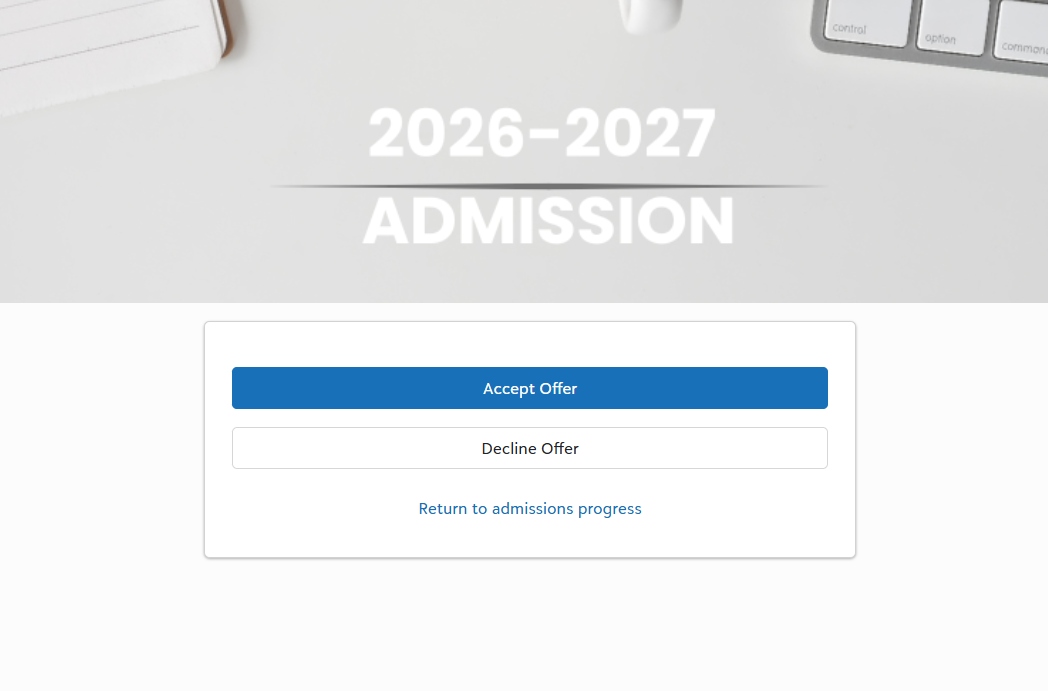
@Ami Naik Agreed on the comment about the parent page - shows "Decision Available" and then the link leads nowhere. So even though our Publish date is not until this Friday, one parent who works at the school clicked on the Decision and an option appears for them to "Accept Offer or Decline Offer" - even though there is no decision posted! In essence, this parent found out they were accepted this way… not good. Blackbaud needs to fix this asap!
0 -
@Mary Fernandez you should uncheck the publish option so they are able to anything apart from decision available and when they click on it there will be nothing there. Currently this is all you can do. The only reason they were able to see the screen shot you sent was because under "Candidate decision options" you forgot to uncheck "Publish". This will prevent them from seeing any decisions. You have to do that under each candidate decision options you have. Don't publish them yet until this stuff is fixed.
1 -
@Ami Naik Thank you so much for that! With the new look, I didn't even know where to find that publish button.. took me a sec! Thank you!!
0 -
We copied the mail merge letter wording to the comment section and added a link to the video. Embedding the video does not work once you press save.
1 -
@Mary Fernandez we add official notes with the congratulation note plus the link to a landing page where they can see a welcome letter from either head of school or admission director along with instruction on that landing page on how to accept the contract. It works really well. We also have an official notes template for denials and waitpool. The only candidates parents receive the landing page with video/letter and a contract is the acceptances. It quick, because you can efficiently send all acceptance at one time and all denials at one time and so on. Feel free to reach out directly to me and I can walk you through how we complete this process. Whenever this new decision launch works the way it's suppose to then there will not be need for a landing page.
0 -
@Mary Fernandez ideally copying the wording into the Comment section of decision set up would work, but with the new release even that is not working. I have an open ticket also regarding what is not working. To top it of the contract doesn't show up even if they click accept in the new launch. So there is something wrong in the programming of this launch for sure. The only time the contract shows up is if you uncheck display option of "when a candidate accepts, show contract", which should be working yet it's not.
1 -
@Ami Naik Thank you for telling us that. I tested with the contract as well and the yellow banner doesn't show up after clicking on Accept. That is definitely not working the way it was meant to.. and I hate the fact that families already see that there is a contract before they even get to the Decision text and the confetti 🙄. Our decisions launch on Friday so I hope they can fix the "show contract" issue before that… uggghh
Ami - you have been invaluable.. I appreciate you!!
0 -
The contract shows up before the decision text. Blackbaud, please fix this!
0 -
Is anyone also having trouble with the mail merge function? We use it, but it will not allow me to pull any of my saved lists. Since we can no longer sort the list of individual students, even by entering year, this is a serious obstacle to being able to complete the mail merge.
0
Categories
- All Categories
- 6 Blackbaud Community Help
- 206 bbcon®
- 1.4K Blackbaud Altru®
- 394 Blackbaud Award Management™ and Blackbaud Stewardship Management™
- 1.1K Blackbaud CRM™ and Blackbaud Internet Solutions™
- 15 donorCentrics®
- 357 Blackbaud eTapestry®
- 2.5K Blackbaud Financial Edge NXT®
- 646 Blackbaud Grantmaking™
- 561 Blackbaud Education Management Solutions for Higher Education
- 3.2K Blackbaud Education Management Solutions for K-12 Schools
- 934 Blackbaud Luminate Online® and Blackbaud TeamRaiser®
- 84 JustGiving® from Blackbaud®
- 6.4K Blackbaud Raiser's Edge NXT®
- 3.6K SKY Developer
- 242 ResearchPoint™
- 117 Blackbaud Tuition Management™
- 165 Organizational Best Practices
- 238 The Tap (Just for Fun)
- 33 Blackbaud Community Challenges
- 28 PowerUp Challenges
- 3 (Open) Raiser's Edge NXT PowerUp Challenge: Product Update Briefing
- 3 (Closed) Raiser's Edge NXT PowerUp Challenge: Standard Reports+
- 3 (Closed) Raiser's Edge NXT PowerUp Challenge: Email Marketing
- 3 (Closed) Raiser's Edge NXT PowerUp Challenge: Gift Management
- 4 (Closed) Raiser's Edge NXT PowerUp Challenge: Event Management
- 3 (Closed) Raiser's Edge NXT PowerUp Challenge: Home Page
- 4 (Closed) Raiser's Edge NXT PowerUp Challenge: Standard Reports
- 4 (Closed) Raiser's Edge NXT PowerUp Challenge: Query
- 777 Community News
- 2.9K Jobs Board
- 53 Blackbaud SKY® Reporting Announcements
- 47 Blackbaud CRM Higher Ed Product Advisory Group (HE PAG)
- 19 Blackbaud CRM Product Advisory Group (BBCRM PAG)