Here are the latest changes in Blackbaud Raiser's Edge NXT for February 24, 2026.
Quickly focus on opportunities by gift type
Generally available
You can now filter Opportunity lists by Gift type, making it easier to see whether an opportunity is expected to result in pledges, gifts in kind, or other gift types. From Portfolio, Opportunity lists, open a list and select Filters. Under Opportunity details, choose Gift type and apply the filter.
You can also add Gift type as a column to quickly scan and compare opportunities at a glance. This helps you prioritize follow‑up without opening individual records. Select Columns, Opportunity details, choose Gift type, and apply the change.
Tip: Gift type information is sourced from the opportunity record and reflects the value shown on the Details tile.
Grid view batch for improved data entry
Generally available
The new grid batch offers an improved workflow for adding multiple gifts to a batch, while maintaining all the functionality of the previous batch UI. From Gifts, Overview, select Add, New grid batch, or on an existing unapproved batch's record, select Edit, Edit in grid view. Now you can see and review all batch gifts in a single grid, tab through fields for faster entry, and configure the columns to add, remove, or rearrange fields on the batch. The status column is locked to allow you to easily identify and review errors that occurred when saving gifts. For more information, see Add Gifts in Grid Batch.
Updated batch fields include the constituent field, which now has an advanced search that provides additional constituent details to ensure that you're selecting the correct constituent. After you enter a constituent, select the constituent icon that to open and edit the constituent record from the flyout without having to leave the grid batch.
Under Related Links, you can access the new template functionality, which allows you to set the columns and default values for the fields on your batches. You can reuse the templates for each batch you create, allowing for a quicker workflow. For more information, see Gift Batch template.
Note: The approval process for batches is not changing. Any existing unapproved batches in your system are unaffected by the update.
Update credit card information in web view
For some of you
To more easily manage payment information, now you can update credit card details directly from the gift record.
General ledger distributions available in web view
For more of you
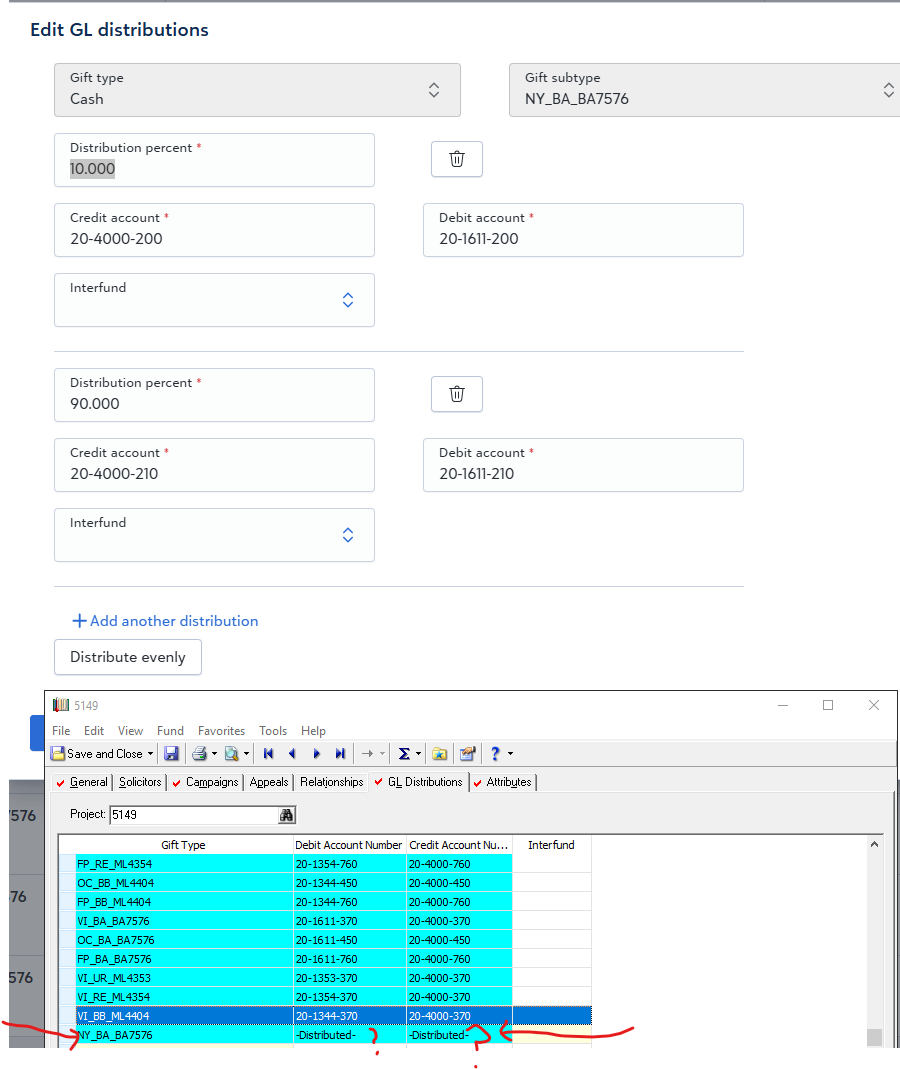
You can now configure general ledger distributions directly on Funds records in web view for both Blackbaud Financial Edge NXT integrated and non-integrated environments.
Apply manual payments to a pledge
For more of you
You can now apply manual payments to automated pledges. This enhancement lets your organization accept manual payments for open installments and update pledge schedules with more control.
Optimize giving with Prospect Insights Pro
For some of you
Maximize fundraising outcomes with Prospect Insights Pro's optimized opportunities. Now, when you add or edit an opportunity for a prospect in a Prospect Insights Pro queue, Prospect Insights Pro suggests gift ask amounts based on a prospect's likely gift capacity.
For those with Blackbaud AI - Chat enabled, you can create an action plan to support opportunities you create or edit via Prospect Insights Pro.
For more information, see Prospect Insights Pro Opportunities.

Prospect Insights Pro scores refresh
For some of you
Prospect Insights Pro's data models and projected giving and wealth information scores now use the latest available data and adaptive modeling. The refresh affects all queues, so make sure to review your best major gift prospects. Because the queues are sorted by priority, you may notice different prospects at the top of a list.