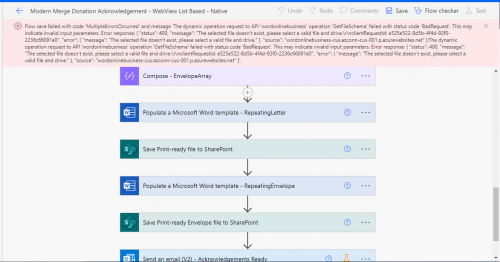
Hello - I am asked to evaluate the Acknowledgement Automation Kit from this link. I appreciate the video and step wise instructions, but I can't successfully import the zipped flow file into Power Automate. When I tried to import, I am getting the error below:
"Flow save failed with code 'MultipleErrorsOccurred' and message 'The dynamic operation request to API 'wordonlinebusiness' operation 'GetFileSchema' failed with status code 'BadRequest'. This may indicate invalid input parameters. Error response: { "status": 400, "message": "There was an error accessing the file. Please try again or select a different file.\\r\\nclientRequestId: 9080a895-e0ef-455e-9dfa-fcf97dadaef3", "error": { "message": "There was an error accessing the file. Please try again or select a different file." }, "source": "wordonlinebusiness-cus.azconn-cus-001.p.azurewebsites.net" };The dynamic operation request to API 'wordonlinebusiness' operation 'GetFileSchema' failed with status code 'BadRequest'. This may indicate invalid input parameters. Error response: { "status": 400, "message": "There was an error accessing the file. Please try again or select a different file.\\r\\nclientRequestId: 9080a895-e0ef-455e-9dfa-fcf97dadaef3", "error": { "message": "There was an error accessing the file. Please try again or select a different file." }, "source": "wordonlinebusiness-cus.azconn-cus-001.p.azurewebsites.net" };The dynamic operation request to API 'wordonlinebusiness' operation 'GetFileSchema' failed with status code 'BadRequest'. This may indicate invalid input parameters. Error response: { "status": 400, "message": "The selected file doesn't exist, please select a valid file and drive.\\r\\nclientRequestId: 9080a895-e0ef-455e-9dfa-fcf97dadaef3", "error": { "message": "The selected file doesn't exist, please select a valid file and drive." }, "source": "wordonlinebusiness-cus.azconn-cus-001.p.azurewebsites.net" };The dynamic operation request to API 'wordonlinebusiness' operation 'GetFileSchema' failed with status code 'BadRequest'. This may indicate invalid input parameters. Error response: { "status": 400, "message": "The selected file doesn't exist, please select a valid file and drive.\\r\\nclientRequestId: 9080a895-e0ef-455e-9dfa-fcf97dadaef3", "error": { "message": "The selected file doesn't exist, please select a valid file and drive." }, "source": "wordonlinebusiness-cus.azconn-cus-001.p.azurewebsites.net" }'."
The connections looked successful with the checks:
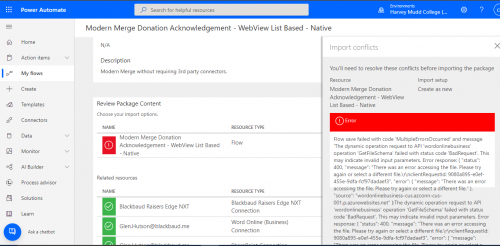
Has anyone successfully imported the flow and can share their two cents? Thank you.