Hi all! John Vogel, the Product Manager for BBID, let me know that starting Wednesday (7/10) afternoon, users who sign in with an email address and BBID password will have one less step in their sign-in workflow.
Previously:
- They would enter their email address at yourschool.myschoolapp.com
- Select Continue with email from the 4 login type buttons on the BBID page
- Land on another page that showed the email previously entered, and click Continue
- Enter their password and sign in.
Now:
- They enter their email address at yourschool.myschoolapp.com
- Land on the page showing their email previously entered, and click Continue
- Enter their password and sign in.
This means that during the back to school season, your returning parents who sign in via Email/Password (instead of SSO or Sign in with Google/Apple) will not see the 4 authentication method buttons on the Blackbaud ID page - they skip over that step.
Additional enhancements since May:
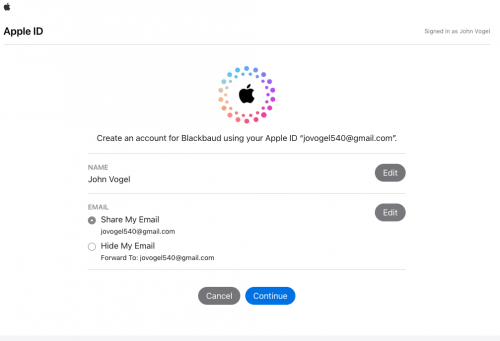
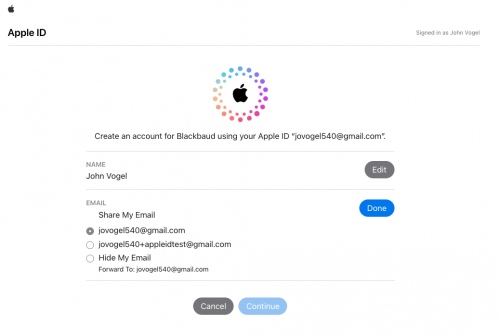
- Users are alerted to Share My Email when creating a new BBID account with Apple ID (or if they are migrating to the new BBID for the first time)
- Users who create a new BBID using their Apple ID + Hide My Email will be prompted to start over - proactively letting them know they can't access Blackbaud solutions with a hidden email address. It looks something like this
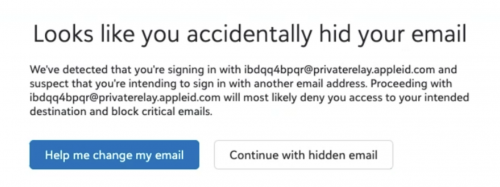 Help me change my email moves the user through a self-resolve workflow.
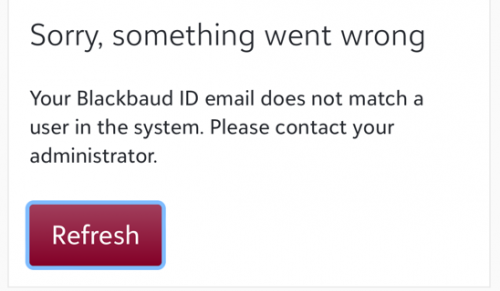
- Improved messaging displays for some Apple ID users who received an “Oops, something went wrong!” message when they try to sign in. The relevant small group of users are extra-stuck because they
- hid their email upon migration to the new BBID,
- then tried to fix it by disconnecting/breaking the Blackbaud-Apple connection from appleid.apple.com, which abandoned their BBID,
- and now they're trying to sign into BBID with their real (but already claimed) email address.
I know that's hard to follow.  Just know that users in exactly this scenario will see an error message that provides detailed steps to resolve the problem themselves - instead of the generic Oops. View that warning message here.
Users who Continue with AppleID and see the Oops message can resolve the Hide My Email/Private relay setting by following the steps in this KB.
Big thanks to John Vogel and his team for streamlining the workflow!
Yours in partnership,
Jessi Walters
Sr. Product Manager - Core