How To Get Started With Fundraiser On The Go
Fundraiser on the Go is Blackbaud CRM’s mobile-first responsive web application designed to help fundraisers who are out on the road. Setting up Fundraiser on the Go is simple. This post gives you some quick tips to get your fundraisers set up.
Set Permissions
To use Fundraiser on the Go, a user needs to have the right permissions as a fundraiser in CRM. If you already have a system role defined for fundraisers, you simply need to add a few more permissions to give fundraisers access to Fundraiser on the Go.
Device Set Up
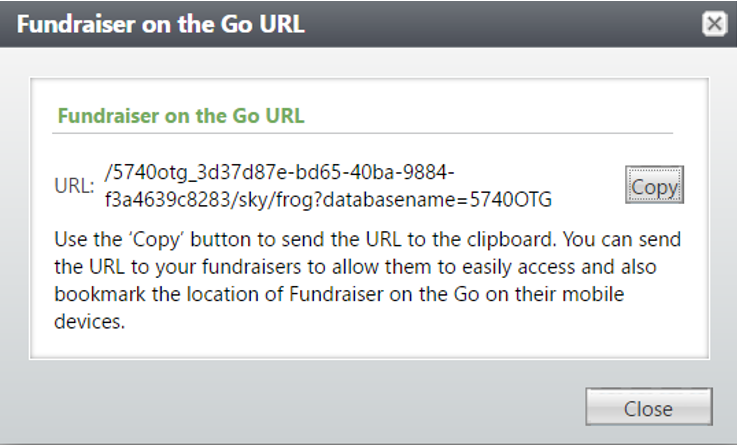
To set up Fundraiser on the Go on your phone, you need to get your organization's customized link. To do this, navigate to Prospect functional area, and within the Prospect Management section, click on ‘Fundraiser on the Go.’ In the screenshot below, you can see an example of what your link might look like:

Your next step is sending your Fundraiser on the Go Link to your phone. The easiest way is to click the Copy button, and send it yourself an email.
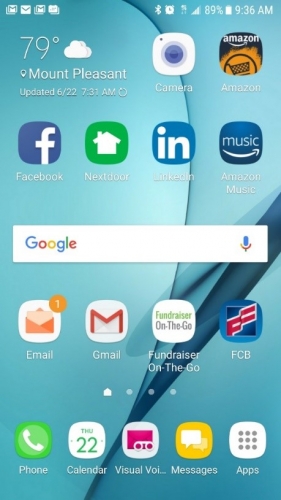
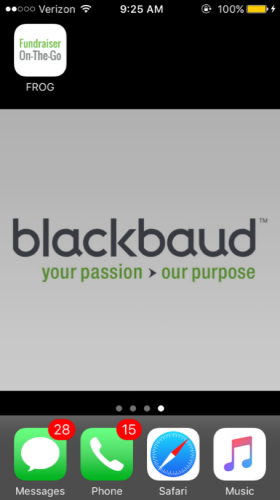
Once you have the link in your inbox, we recommend saving it to your home screen. Here are some links to help you navigate this process on an iPhone and on an Android.

Login
Now that you have Fundraiser on the Go saved to your home screen, all you need to do is log in! Lucky for you, the log in information is the same as your CRM username and password.
If you want to learn more about how to use Fundraiser on the Go once it is set up, check out this blog post.
Set Permissions
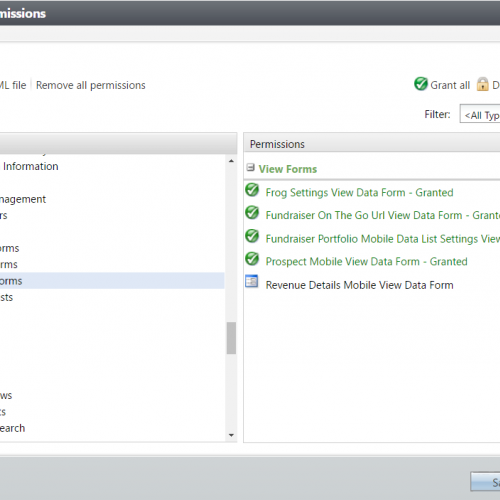
To use Fundraiser on the Go, a user needs to have the right permissions as a fundraiser in CRM. If you already have a system role defined for fundraisers, you simply need to add a few more permissions to give fundraisers access to Fundraiser on the Go.
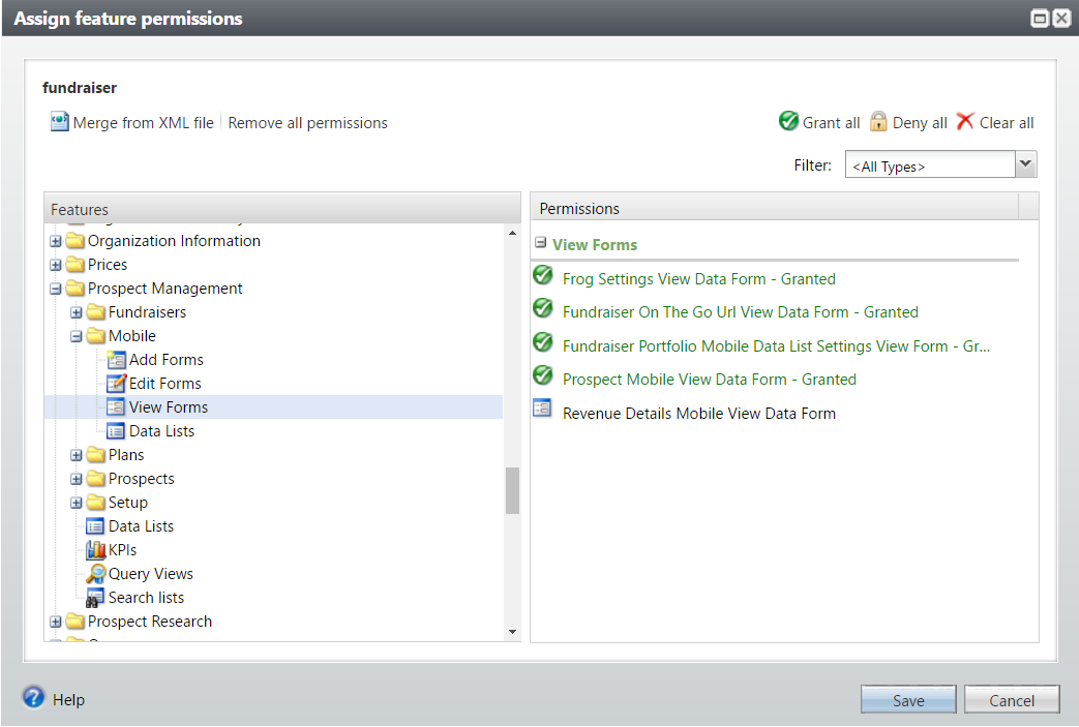
- Under the Administration tab, select Security/System Roles. Select the appropriate system role and select Features/Assign Permissions
- Grant the following permissions under Prospect Management/Mobile/View and Add forms:
- Fundraiser on the Go URL View Data Form
- Fundraiser Portfolio Mobile Data List Settings View Form
- Prospect Mobile View Data form
Device Set Up
To set up Fundraiser on the Go on your phone, you need to get your organization's customized link. To do this, navigate to Prospect functional area, and within the Prospect Management section, click on ‘Fundraiser on the Go.’ In the screenshot below, you can see an example of what your link might look like:
Send URL to Device via EmailPro Tip: If you want to make sure Fundraiser on the Go works before you start using it on your phone, just paste the link into your browser and voila!
Your next step is sending your Fundraiser on the Go Link to your phone. The easiest way is to click the Copy button, and send it yourself an email.
Create a Custom Icon on DevicePro Tip: Instead of sending out a long URL to Fundraiser on the Go users, use a URL shortener like this one from Google.
Once you have the link in your inbox, we recommend saving it to your home screen. Here are some links to help you navigate this process on an iPhone and on an Android.
Login
Now that you have Fundraiser on the Go saved to your home screen, all you need to do is log in! Lucky for you, the log in information is the same as your CRM username and password.
If you want to learn more about how to use Fundraiser on the Go once it is set up, check out this blog post.
0
Categories
- All Categories
- 6 Blackbaud Community Help
- 210 bbcon®
- 1.4K Blackbaud Altru®
- 395 Blackbaud Award Management™ and Blackbaud Stewardship Management™
- 1.1K Blackbaud CRM™ and Blackbaud Internet Solutions™
- 15 donorCentrics®
- 360 Blackbaud eTapestry®
- 2.5K Blackbaud Financial Edge NXT®
- 649 Blackbaud Grantmaking™
- 567 Blackbaud Education Management Solutions for Higher Education
- 3.2K Blackbaud Education Management Solutions for K-12 Schools
- 937 Blackbaud Luminate Online® and Blackbaud TeamRaiser®
- 84 JustGiving® from Blackbaud®
- 6.5K Blackbaud Raiser's Edge NXT®
- 3.7K SKY Developer
- 247 ResearchPoint™
- 119 Blackbaud Tuition Management™
- 165 Organizational Best Practices
- 239 The Tap (Just for Fun)
- 33 Blackbaud Community Challenges
- 31 PowerUp Challenges
- 3 (Open) PowerUp Challenge: Data Health
- 3 (Closed) Raiser's Edge NXT PowerUp Challenge: Product Update Briefing
- 3 (Closed) Raiser's Edge NXT PowerUp Challenge: Standard Reports+
- 3 (Closed) Raiser's Edge NXT PowerUp Challenge: Email Marketing
- 3 (Closed) Raiser's Edge NXT PowerUp Challenge: Gift Management
- 4 (Closed) Raiser's Edge NXT PowerUp Challenge: Event Management
- 3 (Closed) Raiser's Edge NXT PowerUp Challenge: Home Page
- 4 (Closed) Raiser's Edge NXT PowerUp Challenge: Standard Reports
- 4 (Closed) Raiser's Edge NXT PowerUp Challenge: Query
- 784 Community News
- 2.9K Jobs Board
- 53 Blackbaud SKY® Reporting Announcements
- 47 Blackbaud CRM Higher Ed Product Advisory Group (HE PAG)
- 19 Blackbaud CRM Product Advisory Group (BBCRM PAG)