What's New In Blackbaud Raiser's Edge NXT® — June 13th





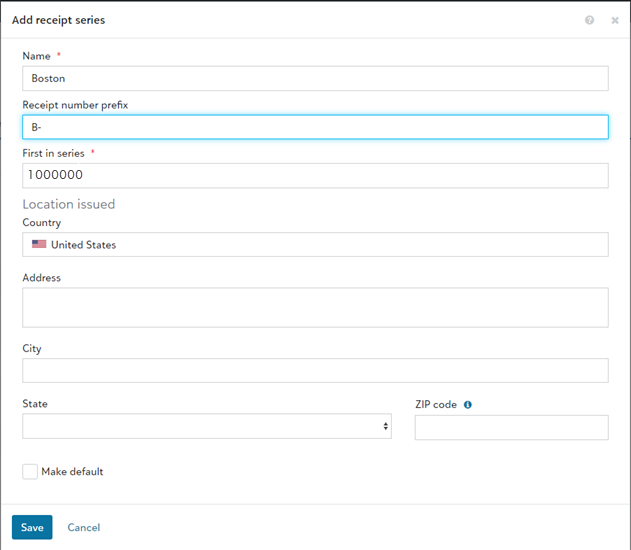
Receipt series is new tool to organize your receipts and view historical receipt data in one place. You can group your receipts together into a series by giving them a prefix and a numbering system. Under Fundraising, Gift receipting, Receipt series, a default receipt series is provided with a starting receipt number. Select Edit on its  menu to change its name, prefix, and starting receipt number.
Note: The first receipt number in the default receipt series is 1000000.
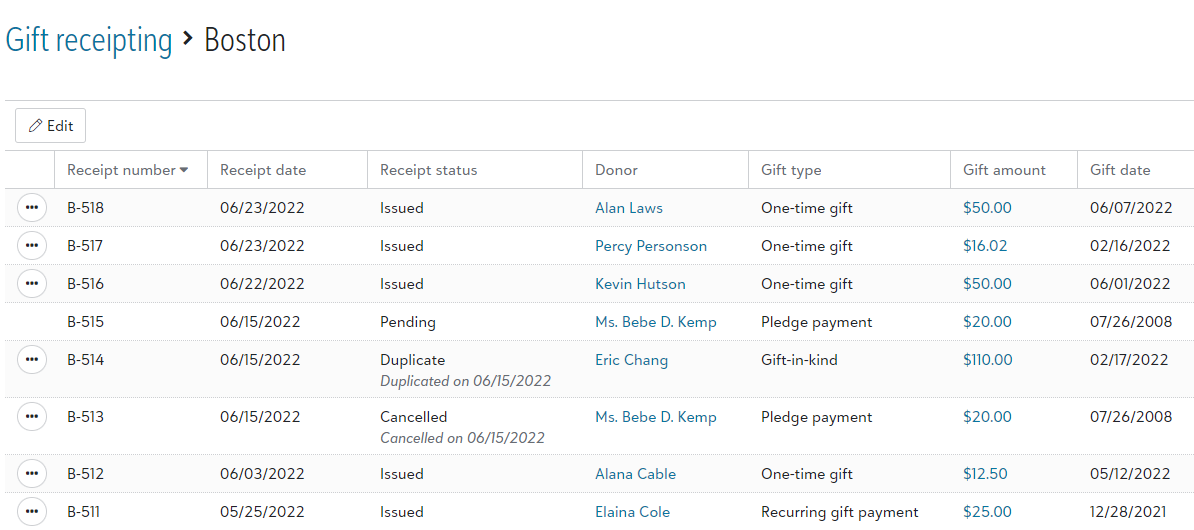
After you've generated receipts in the series, you access the receipt series to see all the receipts listed chronologically by the receipt date.
Tip: If your organization has multiple offices or locations, you can use receipt series to track where each of your receipts were issued from. For example, if you have offices in New York and Los Angeles, you can create separate receipt series that use the prefixes NY- and LA-. You can even set a different starting receipt number for each location. To create additional receipt series, under Fundraising, Gift receipting, Receipt series, select New.
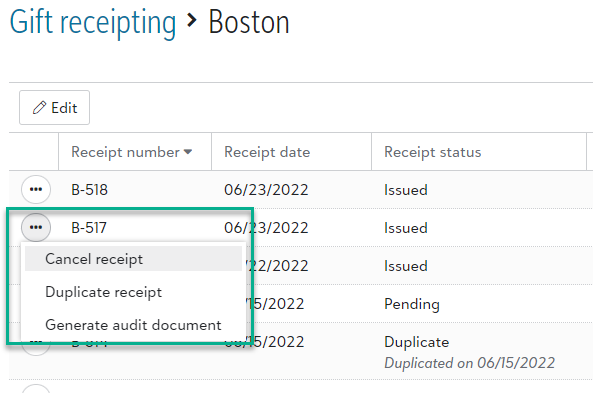
When viewing the list of receipts in a receipt series, select a receipt's menu to
-
Cancel receipt to void the receipt and remove the receipt number from the receipt series.
Tip: Canceled receipts are marked Not receipted and can be receipted again.
-
Duplicate receipt to send the receipt again with the same receipt number and date.
-
Generate audit document to create a PDF copy of the receipt for your organization's auditor.
For more information, see Receipt Series.
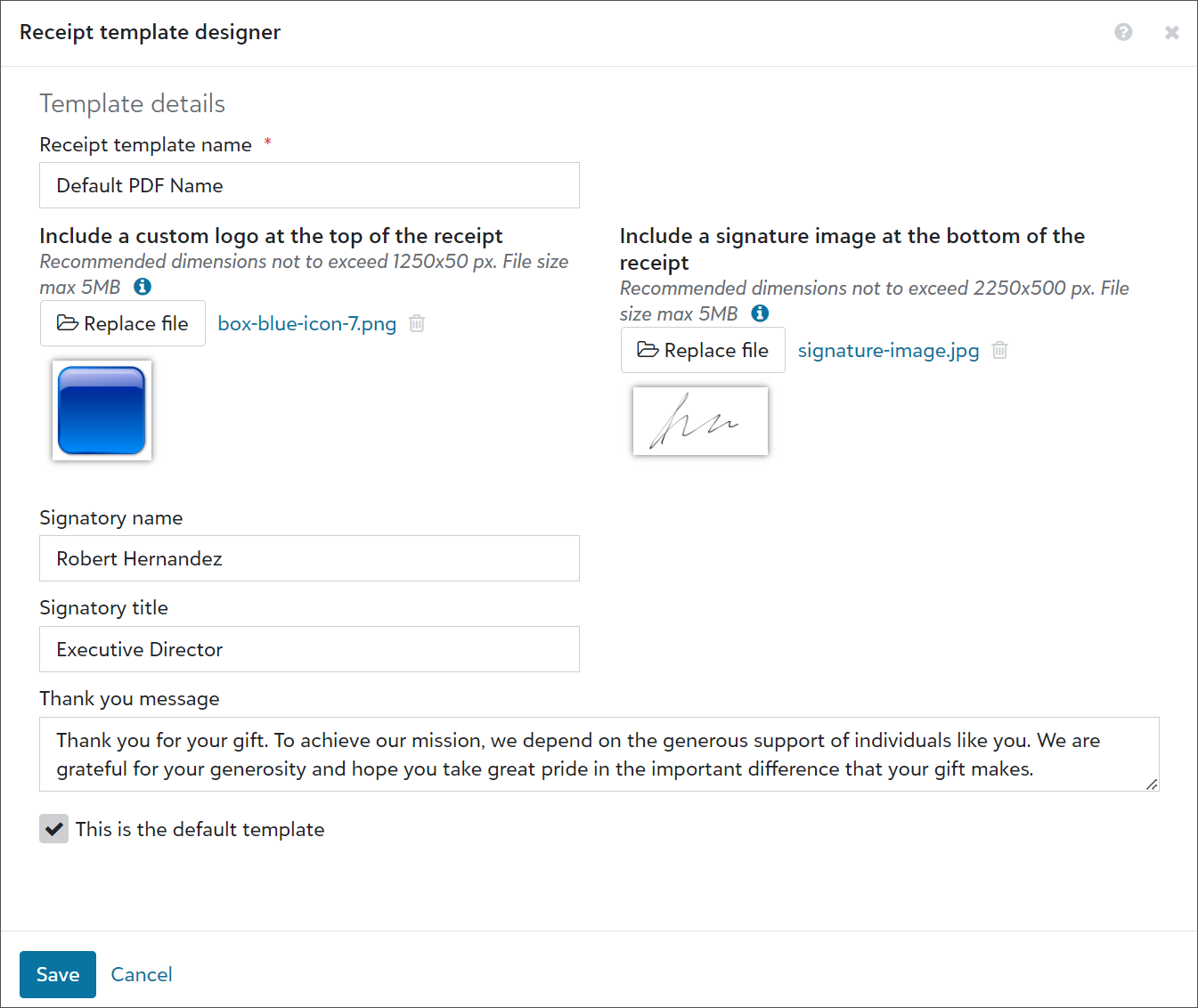
Enhance PDF receipts with PDF receipt templates (now generally available)You can now use PDF receipt templates to enhance your PDF receipts with your organization's logo, a signature, and a personalized Thank you message. From Fundraising, Gift receipting, select PDF receipt templates. On the default PDF's menu, select Edit.
Enter a name to help you identify the PDF template internally. Enter a custom logo, signature image, signatory name, and signatory title. In the Thank you message field, modify the default text to match your organization's messaging.
For more information, see PDF Receipt Templates.
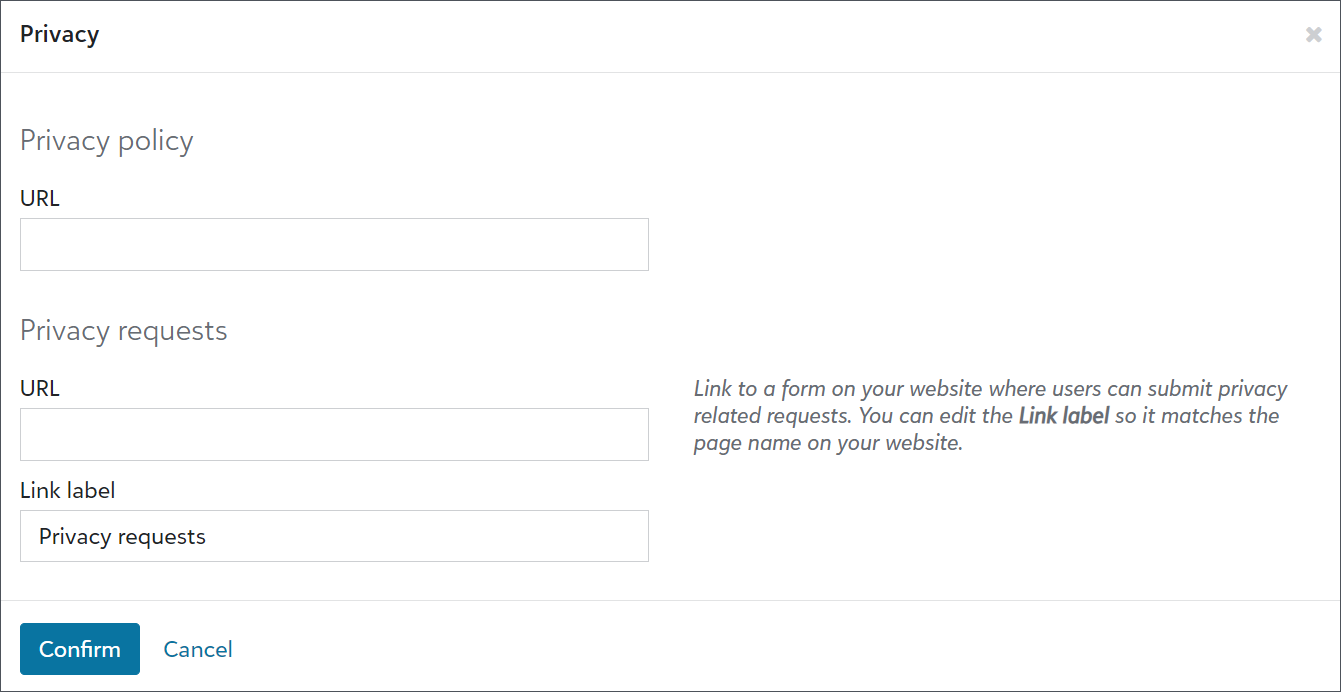
To help your organization comply with various privacy requirements, a new link option is available for the bottom of portal pages. From Tools, Settings, Portal settings, you can now link to a form hosted on your website where users can submit privacy related requests, such as to delete their accounts from your database.
Under Branding and customization, select Edit privacy links. In the URL field under Privacy requests, enter the link to your organization’s form. Then, in the Link text field, enter text to match the link name with the form’s page name on your website.
Note: These updates are currently only available for some organizations. In the coming weeks, we'll let you know when they're available for everyone.
To help admins better manage users, we improved action lists. We also updated the navigation under Control panel to include new pages for Users, Roles, and History. Previously, admins accessed these pages from Control panel, Security.
Tip: To view the default user list, select Control panel, Users, Build a new list, Show all records.
From Control panel, Users, admins can now:
-
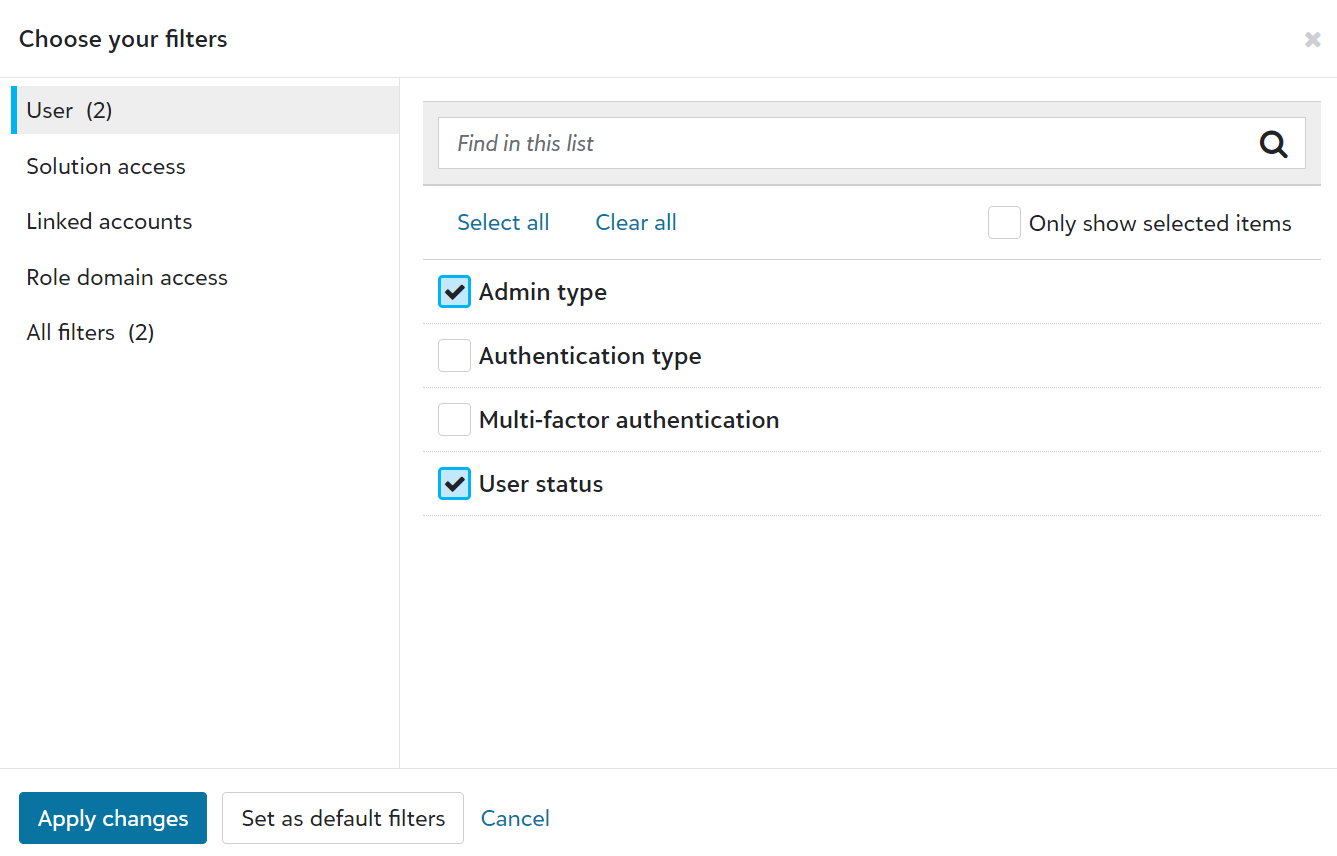
Use solution access, linked accounts, roles, admin types, authentication types, and multi-factor authentication statuses as columns and filters.
-
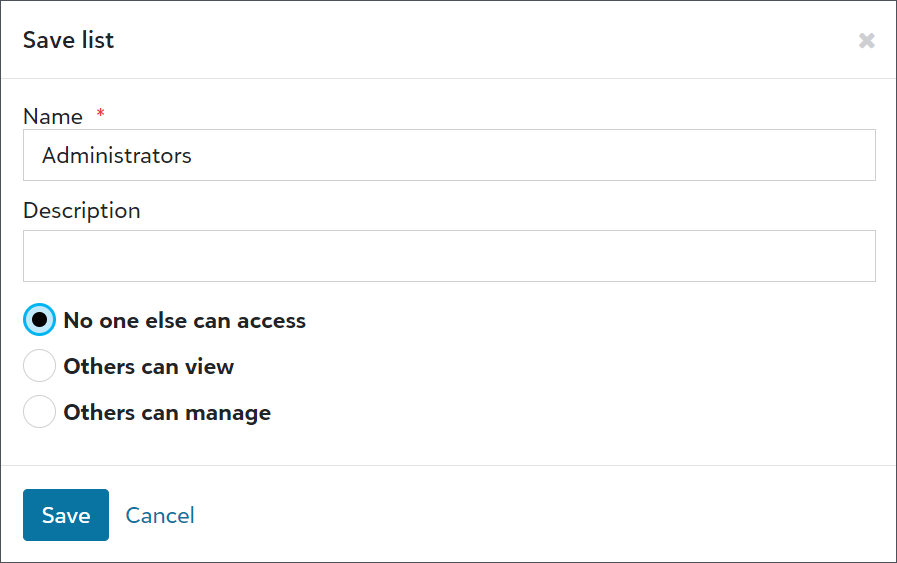
Save lists to easily reference user information.
-
Export user lists for compliance reviews or to analyze data alongside third-party data, such as from Human Resources or your organization’s Identity and Access Management (IAM) group.

-
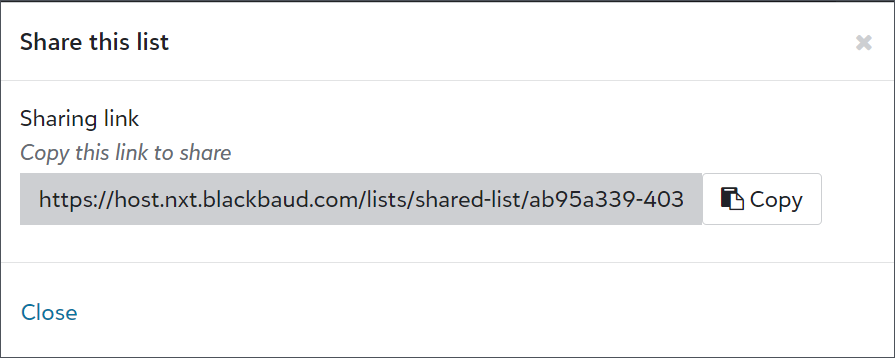
Share user lists with other admins.

Comments
-
Will the PDF receipts have additional customization options added in the future? I just tested out these new features, and while they are nice, the overall look and content is still very much inflexible - we cannot edit how/where our contact info is displayed, the look of the font or general layout, specific gift details that are included - and there's even still a default “On behalf of our entire organization, thank you for your generous gift” comment at the end that can't be removed. Thanks for any insight!
0 -
Ability to fully customize a PDF template is something that we have heard and is on our longer term roadmap. We are investigating technical options to provide more flexibility like changing the layout and the look and feel and also the content of the message.
0





Categories
- All Categories
- 6 Blackbaud Community Help
- 209 bbcon®
- 1.4K Blackbaud Altru®
- 394 Blackbaud Award Management™ and Blackbaud Stewardship Management™
- 1.1K Blackbaud CRM™ and Blackbaud Internet Solutions™
- 15 donorCentrics®
- 359 Blackbaud eTapestry®
- 2.5K Blackbaud Financial Edge NXT®
- 646 Blackbaud Grantmaking™
- 563 Blackbaud Education Management Solutions for Higher Education
- 3.2K Blackbaud Education Management Solutions for K-12 Schools
- 934 Blackbaud Luminate Online® and Blackbaud TeamRaiser®
- 84 JustGiving® from Blackbaud®
- 6.4K Blackbaud Raiser's Edge NXT®
- 3.7K SKY Developer
- 243 ResearchPoint™
- 118 Blackbaud Tuition Management™
- 165 Organizational Best Practices
- 238 The Tap (Just for Fun)
- 33 Blackbaud Community Challenges
- 28 PowerUp Challenges
- 3 (Open) Raiser's Edge NXT PowerUp Challenge: Product Update Briefing
- 3 (Closed) Raiser's Edge NXT PowerUp Challenge: Standard Reports+
- 3 (Closed) Raiser's Edge NXT PowerUp Challenge: Email Marketing
- 3 (Closed) Raiser's Edge NXT PowerUp Challenge: Gift Management
- 4 (Closed) Raiser's Edge NXT PowerUp Challenge: Event Management
- 3 (Closed) Raiser's Edge NXT PowerUp Challenge: Home Page
- 4 (Closed) Raiser's Edge NXT PowerUp Challenge: Standard Reports
- 4 (Closed) Raiser's Edge NXT PowerUp Challenge: Query
- 779 Community News
- 2.9K Jobs Board
- 53 Blackbaud SKY® Reporting Announcements
- 47 Blackbaud CRM Higher Ed Product Advisory Group (HE PAG)
- 19 Blackbaud CRM Product Advisory Group (BBCRM PAG)