Here are the latest changes in Blackbaud Raiser's Edge NXT for November 12, 2025.
Query control reports now available in web view
Now you can create a control report in web view to save a snapshot of your query settings. This snapshot can then be used to re-create the query later or as a baseline for future audits.
For details on how to use the Export control report, see Standard Reports.
Front-page printing for report criteria in Standard Reports
In response to your feedback, we’ve added the option to print report criteria on the first page of Standard Reports.
To include criteria with your report, from Reports, in the report's menu, select Run, Print report criteria.
Note: In web view, reports include common criteria, such as Report name, Record to include, Funds to include, etc. Criteria unique to specific reports may not be included.
For more information, see Standard Reports.
Expand your reporting scope with inactive entries in Standard Reports
For historical reporting, you can now include inactive funds, campaigns, and appeals by selecting Include inactive entries in Standard Reports. This helps you compare past and present performance for deeper insights.
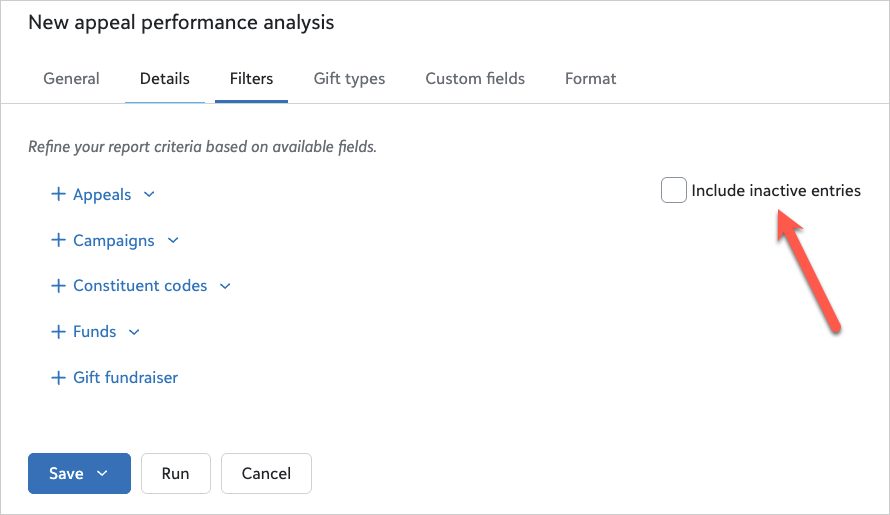
Note: You can also include inactive entries when you select which Field to use on the Comparisons and Summaries report.
Smarter consent tracking with Constant Contact integration
Organizations using multiple Constant Contact accounts in a single Raiser's Edge NXT environment can now manage unsubscribes at a more granular level — by chapter, department, or program. This multi-account consent prevents global opt-outs and ensures supporters only unsubscribe from the messages they no longer want, helping you stay compliant and maintain engagement.
For more about tracking consent through the Constant Contact integration, see Track Consent for Constant Contact.
Merge multiple duplicates at one time (generally available)
To help remove duplicates, you can merge up to 500 records at once in Data health. As when merging single pairs of records, you do not need to merge in both web view and database view.
For more information, see Review possible duplicates.