New Power Query And Power BI Connector For Raiser’s Edge NXT
Comments
-
Hello Linton: I saw your walk through demo on YouTube and I was wondering: The lists that show up in the demo in Power BI, are they from RE NXT? I was hoping to connect BI to the RE database view. Appreciate any feedback.
0 -
You need to also bring the tables in from Fundraising, I think
0 -
I had this too. Change the Security setting in Power BI Desktop to allow uncertificated custom connections resolved the issue for me:
File>Options and Settings>Options>Security>Data Extensions>(Not Recommended) Allow any extension to load without validation or warning0 -
Try walking through the steps to create the .mez file again and make sure you choose "Send to>Compressed (zipped) folder" when zipping up your edited files
0 -
I haven't had this issue, but I'd start with making sure you have copied the right keys and id's in the .mez file creation and in the app details in Sky Developer>My Apps
Also, ensure you have completed the final step and registered the app through RE:NXT>Market Place>Manage0 -
My understanding is that once you have created the .mez file, you can send that to anyone else who needs to use it, they put it in their Power BI Desktop>Custom Connectors folder, and job's a goodun!
0 -
Bring in the Campaing, Fund, Appeal etc tables under Fundraising
0 -
You have likely solved this already, but if anyone is (like me) here looking for more…. I did discover that I needed to view the file name extensions before replacing the .zip with .mez as outlined here with the .abc extension as an example
0 -
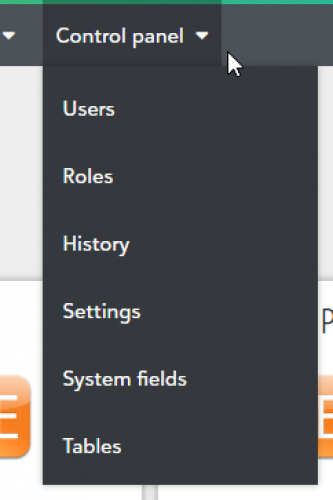
When I tried to link the connector to my NXT instance, I don't the option to choose Application. I am an admin so do we not have access to something?
 0
0 -
This post was from four years ago. In that time, we improved the experience of connecting applications to your Blackbaud environment. You now connect applications from the Blackbaud Marketplace. From the top left solution menu, select the option for the Blackbaud Marketplace. As an admin, you should see a Manage tab. You can manually sideload applications there, or browse the Marketplace applications and connect them from their application details page. I hope this helps.
0 -
@Lindsey Rix I am trying to connect to PowerBi. I followed your directions and went to marketplace - manage. I see where to connect an application, but how do I find the Application ID? Once I find the Application ID, is there anything else I need to do, or will I be able to access my data in NXT from PowerBi? I really appreciate your help. I have not been able to find recent directions on how to connect the 2 platforms.
0 -
I attempted to follow the instructions from the video but I couldn't get the file to process when i renamed it to .mez. That was my first problem. Then I tried to continue the steps from there but with no luck. I also had a hard time finding where applications has moved to in the new updated RE. Would love an updated version of this video!
0

















Categories
- All Categories
- 6 Blackbaud Community Help
- 211 bbcon®
- 1.4K Blackbaud Altru®
- 403 Blackbaud Award Management™ and Blackbaud Stewardship Management™
- 1.2K Blackbaud CRM™ and Blackbaud Internet Solutions™
- 15 donorCentrics®
- 360 Blackbaud eTapestry®
- 2.6K Blackbaud Financial Edge NXT®
- 659 Blackbaud Grantmaking™
- 579 Blackbaud Education Management Solutions for Higher Education
- 3.2K Blackbaud Education Management Solutions for K-12 Schools
- 943 Blackbaud Luminate Online® and Blackbaud TeamRaiser®
- 84 JustGiving® from Blackbaud®
- 6.7K Blackbaud Raiser's Edge NXT®
- 3.8K SKY Developer
- 250 ResearchPoint™
- 120 Blackbaud Tuition Management™
- 165 Organizational Best Practices
- 241 Member Lounge (Just for Fun)
- 36 Blackbaud Community Challenges
- 37 PowerUp Challenges
- 3 (Open) PowerUp Challenge: Grid View Batch
- 3 (Closed) PowerUp Challenge: Chat for Blackbaud AI
- 3 (Closed) PowerUp Challenge: Data Health
- 3 (Closed) Raiser's Edge NXT PowerUp Challenge: Product Update Briefing
- 3 (Closed) Raiser's Edge NXT PowerUp Challenge: Standard Reports+
- 3 (Closed) Raiser's Edge NXT PowerUp Challenge: Email Marketing
- 3 (Closed) Raiser's Edge NXT PowerUp Challenge: Gift Management
- 4 (Closed) Raiser's Edge NXT PowerUp Challenge: Event Management
- 3 (Closed) Raiser's Edge NXT PowerUp Challenge: Home Page
- 4 (Closed) Raiser's Edge NXT PowerUp Challenge: Standard Reports
- 4 (Closed) Raiser's Edge NXT PowerUp Challenge: Query
- 798 Community News
- 3K Jobs Board
- 56 Blackbaud SKY® Reporting Announcements
- 47 Blackbaud CRM Higher Ed Product Advisory Group (HE PAG)
- 19 Blackbaud CRM Product Advisory Group (BBCRM PAG)