Updating/Changing Your Profile Photo

Crystal Bruce
admin




Hey Community,
It's time to Show Us Your Selfie!
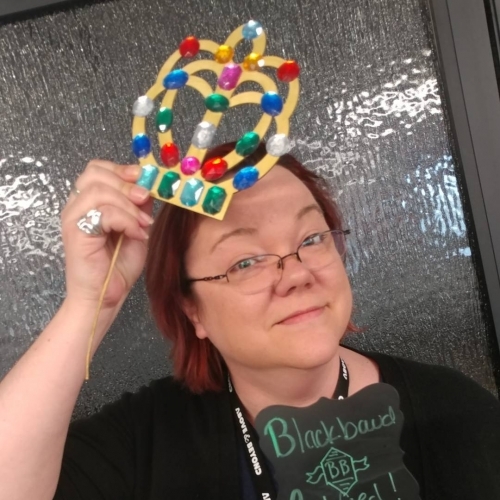
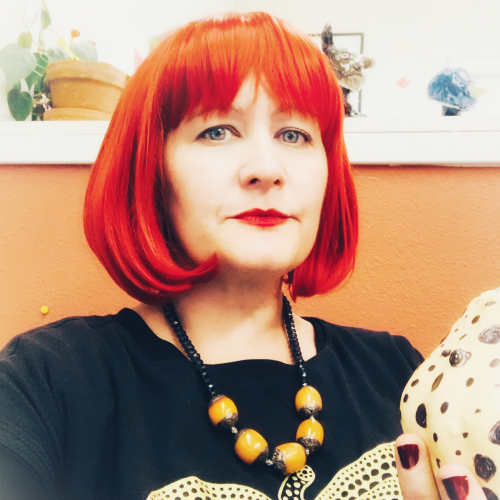
The Blackbaud Community is a great place to connect with one another. It's even better when members can put a face to the name! We encourage you to find a nice selfie, a headshot, or a picture of something that is meaningful to you.
Here's how you do it:
Click on your profile at the of the page:

Click the camera on your cover photo and click add profile photo:

Browse for the photo you want on your computer and then click save!
Taaadaaa! In three easy steps, you've updated your profile picture.
Bonus: If you've never uploaded a profile photo, you will receive a shiny new "Participant" badge on your page.
It's time to Show Us Your Selfie!
The Blackbaud Community is a great place to connect with one another. It's even better when members can put a face to the name! We encourage you to find a nice selfie, a headshot, or a picture of something that is meaningful to you.
Here's how you do it:
Click on your profile at the of the page:

Click the camera on your cover photo and click add profile photo:

Browse for the photo you want on your computer and then click save!
Taaadaaa! In three easy steps, you've updated your profile picture.
Bonus: If you've never uploaded a profile photo, you will receive a shiny new "Participant" badge on your page.
31
Comments
-
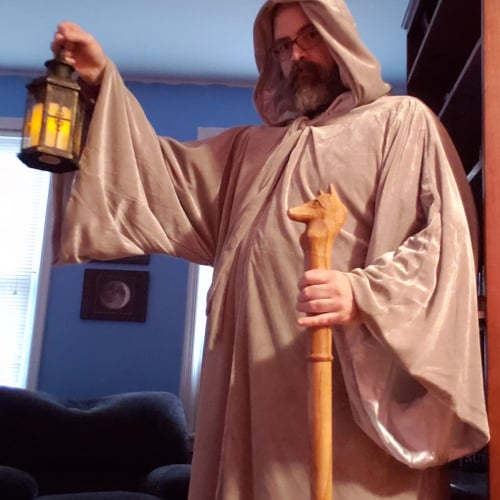
Mine is up! It's a Samhain costume for this year based on "The Hermit" from a tarot deck. Reference: https://cdn.shopify.com/s/files/1/1325/0879/files/09-hermit-meaning-rider-waite-tarot-major-arcana_large.jpg?v=14889083150
-
I love this! Hoping more people put up pictures with profiles! Wicked helpful in remember if I have interacted with someone before!!!
Happy Fall-oween! Love it!0 -
Done. I used the headshot from bbcon. Thanks, Crystal.0
-
My team is going as Care Bears to hand out treats to the kids at the hospital this week
 0
0 -
Sunshine is doing the most Sunshine thing I could possibly imagine.0
-
Always love this one! Here's my dog Baxter. He is clearly saying "You can put it on me, but it doesn't mean I have to like it!"0
-
I love this idea and getting to see all the fun photos that are posted!0
-
Boo!0
-
I had to use the picture of the costume my niece created herself for Halloween. She dubbed it the "Reindeer Kitty Cat Duck Princess Butterfly."0
-
I used a picture of my trunk decorated for our church's trunk or treat. It's from two years ago. This year's trunk was not great because of the windy day and I don't have last year's picture on my phone. I love to see everyone's creativity!0
-
Just updated my pic, thanks Crystal!0
-
Done!0
-
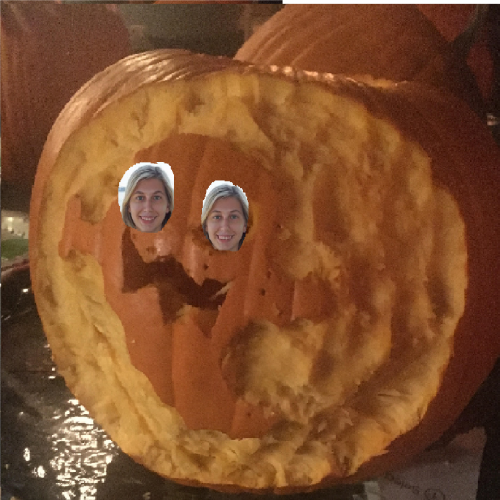
I put my face on the eyes of my ghost pumpkin! Very scary :O0
-
BatRex has returned!0
-
Done!! Taken Saturday at a Halloween party.0
-
Done! I love seeing everyone's fun pics!! Happy Fall-o-ween
 0
0 -
I added a photo of myself in front of the Grand Ole Opry.0
-
I posted my Falloween Selfie!0
-
Our best rendition of Indiana Jones and his girlfriend.....0
-
I went with my training notebook from BBCon (with a few 2019 stickers from the conference,) wearing a tiny witches hat. 0
-
Happy Halloween! Our office dressed as the Yayoi Kusama fan club...we all had different colored wigs and wore polka dots!0
-
Halloween 2019 at the Davis Arts Center...Yayoi Kusama Fan Club. Polka dots and pumpkins galore!0
-
Late to the party, but had to share our jack o lanterns. I also added a picture of my last minute effort at a Halloween costume to my photo gallery. My have been low effort, but it got a lot of laughs so I'll count it as a win.0
-
This is crazy
0 -
Hi @Nickalass King what is crazy?
0 -
I couldn't figure out how to change the photo, this was extremely helpfule!
 0
0 -
Done! Huzzah!
0







































Categories
- All Categories
- 6 Blackbaud Community Help
- 213 bbcon®
- 1.4K Blackbaud Altru®
- 400 Blackbaud Award Management™ and Blackbaud Stewardship Management™
- 1.1K Blackbaud CRM™ and Blackbaud Internet Solutions™
- 15 donorCentrics®
- 360 Blackbaud eTapestry®
- 2.6K Blackbaud Financial Edge NXT®
- 655 Blackbaud Grantmaking™
- 576 Blackbaud Education Management Solutions for Higher Education
- 3.2K Blackbaud Education Management Solutions for K-12 Schools
- 939 Blackbaud Luminate Online® and Blackbaud TeamRaiser®
- 84 JustGiving® from Blackbaud®
- 6.6K Blackbaud Raiser's Edge NXT®
- 3.7K SKY Developer
- 248 ResearchPoint™
- 119 Blackbaud Tuition Management™
- 165 Organizational Best Practices
- 241 Member Lounge (Just for Fun)
- 34 Blackbaud Community Challenges
- 34 PowerUp Challenges
- 3 (Open) PowerUp Challenge: Chat for Blackbaud AI
- 3 (Closed) PowerUp Challenge: Data Health
- 3 (Closed) Raiser's Edge NXT PowerUp Challenge: Product Update Briefing
- 3 (Closed) Raiser's Edge NXT PowerUp Challenge: Standard Reports+
- 3 (Closed) Raiser's Edge NXT PowerUp Challenge: Email Marketing
- 3 (Closed) Raiser's Edge NXT PowerUp Challenge: Gift Management
- 4 (Closed) Raiser's Edge NXT PowerUp Challenge: Event Management
- 3 (Closed) Raiser's Edge NXT PowerUp Challenge: Home Page
- 4 (Closed) Raiser's Edge NXT PowerUp Challenge: Standard Reports
- 4 (Closed) Raiser's Edge NXT PowerUp Challenge: Query
- 790 Community News
- 2.9K Jobs Board
- 53 Blackbaud SKY® Reporting Announcements
- 47 Blackbaud CRM Higher Ed Product Advisory Group (HE PAG)
- 19 Blackbaud CRM Product Advisory Group (BBCRM PAG)