What's New In Financial Edge NXT EAP: More Flexibility With Invoice Measures

Ellyn Hassell
Blackbaud Employee




Financial Edge NXT recently updated with more flexibility around invoice measures.
Measures are the numerical amounts and percentages you track with an insight, such as total invoice amounts and remaining invoice balances. In Analysis, Insights, in the data catalogue, measures appear under all data or measures.
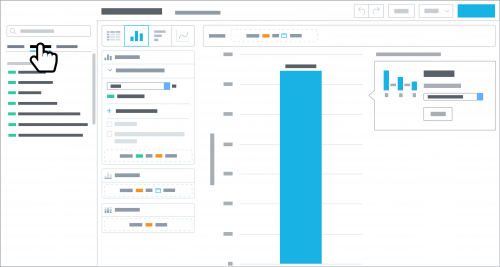
By default, most measures provide the sum — or total — of its records. Now, with the following measures, you can choose which calculation — such as Average or Minimum — to use.
Use Average to help identify the typical amount of a measure's records (total amount divided by the number of records).
Maximum and Minimum
With Maximum and Minimum, you can analyze the extreme amounts of the records, such as the highest or lowest amount of the records.
Median
Use Median to analyze the middle amount of the records, such as whether they trend high or low. Half of the records are above this amount, and half are below.
Sum and Running Sum
Use Sum to analyze the total amount across a measure’s records and Running sum to analyze the cumulative amount over time.
To narrow the focus of a measure, you can select an attribute for a further breakdown. For example, you can view the sum of Invoice amount by vendor, which shows the total amount for each vendor.
Measures are the numerical amounts and percentages you track with an insight, such as total invoice amounts and remaining invoice balances. In Analysis, Insights, in the data catalogue, measures appear under all data or measures.

By default, most measures provide the sum — or total — of its records. Now, with the following measures, you can choose which calculation — such as Average or Minimum — to use.
- Invoice amount
- Invoice balance
- Invoice discount amount
- Invoice tax amount
Use Average to help identify the typical amount of a measure's records (total amount divided by the number of records).
Maximum and Minimum
With Maximum and Minimum, you can analyze the extreme amounts of the records, such as the highest or lowest amount of the records.
Median
Use Median to analyze the middle amount of the records, such as whether they trend high or low. Half of the records are above this amount, and half are below.
Sum and Running Sum
Use Sum to analyze the total amount across a measure’s records and Running sum to analyze the cumulative amount over time.
To narrow the focus of a measure, you can select an attribute for a further breakdown. For example, you can view the sum of Invoice amount by vendor, which shows the total amount for each vendor.
0
Categories
- All Categories
- 6 Blackbaud Community Help
- 211 bbcon®
- 1.4K Blackbaud Altru®
- 402 Blackbaud Award Management™ and Blackbaud Stewardship Management™
- 1.1K Blackbaud CRM™ and Blackbaud Internet Solutions™
- 15 donorCentrics®
- 360 Blackbaud eTapestry®
- 2.6K Blackbaud Financial Edge NXT®
- 655 Blackbaud Grantmaking™
- 576 Blackbaud Education Management Solutions for Higher Education
- 3.2K Blackbaud Education Management Solutions for K-12 Schools
- 941 Blackbaud Luminate Online® and Blackbaud TeamRaiser®
- 84 JustGiving® from Blackbaud®
- 6.7K Blackbaud Raiser's Edge NXT®
- 3.7K SKY Developer
- 248 ResearchPoint™
- 120 Blackbaud Tuition Management™
- 165 Organizational Best Practices
- 240 Member Lounge (Just for Fun)
- 34 Blackbaud Community Challenges
- 37 PowerUp Challenges
- 3 (Open) PowerUp Challenge: Grid View Batch
- 3 (Closed) PowerUp Challenge: Chat for Blackbaud AI
- 3 (Closed) PowerUp Challenge: Data Health
- 3 (Closed) Raiser's Edge NXT PowerUp Challenge: Product Update Briefing
- 3 (Closed) Raiser's Edge NXT PowerUp Challenge: Standard Reports+
- 3 (Closed) Raiser's Edge NXT PowerUp Challenge: Email Marketing
- 3 (Closed) Raiser's Edge NXT PowerUp Challenge: Gift Management
- 4 (Closed) Raiser's Edge NXT PowerUp Challenge: Event Management
- 3 (Closed) Raiser's Edge NXT PowerUp Challenge: Home Page
- 4 (Closed) Raiser's Edge NXT PowerUp Challenge: Standard Reports
- 4 (Closed) Raiser's Edge NXT PowerUp Challenge: Query
- 796 Community News
- 3K Jobs Board
- 54 Blackbaud SKY® Reporting Announcements
- 47 Blackbaud CRM Higher Ed Product Advisory Group (HE PAG)
- 19 Blackbaud CRM Product Advisory Group (BBCRM PAG)