Software tips and Tricks-What makes your life easier





In the spirit of the Blackbaud Community Collaborators March Challenge, I present you with the following question:
What software tip or trick have you discovered that makes your life easier? It can be Blackbaud or non Blackbaud software.
Mine is multiple signatures for email using the desktop version of Outlook. I have a long list of emails that I send regularly. I create a signature for each one with the body of the email, that way when I click it it prefills the body of the email. I put placeholders in for information that may change from email to email. The time saved on not rewriting emails is enough to justify the initial set up.
What software tip or trick have you discovered that makes your life easier? It can be Blackbaud or non Blackbaud software.
Mine is multiple signatures for email using the desktop version of Outlook. I have a long list of emails that I send regularly. I create a signature for each one with the body of the email, that way when I click it it prefills the body of the email. I put placeholders in for information that may change from email to email. The time saved on not rewriting emails is enough to justify the initial set up.
6
Comments
-
OneTab is my favorite Chrome extension - https://chrome.google.com/webstore/detail/onetab/chphlpgkkbolifaimnlloiipkdnihall?hl=en
It helps me better organize and manage with all the different browser tabs I have kept opened.3 -
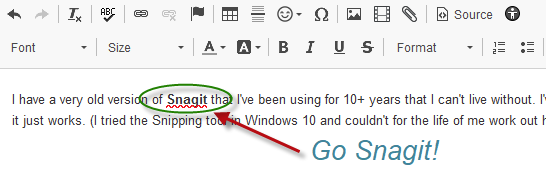
I have a very old version of Snagit that I've been using for 10+ years that I can't live without. I've tried newer versions of Snagit and couple of other screen-grabbing utilities but this one is so easy, dependable, light-weight and ... well, it just works. (I tried the Snipping tool in Windows 10 and couldn't for the life of me work out how it was supposed to work, where it put snips, etc. I ended up losing a whole swath of code sample images. Probably should have read the manual, tho.)
Honourable mentions: Notepad++, FileZilla, Regex Hero, SQLite Studio
Cheers,
Steve Cinquegrana | CEO and Principal Developer | Protégé Solutions
2 -
I use Notepad++ for everything. It's editing routines are great (CRTL-click in multiple locations, ALT-select to grab columnar areas, etc.). I also use SnagIt, but I do have the newer version. I use Snip & Sketch in Win10 (Windows-Shift-S) for grabbing screen shots all the time. You can just use it for Copy & Paste, or click on the preview window that appears briefly to do some quick edits. And the edits auto-save to the clipboard for easy use.
Snip & Sketch sample: 2
2 -
Steven Cinquegrana:
My favorite feature in newer versions of Snagit is "simplify." The trick is don't over simplify. Leave enough things "normal" so that users have enough context and don't get lost. Use "simplify" to make images more future-proof, to make images more focused on specific content, to hide unrelated or sensitive data, and more.
I have a very old version of Snagit that I've been using for 10+ years that I can't live without. I've tried newer versions of Snagit and couple of other screen-grabbing utilities but this one is so easy, dependable, light-weight and ... well, it just works.
I also like that you can set more things as presets to standardize styles (use these specific arrows, in these specific colors).3 -
Chrome's built in Tab functionality is no longer just a hidden feature. They've released it out into the wild, so you can have Grouped tabs without an extension now. I think it is great, but I never looked for extensions before using it so I don't know if they have implemented everything that you liked about OneTab.
I also really like the URLColors Chrome extension. I can work in the same website in multiple environments, and this lets me set obvious visual clues as to which one I am currently looking at.
My favorite Text editor is EditPad Pro. I've been using that and AceText for years. Having easily searchable clips is a necessity for me.
And I use a Windows replacement called xplorer2. Talk about multiple tab group heaven ?.
If you need a quick environment to work thru something, Regex Buddy and LINQPad often fit the bill.
And never used SnagIt because I found WinSnap first. It does everything I need.3 -
This is a great idea! Cut and paste has always been a friend of mine. Now, I think I have added a buddy to the group...email signatures! ?1
-
I just tried Snagit and it's pretty cool...Thanks for sharing Steven Cinquegrana0













Categories
- All Categories
- 6 Blackbaud Community Help
- 211 bbcon®
- 1.4K Blackbaud Altru®
- 402 Blackbaud Award Management™ and Blackbaud Stewardship Management™
- 1.1K Blackbaud CRM™ and Blackbaud Internet Solutions™
- 15 donorCentrics®
- 360 Blackbaud eTapestry®
- 2.6K Blackbaud Financial Edge NXT®
- 656 Blackbaud Grantmaking™
- 577 Blackbaud Education Management Solutions for Higher Education
- 3.2K Blackbaud Education Management Solutions for K-12 Schools
- 941 Blackbaud Luminate Online® and Blackbaud TeamRaiser®
- 84 JustGiving® from Blackbaud®
- 6.7K Blackbaud Raiser's Edge NXT®
- 3.7K SKY Developer
- 248 ResearchPoint™
- 120 Blackbaud Tuition Management™
- 165 Organizational Best Practices
- 240 Member Lounge (Just for Fun)
- 34 Blackbaud Community Challenges
- 37 PowerUp Challenges
- 3 (Open) PowerUp Challenge: Grid View Batch
- 3 (Closed) PowerUp Challenge: Chat for Blackbaud AI
- 3 (Closed) PowerUp Challenge: Data Health
- 3 (Closed) Raiser's Edge NXT PowerUp Challenge: Product Update Briefing
- 3 (Closed) Raiser's Edge NXT PowerUp Challenge: Standard Reports+
- 3 (Closed) Raiser's Edge NXT PowerUp Challenge: Email Marketing
- 3 (Closed) Raiser's Edge NXT PowerUp Challenge: Gift Management
- 4 (Closed) Raiser's Edge NXT PowerUp Challenge: Event Management
- 3 (Closed) Raiser's Edge NXT PowerUp Challenge: Home Page
- 4 (Closed) Raiser's Edge NXT PowerUp Challenge: Standard Reports
- 4 (Closed) Raiser's Edge NXT PowerUp Challenge: Query
- 796 Community News
- 3K Jobs Board
- 54 Blackbaud SKY® Reporting Announcements
- 47 Blackbaud CRM Higher Ed Product Advisory Group (HE PAG)
- 19 Blackbaud CRM Product Advisory Group (BBCRM PAG)