Step Add Form 2 - setting owner of Step to someone other than the Primary Manager of the Plan




Dear all,
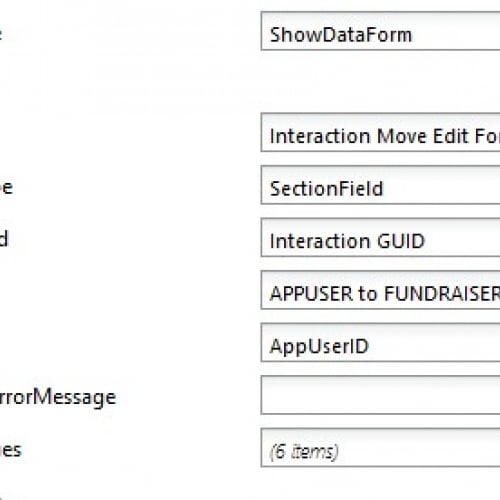
How/can I set the owner of a Step using Page Designer/Advanced Config? If I use DefaultValues to set OWNERID to the ‘System record ID’ of the Constituent record of the person I want to be the owner of the Step, it works if that person is the Primary Manager of the Plan, but otherwise, apparently does nothing, even though, if I type in another person's name when using the form manually, it works.
Ciao,
David.
Comments
-
Hi David.
I believe the issue is caused by the drop down on the Owner field which is auto populated with the prospect/plan managers.
On my quick testing, defaulting the OWNERID to another fundraiser does actually assign correctly in the background but the drop-down and field appears blank rather than showing the owner text.
If you save the step the owner will be saved correctly even though it appears to be blank, but obviously this is not really suitable for end users.
It would likely require a custom extension or a custom form to be able to default the owner correctly like you want.
Cheers,
Simon
0 -
Hi David,
Defaulting the owner of a prospect plan step is limited to the prospect manager, primary manager, secondary manager and secondary solicitors. If the constituent fundraiser has any of these roles related to the prospect or the plan then they can be defaulted as owner on Step add form 2.
-Clint
0




Categories
- All Categories
- 6 Blackbaud Community Help
- 213 bbcon®
- 1.4K Blackbaud Altru®
- 401 Blackbaud Award Management™ and Blackbaud Stewardship Management™
- 1.1K Blackbaud CRM™ and Blackbaud Internet Solutions™
- 15 donorCentrics®
- 360 Blackbaud eTapestry®
- 2.6K Blackbaud Financial Edge NXT®
- 655 Blackbaud Grantmaking™
- 576 Blackbaud Education Management Solutions for Higher Education
- 3.2K Blackbaud Education Management Solutions for K-12 Schools
- 939 Blackbaud Luminate Online® and Blackbaud TeamRaiser®
- 84 JustGiving® from Blackbaud®
- 6.6K Blackbaud Raiser's Edge NXT®
- 3.7K SKY Developer
- 248 ResearchPoint™
- 119 Blackbaud Tuition Management™
- 165 Organizational Best Practices
- 241 Member Lounge (Just for Fun)
- 34 Blackbaud Community Challenges
- 34 PowerUp Challenges
- 3 (Open) PowerUp Challenge: Chat for Blackbaud AI
- 3 (Closed) PowerUp Challenge: Data Health
- 3 (Closed) Raiser's Edge NXT PowerUp Challenge: Product Update Briefing
- 3 (Closed) Raiser's Edge NXT PowerUp Challenge: Standard Reports+
- 3 (Closed) Raiser's Edge NXT PowerUp Challenge: Email Marketing
- 3 (Closed) Raiser's Edge NXT PowerUp Challenge: Gift Management
- 4 (Closed) Raiser's Edge NXT PowerUp Challenge: Event Management
- 3 (Closed) Raiser's Edge NXT PowerUp Challenge: Home Page
- 4 (Closed) Raiser's Edge NXT PowerUp Challenge: Standard Reports
- 4 (Closed) Raiser's Edge NXT PowerUp Challenge: Query
- 791 Community News
- 2.9K Jobs Board
- 53 Blackbaud SKY® Reporting Announcements
- 47 Blackbaud CRM Higher Ed Product Advisory Group (HE PAG)
- 19 Blackbaud CRM Product Advisory Group (BBCRM PAG)