New to Blackbaud - Onboarding Faculty


I am just getting started with faculty and want to draw teachers away from Google Classroom. We are a K-12 school, so I'm looking to make sure Blackbaud appeals to our entire population. I want to start by making the Bulletin Board look very K-5 friendly by adding custom banners made in Canva.. is this possible? So far I haven't figured out a way to make the banner go across the page. Looking for any feedback to get started.
Thank you so much!
Alexis
Comments
-
Hey Alexia,
I think there are two ways you could do this. If it lives in Canva, you could use the EMBED Widget with the LAYOUT that has a header bar. If you want to just copy and paste it into the TEXT Widget, that could work too. Happy to talk more.1 -
I have the teachers create the banner in canva (or wherever they like to create graphics) and save as a jpg or png and email to me. If they want a long skinny banner at the top then 1000px is a good width and they can use whatever length they want. Then I use the Misc upload feature in core to store the banner (Core→Content →additional content types →uploads). I copy the link to the banner that I upload and then use HTML to place in a text box at the top of their class page. If they don't change banners year to year they can just copy the banners each year going forward. If they want to change the banner they just email me the new banner. This is very much a pain but I know the LS teachers are very particular about their newsletters and when we were switching to the new system I wanted to make sure it looked like what they were used to~
Here is the code for the embed…also, once it is embedded you can adjust the size by dragging the select points in the corners of the banner in the text box.
<img src="/ftpimages/660/misc/misc_187830.png" />
I copied the “/ftpimages/660/misc/misc_187830.png” from the upload in core where it says File Path to link this file
 1
1 -
Hi Vanessa - are you talking about Bulletin Boards for Class Pages? I don't have a header that looks like your screen shot. I understand where I can add the files - but I don't see where to add it to the Bulletin Board header. I am like Alexis - needing to draw teachers away from Google Classroom. The Look of the Bulletin Board is not something they like - and as someone has said - “but Google Classroom is so much easier - it's Google-ey”
I need help to combat that!!0 -
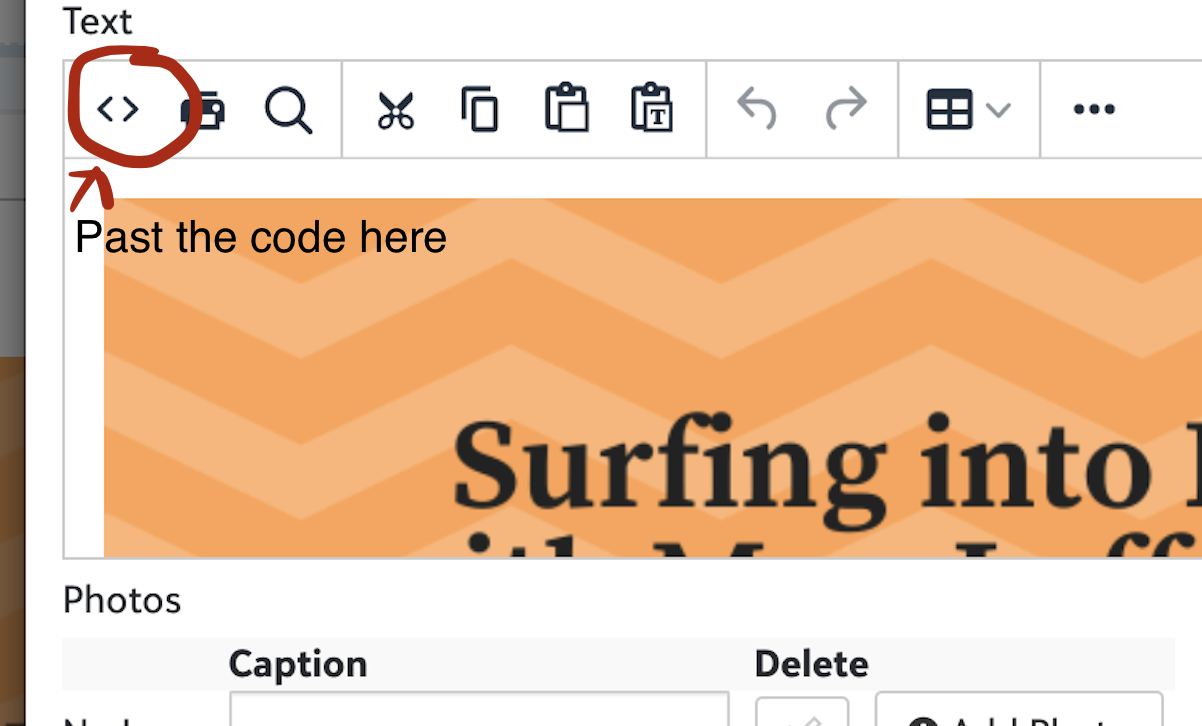
Hey Candace! Sorry, I haven't been back to this site in a while so you may not need the answer to this anymore, but yes, that is on the bulletin board on the class page. I use the layout that has a long box across the top and I drop the “Text” widget into it. Then in the text box I just put a space in the title so the only thing that shows is the banner.jpg and then I copy that imbed code into the html section of the text box. you get there by hitting the <> button in the top of the text box. You don't have to upload the banners to the misc if they can be stored somewhere else (like Canva). you just have to have the banner stored somewhere and use that URL for the imbed code. And like someone else set you could also use the embed widget. But some of my teachers like to use the embed widget to embed a google doc or slide that they update daily to make the bulletin board a little less static!
1









Categories
- All Categories
- 6 Blackbaud Community Help
- 213 bbcon®
- 1.4K Blackbaud Altru®
- 401 Blackbaud Award Management™ and Blackbaud Stewardship Management™
- 1.1K Blackbaud CRM™ and Blackbaud Internet Solutions™
- 15 donorCentrics®
- 360 Blackbaud eTapestry®
- 2.6K Blackbaud Financial Edge NXT®
- 655 Blackbaud Grantmaking™
- 576 Blackbaud Education Management Solutions for Higher Education
- 3.2K Blackbaud Education Management Solutions for K-12 Schools
- 939 Blackbaud Luminate Online® and Blackbaud TeamRaiser®
- 84 JustGiving® from Blackbaud®
- 6.6K Blackbaud Raiser's Edge NXT®
- 3.7K SKY Developer
- 248 ResearchPoint™
- 119 Blackbaud Tuition Management™
- 165 Organizational Best Practices
- 241 Member Lounge (Just for Fun)
- 34 Blackbaud Community Challenges
- 34 PowerUp Challenges
- 3 (Open) PowerUp Challenge: Chat for Blackbaud AI
- 3 (Closed) PowerUp Challenge: Data Health
- 3 (Closed) Raiser's Edge NXT PowerUp Challenge: Product Update Briefing
- 3 (Closed) Raiser's Edge NXT PowerUp Challenge: Standard Reports+
- 3 (Closed) Raiser's Edge NXT PowerUp Challenge: Email Marketing
- 3 (Closed) Raiser's Edge NXT PowerUp Challenge: Gift Management
- 4 (Closed) Raiser's Edge NXT PowerUp Challenge: Event Management
- 3 (Closed) Raiser's Edge NXT PowerUp Challenge: Home Page
- 4 (Closed) Raiser's Edge NXT PowerUp Challenge: Standard Reports
- 4 (Closed) Raiser's Edge NXT PowerUp Challenge: Query
- 791 Community News
- 2.9K Jobs Board
- 53 Blackbaud SKY® Reporting Announcements
- 47 Blackbaud CRM Higher Ed Product Advisory Group (HE PAG)
- 19 Blackbaud CRM Product Advisory Group (BBCRM PAG)