Grades - Transferring into a New Section




We are in the middle of our drop/add period and I have students who are moving between sections; sometimes into a different course, but sometimes same course, same teacher, different section. I have pulled the Grades - Dropped Courses report in the new section (same course, same teacher) but the grades are not showing up from the original section. They are only showing up for the course he switched into a totally new course.
Comments
-
@Colleen McManus
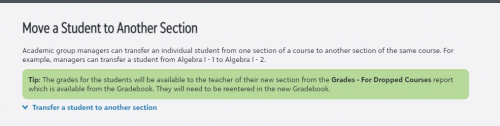
When you transfer a student to a new class section of a course, unfortunately, the grade book information does not move with the student. I make a grade book printout of the student's grades from the section the student is leaving and forward it to the teacher of the new section. The new teacher then needs to enter the student's grades into their section's grade book. I believe there is a request for this functionality available to vote for in the ideas bank.2 -
@Jean Sudduth Thank you. This is unfortunate and different than what the knowledgebase says. I seem to remember being able to do it last year. I know it would have been an issue then too.
0 -
@Colleen McManus
Colleen, I just tried the Grades from Dropped Classes report and it worked. I was unaware of this report, it saves a step at least of me sending the student's grades to the new teacher. I impersonated a teacher that I recently transferred a student into from on of her sections into another and the previous grade book grades appeared.0 -
@Jean Sudduth I knew it worked in the past! I'm wondering if it's not working because the teacher did not have her gradebook setup correctly at the time of the transfer. She was entering grades but did not have the calculation setup yet.
0 -
@Colleen McManus - We ran into the same situation this week. I learned several things:
The cause for our problems with the Grades from Dropped Classes report was the way in which the student was moved from one section of a course to another section of the same course. On the Edit Enrollments screen, some of the student's block assignments will be grayed out (and therefore can't be changed on the main screen). Others are not grayed out, and can be changed. Changing from one section to another here by just changing the block assignment is quick and easy and WRONG.
The correct way is to click the three-dots button and choose Drop or Transfer (depending on what's happening to the student's schedule). That results in the enrollment record for the original section getting marked with a Dropped flag, and a new record for the new section being created. (The Grades from Dropped Classes report looks for enrollment records with the Dropped flag set.)
On the Edit Enrollment screen, the blocks that are grayed out (not changeable) are inactive because there is an attendance record for that student in that section. If the student has been reported as anything but present, the block selector is not changeable. But for students who have only been marked Present, the selector can be changed, so it's easy to move the student to a new section - but DON'T DO IT that way.
That technique does not mark the record for the original section as Dropped and create a new one. Instead, it modifies the existing enrollment record with the new block information and the current date as the date of enrollment. Because there is no enrollment record with the Dropped flag set, the Grade from Dropped Classes report doesn't include that student.
--
To get the lost grades back temporarily if the Grades from Dropped Classes report doesn't show anything, you can temporarily put the student back into the original section. If you do this from the Manage Classes tab, the student can be in two section of the same course at the same time. Put the student back into the section, then get the grade information (screenshot the grade book?), and then remove the student.
--
In summary - don't change the block assignment from the Edit Enrollment screen after classes have started. Use Drop and Transfer in the three-dots menu instead.
2 -
@Brian Gray we ran into this also we are in interims so teachers are trying to find previous grades for section changed class - took me hours to figure out what was happening. Then try explaining to the advisors why moving to a different section by changing the block assignment causes problems and that they have to Drop/Transfer. Well, they looked at me like I had 3 heads - “if the system allowed me to change the assignment, why won't it work”
0 -
@Colleen McManus Our registrar reported the same thing. Have you reached out to support with this issue?
0












Categories
- All Categories
- 6 Blackbaud Community Help
- 211 bbcon®
- 1.4K Blackbaud Altru®
- 402 Blackbaud Award Management™ and Blackbaud Stewardship Management™
- 1.1K Blackbaud CRM™ and Blackbaud Internet Solutions™
- 15 donorCentrics®
- 360 Blackbaud eTapestry®
- 2.6K Blackbaud Financial Edge NXT®
- 655 Blackbaud Grantmaking™
- 576 Blackbaud Education Management Solutions for Higher Education
- 3.2K Blackbaud Education Management Solutions for K-12 Schools
- 940 Blackbaud Luminate Online® and Blackbaud TeamRaiser®
- 84 JustGiving® from Blackbaud®
- 6.7K Blackbaud Raiser's Edge NXT®
- 3.7K SKY Developer
- 248 ResearchPoint™
- 120 Blackbaud Tuition Management™
- 165 Organizational Best Practices
- 240 Member Lounge (Just for Fun)
- 34 Blackbaud Community Challenges
- 37 PowerUp Challenges
- 3 (Open) PowerUp Challenge: Grid View Batch
- 3 (Closed) PowerUp Challenge: Chat for Blackbaud AI
- 3 (Closed) PowerUp Challenge: Data Health
- 3 (Closed) Raiser's Edge NXT PowerUp Challenge: Product Update Briefing
- 3 (Closed) Raiser's Edge NXT PowerUp Challenge: Standard Reports+
- 3 (Closed) Raiser's Edge NXT PowerUp Challenge: Email Marketing
- 3 (Closed) Raiser's Edge NXT PowerUp Challenge: Gift Management
- 4 (Closed) Raiser's Edge NXT PowerUp Challenge: Event Management
- 3 (Closed) Raiser's Edge NXT PowerUp Challenge: Home Page
- 4 (Closed) Raiser's Edge NXT PowerUp Challenge: Standard Reports
- 4 (Closed) Raiser's Edge NXT PowerUp Challenge: Query
- 796 Community News
- 3K Jobs Board
- 54 Blackbaud SKY® Reporting Announcements
- 47 Blackbaud CRM Higher Ed Product Advisory Group (HE PAG)
- 19 Blackbaud CRM Product Advisory Group (BBCRM PAG)