Logo size issues





I'd like to have our school logo on the top of the enrollment contracts and school forms. However, when I upload the ones from Core > Settings > Application Style Settings, they're either WAAAY too big, or they look like the right size on the screen but are stretched and distorted on the print view of the signed contract. Has anyone else dealt with this and know of a solution? I haven't found any ideal dimensions from the articles in the knowledgebase. Thanks!
Comments
-
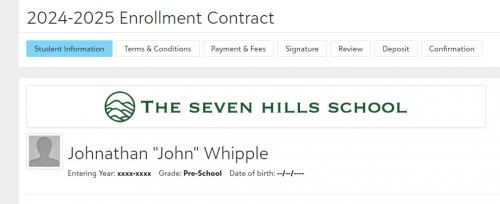
We use our banner style logo (instead of square) and it is centered in a 900 px by 75 image and appears on the first tab of our contract.
 2
2 -
@Moriah Petersen Griffin Yes, like @Kim Hughes, we don't use the Logo element on our contracts - it displays poorly. The image I use for our contracts (and really everything else in EMS that I want our logo to display on) is an 1185x143 px png file that I include using the Image element. I make sure to center the logo in the image file, and just have white space on either side. Works like a charm.
1 -
@Brian LeBlanc thank you for that insight! Before I added a logo to our contracts one appeared on the printed version anyway and I was trying to figure out where that was coming from. When I talked to customer support they said it was the default logo and there’s no way to turn that feature off, which is why I was looking for the best dimensions. Is that what you were referring to?
0 -
@Moriah Petersen Griffin No, I was referring to the one that you see on the web version of the contract, not the PDF. The PDF will not display any images other than the one that is listed as the Default logo in Core>Settings>Application Style Settings>Logos and Seals, and it will display that logo at the top of every page of the PDF. Our default logo is 400x200px.
It also has a very weird off-white background color in the PDF that I cannot get rid of and bothers me to no end, because it is definitely not there in the Logos and Seals area. Be warned.
 0
0





Categories
- All Categories
- 6 Blackbaud Community Help
- 211 bbcon®
- 1.4K Blackbaud Altru®
- 402 Blackbaud Award Management™ and Blackbaud Stewardship Management™
- 1.1K Blackbaud CRM™ and Blackbaud Internet Solutions™
- 15 donorCentrics®
- 360 Blackbaud eTapestry®
- 2.6K Blackbaud Financial Edge NXT®
- 656 Blackbaud Grantmaking™
- 577 Blackbaud Education Management Solutions for Higher Education
- 3.2K Blackbaud Education Management Solutions for K-12 Schools
- 941 Blackbaud Luminate Online® and Blackbaud TeamRaiser®
- 84 JustGiving® from Blackbaud®
- 6.7K Blackbaud Raiser's Edge NXT®
- 3.7K SKY Developer
- 248 ResearchPoint™
- 120 Blackbaud Tuition Management™
- 165 Organizational Best Practices
- 240 Member Lounge (Just for Fun)
- 34 Blackbaud Community Challenges
- 37 PowerUp Challenges
- 3 (Open) PowerUp Challenge: Grid View Batch
- 3 (Closed) PowerUp Challenge: Chat for Blackbaud AI
- 3 (Closed) PowerUp Challenge: Data Health
- 3 (Closed) Raiser's Edge NXT PowerUp Challenge: Product Update Briefing
- 3 (Closed) Raiser's Edge NXT PowerUp Challenge: Standard Reports+
- 3 (Closed) Raiser's Edge NXT PowerUp Challenge: Email Marketing
- 3 (Closed) Raiser's Edge NXT PowerUp Challenge: Gift Management
- 4 (Closed) Raiser's Edge NXT PowerUp Challenge: Event Management
- 3 (Closed) Raiser's Edge NXT PowerUp Challenge: Home Page
- 4 (Closed) Raiser's Edge NXT PowerUp Challenge: Standard Reports
- 4 (Closed) Raiser's Edge NXT PowerUp Challenge: Query
- 796 Community News
- 3K Jobs Board
- 54 Blackbaud SKY® Reporting Announcements
- 47 Blackbaud CRM Higher Ed Product Advisory Group (HE PAG)
- 19 Blackbaud CRM Product Advisory Group (BBCRM PAG)