A/P Check formatting changed
Comments
-
@Aaron Bronson @Tricia Fourman Thank you, Aaron, I will be testing this. Tricia, after restoring, messing with the alignment did not work, it seemed to move some things on the page but not others at the same ration. Very buggy.
0 -
@Debbie Thacker
yes, I just did a check and the alignment is off.0 -
After doing the ‘restore default’ thing last week, and fiddling with the settings, we got our check information where it needed to be. This morning, I go to run AP checks and because I am getting a bit leery of this system, I ran a test check first and my MICR line has moved up while everything else on the face of the check is in exactly the same place. Because I don't believe you can move the MICR line by itself, and because everything else is fine I'm a bit baffled as to what to do this week. Also, having to do a test check every week is not a logical way to do business.
0 -
@Katie Fox
It fixed it for us a week, but we just ran a test check today and the MICR line has moved up all by itself. This is very, very annoying and frustrating!0 -
With a bunch of fiddling, this is what is working for us this week - I've moved the content down 0.25" and the address back up 0.25" and to the right 0.20" (although this is obviously dependent on where your window is in your envelopes) and am printing it back at ‘actual’ size per my .pdf choices. We are lucky in that our check stock has a line drawing on it, which makes it very easy to see where things have changed and where they should be. Who knows what next week will bring!
1 -
@kathy kreeger We are in the same boat. It has never been fixed and we are always running test checks. We end up printing in DB view and while better, it still looks terrible. When aligning in NXT (even after restoring to default) it moves some text items but not others, so this is not working for us. I have an open support case but there is no solution offered currently.
0 -
@Katie Fox my ‘favorite’ comment from them is how it's our fault for not using their check stock - I'm not exactly sure how the paper you are printing on affects where the printing actually goes but there you have it.
1 -
Just an FYI - our MICR line moved last week and I had to re-align it and it has moved again this week and using the alignment keys is moving everything but the MICR line…
0 -
@Debbie Thacker For me, given the limitations on how I can “adjust” the printout in NXT, I am choosing between having the check amount & date in the right place and being able to read the addressee information through a standard window envelope. The last month this has not only wasted time, but wasted a lot of check stock.
0 -
@Heather Craig
Ashley (at Blackbaud support) has acknowledged that the settings must adjusted for each check run and for each user. This is insanity!0 -
@Sarah Searle and all:
We have been having this problem as well. Our AP Manager (like 99.99% of our staff) uses a Mac with Chrome, and until a few weeks ago, she was able to print checks from NXT by printing them as PDFs first. Now they print with the wrong alignment, even when she uses the default option, and saves her settings. She opened a case with BB Support, and they made suggestions to try things she had already tried, but still the checks simply do not print properly for her. Support had no other solutions to offer.
On my Windows 11 machine, I used to be able to print checks directly from either the database or NXT (Firefox). BUT… now when I try printing checks through NXT, the alignment is all off. The addresses print too high to be seen in our standard window envelopes, but worse, the internal spacing between sections, like between the address and the signatures, or between the date and the first address line has changed too. This is not the fault of the browser or the computer's OS or the paper stock - this is someone at BB tweaking in the background, like throwing spaghetti at the wall to see what sticks.
Database check printing still works the best for me, but it's ridiculous that I have to stop what I am doing, go into AP, and print checks from the database because printing them from NXT on any machine is such a mess.
@Heather Craig
Ashley (at Blackbaud support) has acknowledged that the settings must adjusted for each check run and for each user. This is insanity!2 -
@Heather Craig ours have (finally) be stable the last two weeks, although I usually just run one check rather than the whole lot to double check because I just can't trust them anymore. Generally I've had to move the whole lot down and then just the address back up. I hate to think of how much check stock and MICR toner we've wasted over the last month and a half because of this.
0 -
Has anyone got this issue to resolve? I can not get the MICR line to fall under the security line on BB checkstock
1 -
@Patricia Cavanaugh I finally found an article that I'm convinced just showed up last week since my ticket with Blackbaud is still open and I have never been walked through these steps. I did them Friday, adjusted my alignment and was able to print perfect checks on our own check stock (not BB checks) for the first time since February.
This part of the article had me so frustrated:
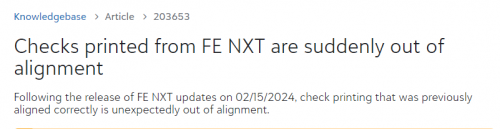
When I tell you the hours I have wasted fighting with BB, jumping through all their hoops, and being told that the issues I was having were all on our end (my printer, using our own check stock, not printing in NXT, etc). and not on BB's end, only to suddenly have this article come out acknowledging there is an issue, and there is a fix, it's beyond frustrating.
Hopefully, this helps you and others and this solution sticks.
4 -
@Dorinda Pieper, I've done this, my problem is the MICR line seems hard coded, it doesn't move and it is not falling below the watermark line where it should per bank regulations.
0 -
@Patricia Cavanaugh ugh. I don't have an answer for that. Ours are preprinted on our checks. Sorry I couldn't be more help!
0 -
@Debbie Thacker we have the same issue and depending on if we print from the database or webview, it is different also
0 -
@kathy kreeger we use the BB blank check stock and still have the issues.
0 -
@Dorinda Pieper
Thank you!!! This helped us!1



















Categories
- All Categories
- 6 Blackbaud Community Help
- 211 bbcon®
- 1.4K Blackbaud Altru®
- 402 Blackbaud Award Management™ and Blackbaud Stewardship Management™
- 1.1K Blackbaud CRM™ and Blackbaud Internet Solutions™
- 15 donorCentrics®
- 360 Blackbaud eTapestry®
- 2.6K Blackbaud Financial Edge NXT®
- 655 Blackbaud Grantmaking™
- 576 Blackbaud Education Management Solutions for Higher Education
- 3.2K Blackbaud Education Management Solutions for K-12 Schools
- 940 Blackbaud Luminate Online® and Blackbaud TeamRaiser®
- 84 JustGiving® from Blackbaud®
- 6.7K Blackbaud Raiser's Edge NXT®
- 3.7K SKY Developer
- 248 ResearchPoint™
- 120 Blackbaud Tuition Management™
- 165 Organizational Best Practices
- 240 Member Lounge (Just for Fun)
- 34 Blackbaud Community Challenges
- 37 PowerUp Challenges
- 3 (Open) PowerUp Challenge: Grid View Batch
- 3 (Closed) PowerUp Challenge: Chat for Blackbaud AI
- 3 (Closed) PowerUp Challenge: Data Health
- 3 (Closed) Raiser's Edge NXT PowerUp Challenge: Product Update Briefing
- 3 (Closed) Raiser's Edge NXT PowerUp Challenge: Standard Reports+
- 3 (Closed) Raiser's Edge NXT PowerUp Challenge: Email Marketing
- 3 (Closed) Raiser's Edge NXT PowerUp Challenge: Gift Management
- 4 (Closed) Raiser's Edge NXT PowerUp Challenge: Event Management
- 3 (Closed) Raiser's Edge NXT PowerUp Challenge: Home Page
- 4 (Closed) Raiser's Edge NXT PowerUp Challenge: Standard Reports
- 4 (Closed) Raiser's Edge NXT PowerUp Challenge: Query
- 796 Community News
- 3K Jobs Board
- 54 Blackbaud SKY® Reporting Announcements
- 47 Blackbaud CRM Higher Ed Product Advisory Group (HE PAG)
- 19 Blackbaud CRM Product Advisory Group (BBCRM PAG)