Resource Boards Anyone will to share a screenshot of what your Board Cover Photos look like?





We currently have a mix of photos, logos, text for our Cover photos. Communications would like to remove them and just have the title of the Boards. Just looking for examples of what other schools do. I feel like parents associate a picture with the Board they need to locate. Thanks in advance!
Comments
-
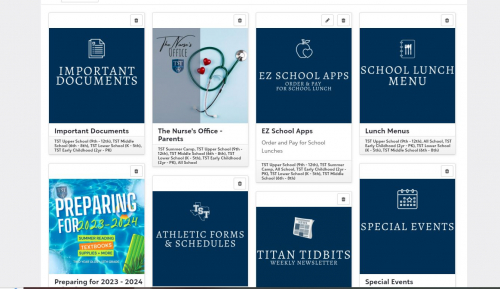
@Josceline Reardon
Here's our parent board! We just make some square images on Canva. We are planning to spruce them up this summer for the next school year 1
1 -
@Josceline Reardon
The trick for an even layout is a set size for the text. A required number of lines.Faculty view:
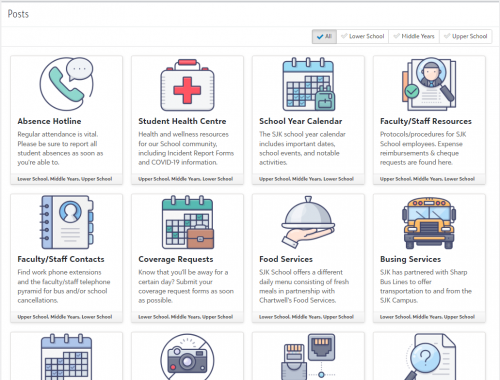
Parent view:
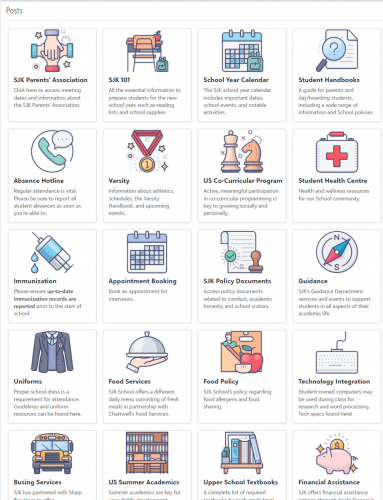 2
2 -
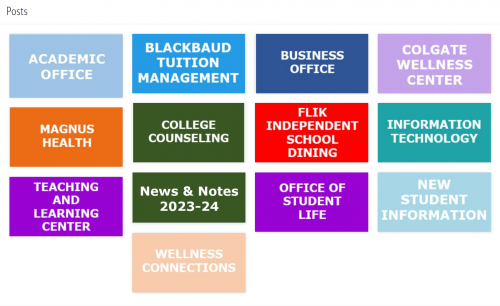
@Josceline Reardon we used to have photo icons with the name of the board underneath. The sizes were all different and it look a little busy. I changed it to a solid background with the name of the board, in alpha order, and I've received positive feedback.
1 -
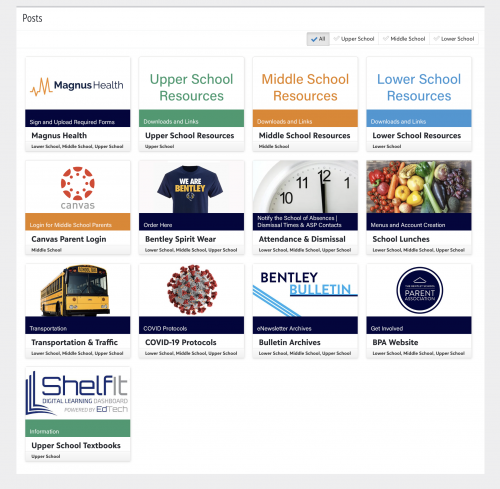
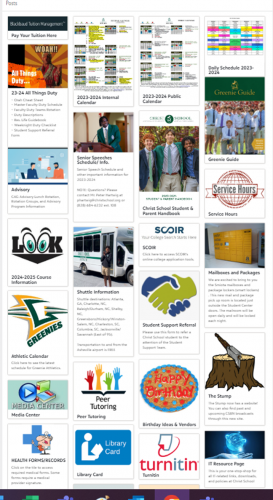
Here's ours! This is a parent with students in all three divisions. I made a template in Photoshop, but you could totally do this in Canva or somewhere else. As others have said, you need to make sure that the “photo” section is the exact same size. I also make sure that the title stays one line. Instead of using the description in Bb, I use the banner to explain the tile. The banners are colored to match the division. If it's all school, it's navy. Each division has its own color. That way, we can keep everything the same size. For the faculty board, I have some HR and tech tiles.
0 -
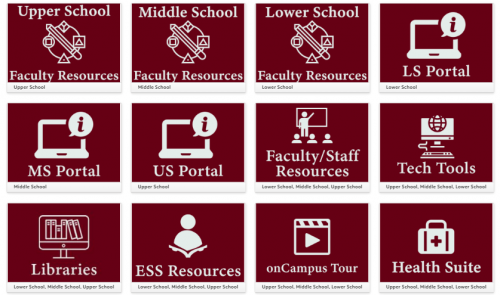
Ours is basic, but the size is the key. I used Adobe Express, but Canva would be just as easy.
 1
1 -
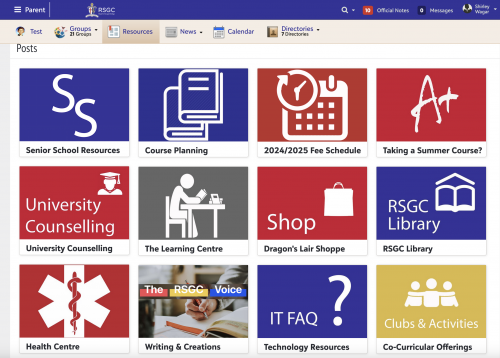
@Josceline Reardon We use the school's official colours, but the key is definitely making sure all tiles are the same size.
 0
0 -
@Josceline Reardon
Our communication department creates the buttons based on our official colors and fonts. This is our faculty board.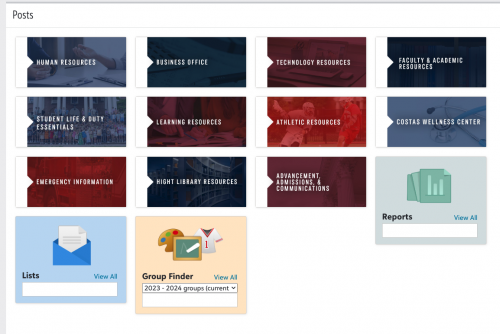 0
0 -
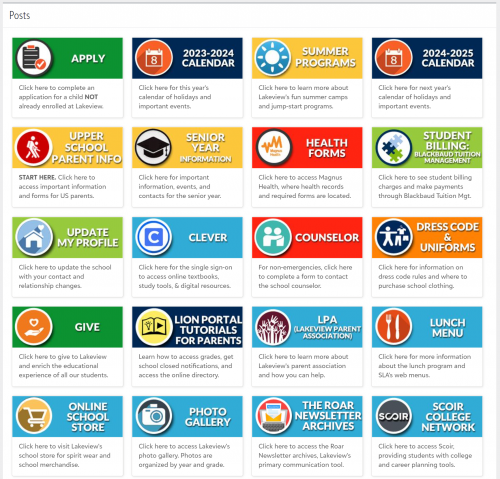
@Josceline Reardon I agree with the other user who said sizing is the key. We do not include a title (we use a space instead as Title is a required field). Instead, we included the title in the graphic, made sure the graphic was wider than it is tall to take up less space, and used only 3 lines of description for each tile. As for the colors of the tiles, we used yellow for parent information, red for medical information, blue for links, and green for important school functions (apply, give, student billing).
2 -
@Josceline Reardon this is tangentially related, but I wanted to give you a happy note to send you into the weekend: On Tuesday, we're releasing a COPY button for Resource boards!!! Hopefully this'll save folks a lot of time in the back-to-school prep season! ?
Hope you have a restful weekend!
3





















Categories
- All Categories
- 6 Blackbaud Community Help
- 213 bbcon®
- 1.4K Blackbaud Altru®
- 402 Blackbaud Award Management™ and Blackbaud Stewardship Management™
- 1.1K Blackbaud CRM™ and Blackbaud Internet Solutions™
- 15 donorCentrics®
- 360 Blackbaud eTapestry®
- 2.6K Blackbaud Financial Edge NXT®
- 655 Blackbaud Grantmaking™
- 576 Blackbaud Education Management Solutions for Higher Education
- 3.2K Blackbaud Education Management Solutions for K-12 Schools
- 939 Blackbaud Luminate Online® and Blackbaud TeamRaiser®
- 84 JustGiving® from Blackbaud®
- 6.6K Blackbaud Raiser's Edge NXT®
- 3.7K SKY Developer
- 248 ResearchPoint™
- 119 Blackbaud Tuition Management™
- 165 Organizational Best Practices
- 241 Member Lounge (Just for Fun)
- 34 Blackbaud Community Challenges
- 34 PowerUp Challenges
- 3 (Open) PowerUp Challenge: Chat for Blackbaud AI
- 3 (Closed) PowerUp Challenge: Data Health
- 3 (Closed) Raiser's Edge NXT PowerUp Challenge: Product Update Briefing
- 3 (Closed) Raiser's Edge NXT PowerUp Challenge: Standard Reports+
- 3 (Closed) Raiser's Edge NXT PowerUp Challenge: Email Marketing
- 3 (Closed) Raiser's Edge NXT PowerUp Challenge: Gift Management
- 4 (Closed) Raiser's Edge NXT PowerUp Challenge: Event Management
- 3 (Closed) Raiser's Edge NXT PowerUp Challenge: Home Page
- 4 (Closed) Raiser's Edge NXT PowerUp Challenge: Standard Reports
- 4 (Closed) Raiser's Edge NXT PowerUp Challenge: Query
- 792 Community News
- 2.9K Jobs Board
- 53 Blackbaud SKY® Reporting Announcements
- 47 Blackbaud CRM Higher Ed Product Advisory Group (HE PAG)
- 19 Blackbaud CRM Product Advisory Group (BBCRM PAG)