Power BI embed to NXT





Hi!,
I am trying to embed my PowerBi dashboard to NXT home page, however I am not sure what URL I am supposed to use in SKI API applications :
Application:
Solution Type: Application
Publisher: My Organization name
Details: Giving Summary
Website URL: This is my question: What am I supposed to write here?
link:
- This is the link to my organization that takes me to the Home page at NXT, but I’m not sure if I should just write: blackbaud.com.
*However, after doing this, the embedded solution is showing up in the “Development Cohort Environment” and not in my “Organization Environment.” Is this because I need to have certain access in NXT or a different license?
Comments
-
@Yessenia Bernabet Claros
The “URL” you speak of is for when you are creating an application.Enter a URL in Application website URL that directs users to more about your solution. The URL is limited to 150 characters.
I don't know for sure what it is for, but I assume this has to do with if you publish this application to the market place, this URL is used to give more info about your application. An application can be multiple sky add-ins. For me, I just use my org's intranet URL. @Erik Leaver maybe you can find more info on specifically what this URL is for within the application. (since I find the “help” description doesn't really do justice.
what you are trying to do is to create a sky add-in (within an application), specifically a power bi sky add-in.
So after you create an application, you then go into the application to connect the RE NXT environment. The details can be found on this page:
Try to read carefully above's link, it is better than I just tell you step by step, the link above will have info you need to ensure you can manage your sky add-in properly.
If you stuck, or have further questions, post here again, and the community can help further.
2 -
@Yessenia Bernabet Claros Hi Yessenia! For the first question, you just need to put in your organization's website. This information is for registration of the app – it doesn't affect the actions in the app.
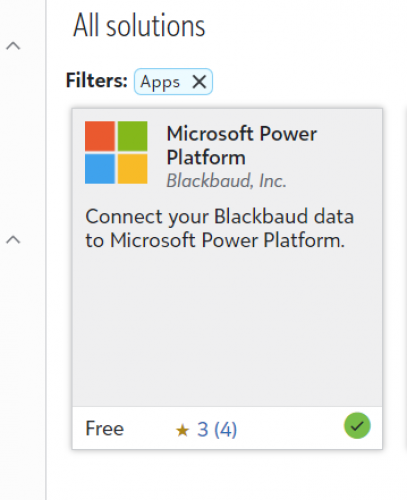
For your second question, you likely need to add the Blackbuad Microsoft Power App to RENXT. See step 3 here: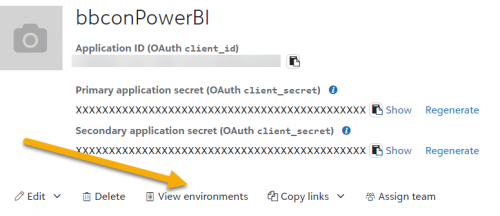
Once you have those permissions, you should be able to go back to your app and then select “environments” and set to your organization's environment.
2 -
@Erik Leaver, Thank you!,
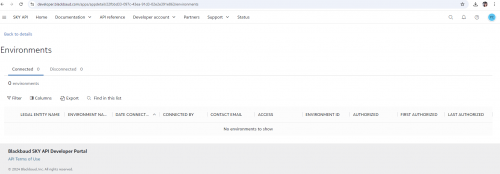
When I follow the steps, the report is embedded on the home page of Blackbaud. However, it appears in the SKY DEVELOPER COHORT that we used during the training session, rather than in my own organization. I’m unclear if this issue is related to the URL in the first picture, where I defined the organization URL. Could you please clarify?
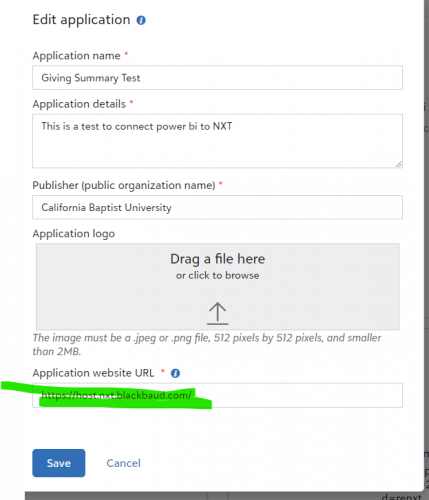
my own enviroment: here the report is not showing

SKY Developer cohort:
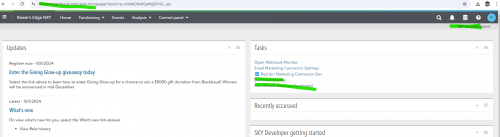
 0
0 -
@Yessenia Bernabet Claros The URL for the Applicaiton website URL should be your organization's website – your organization owns the app that you are creating.
To resolve the issue with connecting the app to your organization's RENXT database instead of the SKY Cohort, you need to follow step 3 in the link I provided below. You need to provide authorization within your environment to allow the application access.
0 -
@Yessenia Bernabet Claros We have a video that explains the security roles & marketplace permissions needed. Check out:
1 -
@Erik Leaver @Alex Wong
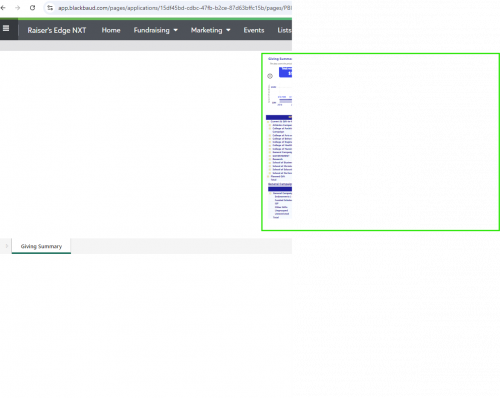
Hi Erik,Thank you for sharing the information. I have the admin rights now and was able to successfully embed the Power BI report into NXT. However, when I access the report from NXT, it only displays in half of the window.
I understand that this might be related to the page size settings. Could you please guide me on how to resolve this issue?
The green area in the screenshot shows the Power BI report, but as you can see, it is only occupying half of the window.
Thank you for your assistance!
 0
0 -
@Yessenia Bernabet Claros Now we are getting to the fun SKY Add-in stuff!
The URL builder we used to create the app is helpful but omits some of the more advanced options, so you are going to need to understand how the URLs get created & how we can manipulate them. The explainer in the class materials will be a good start.
You'll also want to leverage the documentation on this page:You will want to use the height configuration option to help with your display issue. At the end of your url on the page (preview) extension point, you'll want to set a height (&height=XXX). Default is 450 which is a little small for our example report.
2 -
@Erik Leaver
Hi Erik, You are right! I followed your recommendations, and everything is working perfectly. Thank you for your help! I look forward to learning more about the SKY Add-in.2 -
Hi @Alex Wong
I have been trying to connect a new application to the Home Page; however, I am receiving this message. Has something changed in NXT or in the process due to the updates?Message I am getting when trying to open the app from Home page:
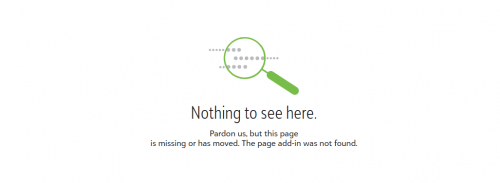
The app is connected:

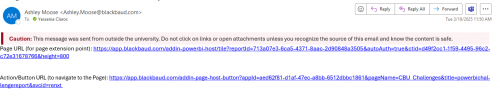
I notice that the link sent by Ashely Moose is slightly different that the ones I received for the apps that I connected before: ( does not have an hyperlink format)
Current format:
 0
0 -
@Yessenia Bernabet Claros
was it working and stopped working or you trying to get it working first time.have you follow the instruction on the page that Erik sent to “compose” your URL for the add-in?
what is your URL for the add-in (blocking off or masking some of the alphanumeric characters)
0 -
@Yessenia Bernabet Claros Most of the time the issue is with the name in the Action Button URL. I can't quite make it out from the screenshot but looks like your page name is CBU Challenges and the Page Title is powerbichallengereport. The page name must match exactly with the add in name. And it must be url encoded. If there is a space, it must be represented by a %20.
0 -
@Erik Leaver @Alex Wong , thank you very much!, yes it was the page name.
1







Categories
- All Categories
- 6 Blackbaud Community Help
- 211 bbcon®
- 1.4K Blackbaud Altru®
- 402 Blackbaud Award Management™ and Blackbaud Stewardship Management™
- 1.1K Blackbaud CRM™ and Blackbaud Internet Solutions™
- 15 donorCentrics®
- 360 Blackbaud eTapestry®
- 2.6K Blackbaud Financial Edge NXT®
- 655 Blackbaud Grantmaking™
- 576 Blackbaud Education Management Solutions for Higher Education
- 3.2K Blackbaud Education Management Solutions for K-12 Schools
- 940 Blackbaud Luminate Online® and Blackbaud TeamRaiser®
- 84 JustGiving® from Blackbaud®
- 6.7K Blackbaud Raiser's Edge NXT®
- 3.7K SKY Developer
- 248 ResearchPoint™
- 120 Blackbaud Tuition Management™
- 165 Organizational Best Practices
- 240 Member Lounge (Just for Fun)
- 34 Blackbaud Community Challenges
- 37 PowerUp Challenges
- 3 (Open) PowerUp Challenge: Grid View Batch
- 3 (Closed) PowerUp Challenge: Chat for Blackbaud AI
- 3 (Closed) PowerUp Challenge: Data Health
- 3 (Closed) Raiser's Edge NXT PowerUp Challenge: Product Update Briefing
- 3 (Closed) Raiser's Edge NXT PowerUp Challenge: Standard Reports+
- 3 (Closed) Raiser's Edge NXT PowerUp Challenge: Email Marketing
- 3 (Closed) Raiser's Edge NXT PowerUp Challenge: Gift Management
- 4 (Closed) Raiser's Edge NXT PowerUp Challenge: Event Management
- 3 (Closed) Raiser's Edge NXT PowerUp Challenge: Home Page
- 4 (Closed) Raiser's Edge NXT PowerUp Challenge: Standard Reports
- 4 (Closed) Raiser's Edge NXT PowerUp Challenge: Query
- 796 Community News
- 3K Jobs Board
- 54 Blackbaud SKY® Reporting Announcements
- 47 Blackbaud CRM Higher Ed Product Advisory Group (HE PAG)
- 19 Blackbaud CRM Product Advisory Group (BBCRM PAG)