Journal Entry - what I type keeps disappearing





Does anyone else have this issue? When I enter information in the Journal Entry it disappears. An example: when I start typing the date the month will disappear so /12/23 will be left in the box. So I tried pausing after I tab but I will be in the middle of a description and the first part disappears. A co-worker witnessed this. It is frustrating that I have to retype the information.
We use Chrome. Is this a financial edge issue or Chrome? Our I.T. team is extremely busy so I was trying to see if this is something I can fix on my own. I don't know if this occurs in A/P since I rarely do invoices and right now my co-worker is still using the Fast option to make entries so she doesn't know if it will affect her.
Thanks!
Comments
-
@Paula Krohn
Unfortunately, I've been experiencing the same issue. I use Safari on the Mac (which isn't really supported). Recently it seems to be getting worse. It's also getting slower, which may be the root cause.0 -
@Paula Krohn I've been noticing the same thing when tabbing over to the date field. I'm using Firefox on a Mac, but have been seeing it with my users on PCs with Edge and Chrome as well.
0 -
@Paula Krohn
I have a similar problem. When entering an invoice in Payables that has more than one distribution line, the attempt to over-write the total amount (which is automatically populated) either requires multiple tries, or just fails entirely. Sometimes my entry flashes briefly but then returns to the default amount, sometimes NXT retains one out of several digits I have entered. Sometimes I eventually succeed after multiple attempts, but lately I've had to switch to Database view to enter invoices as NXT has simply not been functioning well.I also find that NXT is slower than it used to be. Not sure if that's on our end or an NXT problem, but I see that Sannyasin also noted this. I use Microsoft Edge.
1 -
@Paula Krohn
Yes. For me it began in Treasury, adding a payment to a deposit. I entered an account #, tabbed to the amount field, then to the program field. During this time, the Class field (also Unrestricted for me) would finally populate. The amount field would change to $0.00. Similar problems in Journal Entries. If added a new line, account number, tab to date, the Class field populates, and part of the date I typed blanks out. Or, if I copied a batch and am editing a line which includes a NEW account number, I will try to edit the Journal Reference field, the class field re-populates, that entire field blanks out. Hitting ESC will bring back the original contents, so I have to start the edit over. From watching this, I believe the routine that finds content for the Class field and populates it is now blanking all or parts of other fields on the line, forcing you to redo them.I was using Edge before (essentially Chrome). Just started using Firefox for one day. Still get issues in Treasury, not always, but about half the time. I don't get $0.00, but I lose part of the amount, so $150.00 might become $15.00. Not enough done in Journal Entries yet to see how Firefox changes anything.
I have an open case that was partly about this and partly about Treasury creating a 2nd unwanted data line and freezing the cursor. That part was fixed. The blanking out problem still exists. I believe it's the Class field.
For what it's worth. Perhaps his will bring up some ideas.
1 -
Thanks for your responses. I'm glad it wasn't just me but also annoyed that it doesn't seem like there is a fix and I'm not looking forward to going 100% web-view.
This morning, I had a terrible time entering a journal entry that had about 25 lines, each line had disappearing data or wouldn't take the GL I entered. I was about to save it and move over to database but kept at it because I'm trying to get used to this before they completely take away journal entries.
The class field which auto-populates in database also disappears in the web-view so I started adding that to my journal entry defaults.
I sent a question in last month about journal entries and haven't received any response. I am unable to upload entries or use my recurring templates in the web-view. People keep talking about an Excel add-on but I don't know where to get that.
1 -
Firefox does not work. The only thing I've seen so far that's different is that the Print button actually works. I tried to ask in a training class but all the instructor said was to just re-enter it ?.
0 -
@Paula Krohn
It is 2024 now and I'm still having the issue with disappearing type. Mostly the date area. Very frustrating. Don't understand why they would not keep the functionality of the database while going to the webview.0 -
@Rhoda Hatzenbeller Agree, I'm still having issues. If not the date, then my description disappears in mid-sentence or the dollar amount is missing a number. And then to top it off my GL changes after I type it and tab several boxes over.
I dread to see how many errors we have to correct when we can no longer use database's fast for A/P entry.
0 -
@Paula Krohn same, same, same. I have all of the same issues as well. I have tried using NXT in Microsoft Edge and Chrome. I still have the same issues you are experiencing. ?
0 -
@Paula Krohn Hi, the issue I think is that “tab” doesn't work for data entry with NXT. There are several ideas on the issue that Blackbaud has not addressed, but everyone vote to get some response! The first idea has 118 votes, but BB has yet to act on it. Having to use your mouse to select the account is such a hassle.
0 -
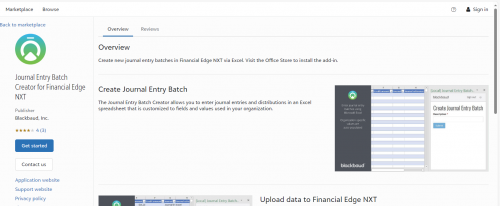
@Paula Krohn Most of my posting is in AP and Fixed Assets and when I do Journal Entries, I almost always use the Excel Journal Entry Batch Creator. I have never seen this problem but it sounds frustrating. You can get the JE Batch Creator in the Blackbaud Marketplace and then it shows up in your task bar in Excel.
 0
0 -
@Natalie Smith
It looks like I had already upvoted the last two. Interesting that the first one is from JANUARY 2022!0 -
@Jann McKenzie
Thanks, Jann. How does that work with copied batches? For example a payroll entry that has the same 70+ lines each time?0 -
@Anthony Block It doesn't work with copied batches. For recurring entries that I make that are not the same amounts each month, I keep the Excel spreadsheet, make the changes there, and then upload to FENXT. Easier to change Excel than to monkey around with FE. If the entries are the same or almost the same each month, then you could copy if you are not making a lot of changes. But there are definitely issues with JEs in FENXT.
1 -
I see. Thanks for the tip. We'll all need a lot of tips and workarounds for sure.
1 -
@Paula Krohn
It is now March of 2025 and they still have not fixed this issue. Why does Blackbaud insist on ruining their own software? The functionality and organization is atrocious in NXT.1 -
@Rhoda Hatzenbeller Agree. I started using Firefox instead of Chrome because it seemed like there were less issues but this is still a major frustration for me daily. I do manual entries for my bank transactions and any other journal entry that is about 20 lines or less. I do use the copy batch for recurring entries and I'm glad they finally added the import function because I was not a fan of the Excel add-on. I had too many issues with the auto-fill columns and NXT not allowing the use of new GL accounts unless I restarted the process or logged out. But they need to fix the disappearing data especially now that we have to start using NXT for A/P.
1













Categories
- All Categories
- 6 Blackbaud Community Help
- 211 bbcon®
- 1.4K Blackbaud Altru®
- 402 Blackbaud Award Management™ and Blackbaud Stewardship Management™
- 1.1K Blackbaud CRM™ and Blackbaud Internet Solutions™
- 15 donorCentrics®
- 360 Blackbaud eTapestry®
- 2.6K Blackbaud Financial Edge NXT®
- 656 Blackbaud Grantmaking™
- 577 Blackbaud Education Management Solutions for Higher Education
- 3.2K Blackbaud Education Management Solutions for K-12 Schools
- 941 Blackbaud Luminate Online® and Blackbaud TeamRaiser®
- 84 JustGiving® from Blackbaud®
- 6.7K Blackbaud Raiser's Edge NXT®
- 3.7K SKY Developer
- 248 ResearchPoint™
- 120 Blackbaud Tuition Management™
- 165 Organizational Best Practices
- 240 Member Lounge (Just for Fun)
- 34 Blackbaud Community Challenges
- 37 PowerUp Challenges
- 3 (Open) PowerUp Challenge: Grid View Batch
- 3 (Closed) PowerUp Challenge: Chat for Blackbaud AI
- 3 (Closed) PowerUp Challenge: Data Health
- 3 (Closed) Raiser's Edge NXT PowerUp Challenge: Product Update Briefing
- 3 (Closed) Raiser's Edge NXT PowerUp Challenge: Standard Reports+
- 3 (Closed) Raiser's Edge NXT PowerUp Challenge: Email Marketing
- 3 (Closed) Raiser's Edge NXT PowerUp Challenge: Gift Management
- 4 (Closed) Raiser's Edge NXT PowerUp Challenge: Event Management
- 3 (Closed) Raiser's Edge NXT PowerUp Challenge: Home Page
- 4 (Closed) Raiser's Edge NXT PowerUp Challenge: Standard Reports
- 4 (Closed) Raiser's Edge NXT PowerUp Challenge: Query
- 796 Community News
- 3K Jobs Board
- 54 Blackbaud SKY® Reporting Announcements
- 47 Blackbaud CRM Higher Ed Product Advisory Group (HE PAG)
- 19 Blackbaud CRM Product Advisory Group (BBCRM PAG)