Adding a row in journal entries





I know how to add a new row in a journal entry, but I haven't figured out a way to add a row or move a row where I want for quick keying. We added a new department and I just want to add a row between two other rows so I can quickly go down my excel document and key in the information in the journal entry, but I can't figure out how to add the row before or after another row, adding a row just adds a new one to the bottom of the journal entry and I can't figure out how to move the row up either. Is it possible?
Comments
-
@Ashley Meneley
that function is coming. If you look at the what's new on the home page, they list Duplicating & inserting new lines. Right now they have it in limited availability, essentially testing with a few organizations and will release it once they are confident it's working how they like. At moment you may not have it, but you will eventually. Here are the details from the what's new :
We based this change on feedback from the IdeaBank.Note: Don't see this yet? These changes are in Limited Availability (LA) for some customers. During LA, we'll review and implement participant feedback to prepare for general availability.
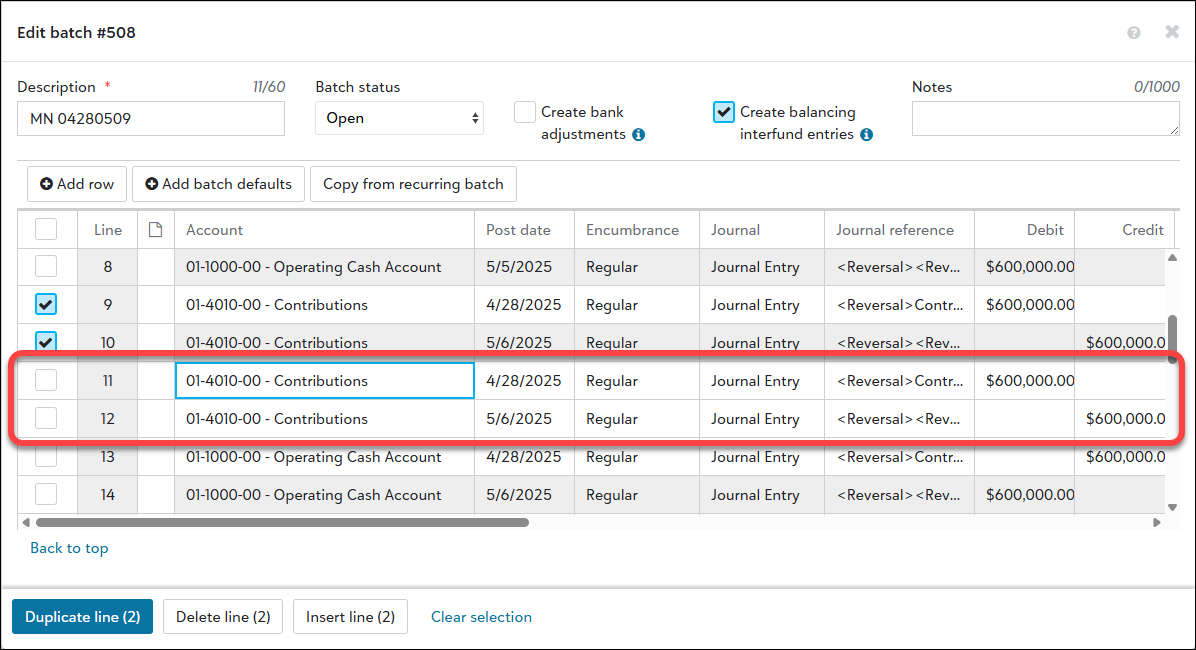
When you add or edit a journal entry batch, the placement of duplicate lines has changed. When you copy data by duplicating lines, the duplicate lines now appear below the selected lines. Previously, these appeared at the end of the batch.
In addition, you can now insert blank lines. To insert, select the corresponding checkboxes, then select Insert line.
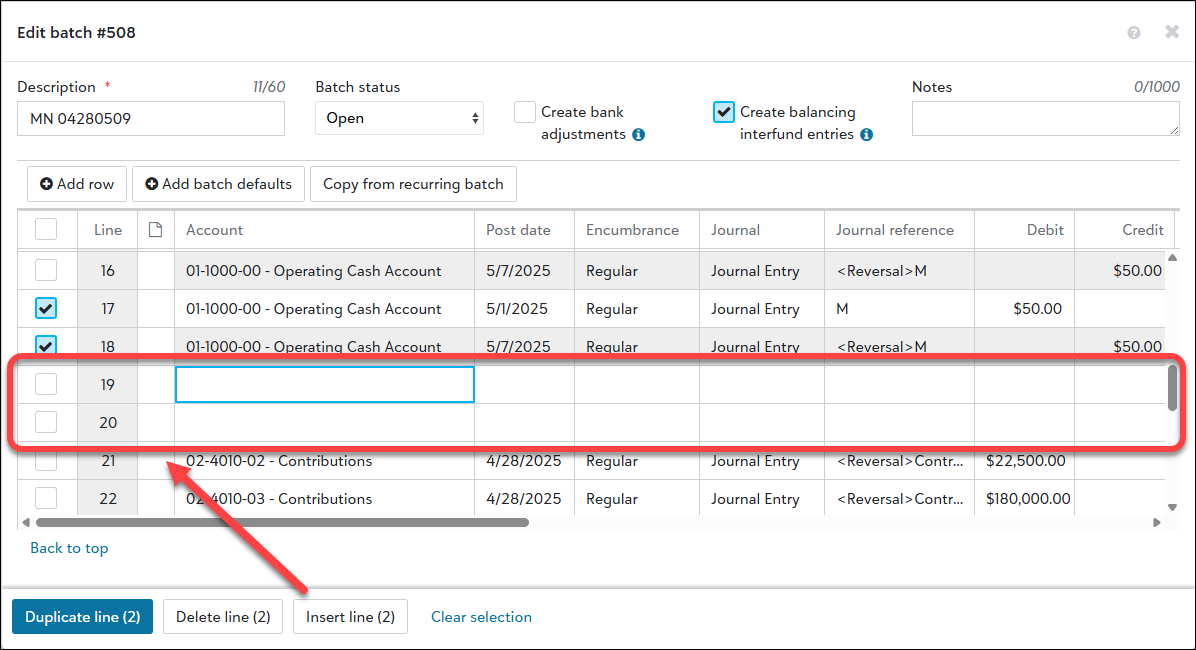
Tip: After you select Add batch defaults and set defaults, that data populates when you insert lines.
To remove your changes without saving them, select Clear selection and then Cancel.
For more details about journal entry batches, see Batch Records and watch this demo.
0 -
@Kevin Brazell
We don't have this functionality yet either, but I saw it was being planned. Any idea when this will be rolled out for everyone? We have the ability to duplicate a line/row or add a new one, but it still always puts the duplicate or new line at the bottom.0 -
@Roberta A Gilbert check out our post-PUB blog: Your Top Blackbaud Financial Edge NXT® May Product Update Briefing (PUB) Questions Answered - Blackbaud Community Question 12 is about timing for Inserting a JE line and we've outlined that it should be rolled out to everyone by the end of July.
0 -
@Roberta A Gilbert check out our post-PUB blog: Your Top Blackbaud Financial Edge NXT® May Product Update Briefing (PUB) Questions Answered - Blackbaud Community Question 12 is about timing for Inserting a JE line and we've outlined that it should be rolled out to everyone by the end of July.
Hallelujah and thank you! ?
2 -
Recurring Amount Journal Entries
So close, but not there yet…
We have the capability to insert lines in "Regular" Journal Entry Batches only. We can't be the only company to use "Recurring Amount" Journal Entry Batches. When I started using Recurring JE Batches in NXT, many came through out of order from the Database order.
Can you make this happen?
0 -
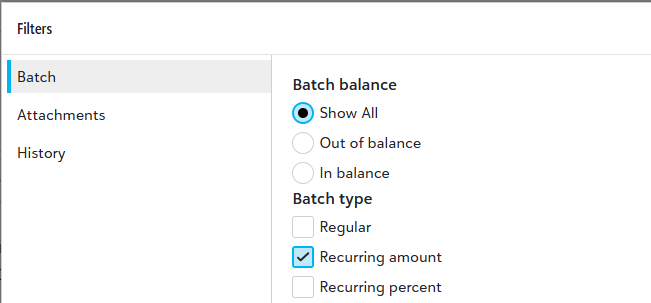
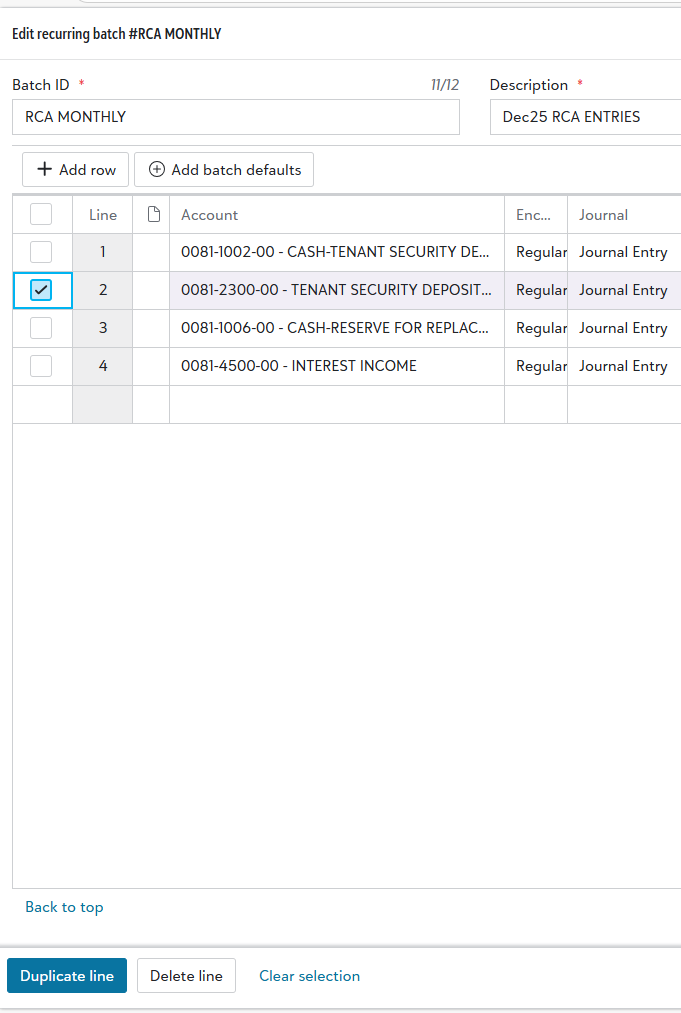
When editing a recurring journal entry batch, you can see that duplicate and delete are the only options available and when you select duplicate, it adds it to the bottom…😫
0 -
Slightly off topic but related: I miss the ability to copy, insert a row,+paste the copied info to it, within a JE (regular or recurring), if most of it uses the same info as another line.
1











Categories
- All Categories
- 6 Blackbaud Community Help
- 211 bbcon®
- 1.4K Blackbaud Altru®
- 403 Blackbaud Award Management™ and Blackbaud Stewardship Management™
- 1.1K Blackbaud CRM™ and Blackbaud Internet Solutions™
- 15 donorCentrics®
- 360 Blackbaud eTapestry®
- 2.6K Blackbaud Financial Edge NXT®
- 657 Blackbaud Grantmaking™
- 578 Blackbaud Education Management Solutions for Higher Education
- 3.2K Blackbaud Education Management Solutions for K-12 Schools
- 943 Blackbaud Luminate Online® and Blackbaud TeamRaiser®
- 84 JustGiving® from Blackbaud®
- 6.7K Blackbaud Raiser's Edge NXT®
- 3.8K SKY Developer
- 250 ResearchPoint™
- 120 Blackbaud Tuition Management™
- 165 Organizational Best Practices
- 240 Member Lounge (Just for Fun)
- 34 Blackbaud Community Challenges
- 37 PowerUp Challenges
- 3 (Open) PowerUp Challenge: Grid View Batch
- 3 (Closed) PowerUp Challenge: Chat for Blackbaud AI
- 3 (Closed) PowerUp Challenge: Data Health
- 3 (Closed) Raiser's Edge NXT PowerUp Challenge: Product Update Briefing
- 3 (Closed) Raiser's Edge NXT PowerUp Challenge: Standard Reports+
- 3 (Closed) Raiser's Edge NXT PowerUp Challenge: Email Marketing
- 3 (Closed) Raiser's Edge NXT PowerUp Challenge: Gift Management
- 4 (Closed) Raiser's Edge NXT PowerUp Challenge: Event Management
- 3 (Closed) Raiser's Edge NXT PowerUp Challenge: Home Page
- 4 (Closed) Raiser's Edge NXT PowerUp Challenge: Standard Reports
- 4 (Closed) Raiser's Edge NXT PowerUp Challenge: Query
- 798 Community News
- 3K Jobs Board
- 54 Blackbaud SKY® Reporting Announcements
- 47 Blackbaud CRM Higher Ed Product Advisory Group (HE PAG)
- 19 Blackbaud CRM Product Advisory Group (BBCRM PAG)