Proper Case in Power Automate





Don't need to use loop, use Select and formula.
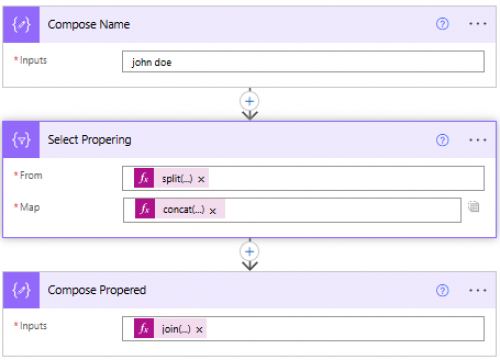
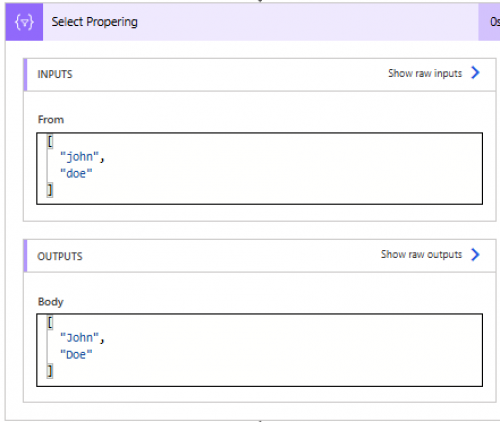
Select Propering action:
From: split(outputs('Compose_Name'), ' ')
Map: concat(toUpper(substring(item(), 0, 1)), if(equals(length(item()), 1), '', toLower(substring(item(), 1, sub(length(item()), 1)))))
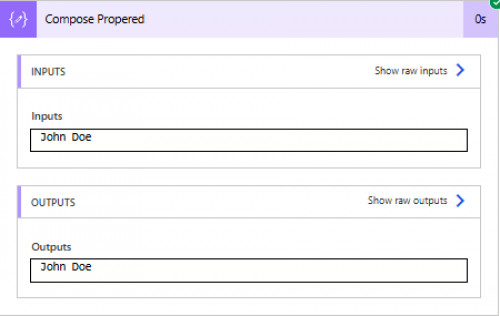
Final join them back: join(body('Select_Propering'), ' ')
Comments
-
@Alex Wong ?
Thanks Alex! I will give this a try and update you!0 -
Hey Alex,
I am also trying to figure out proper casing within my flow and I found this thread, which has been helpful, but I'm missing something with the output. It formats the correct letters, but comes out like this on the record:
{"1":""} {"Hello":""} {"World":""}
Not sure what I'm doing wrong…maybe something to do with the 'Outputs' in the Address field when creating the new record?
Screenshots for my setup:
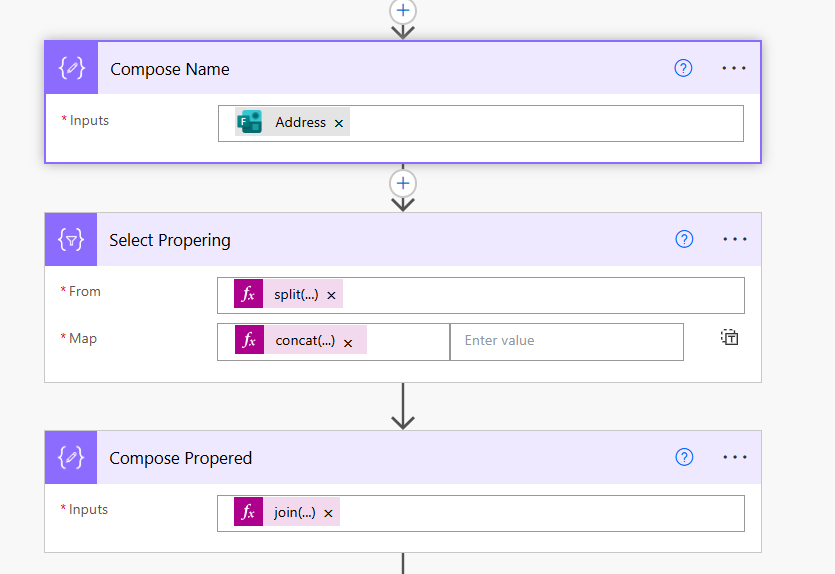
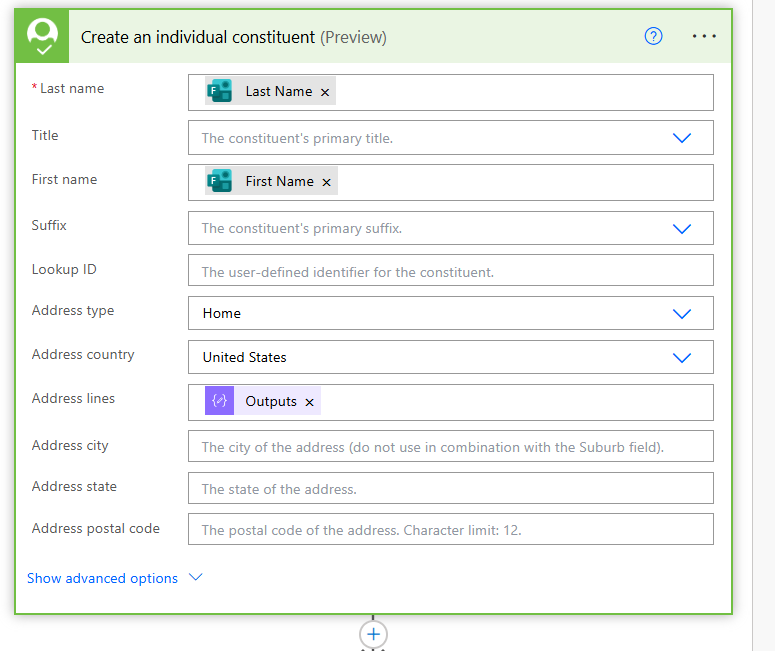 0
0 -
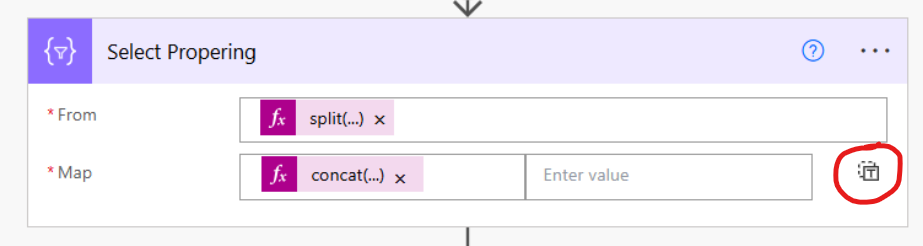
Click on the red circle. So instead of having a "left" and a "right" input box, you only have one input box, and then put the formula there
1 -
ah, got it. thank ya! I will try that out tomorrow.
0 -
Hey Alex,
Thank you for your responses, everything works great now, however, I noticed that when the 'Address' field on the form is left blank, the flow creates this error….almost like the field can not be blank…is there some 'null' code I could insert to say skip if left blank?
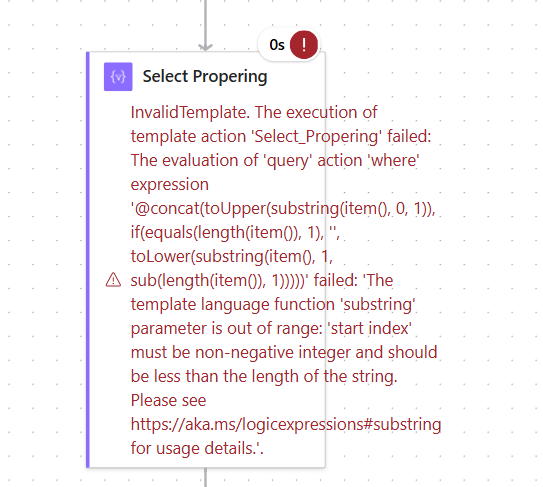 0
0 -
Hi @Tyler Johnson @Alex Wong- the easiest way to do this would be to put a condition above your Compose Name. (which has Address in it). In your condition you need to test it and see if it's empty.
Something like empty(outputs('Address') equal to false (false needs to be an expression) for it to work. Then move your other Select and your other Compose under the Yes part.
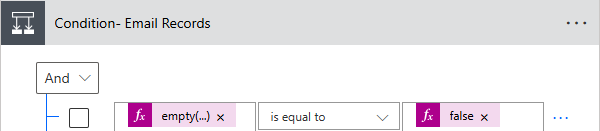 2
2 -
ah, yes, of course! Thanks Carol!
1 -
hmm…I implement the condition and was able to submit the form, but it just skipped over all this, so it did not format the address properly….
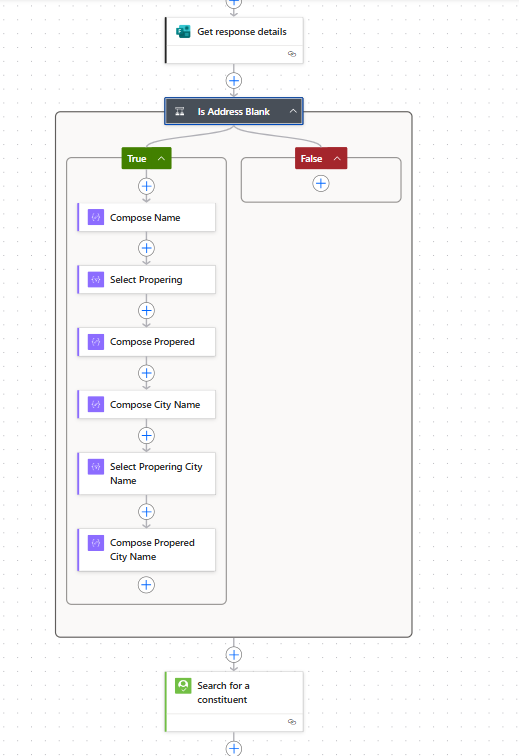 0
0 -
@Tyler Johnson - can you paste in what you have for the empty condition and I can take a look.
1 -
sure, here ya go. thanks! I added the 'Address' field from the "Get response details" section of the dynamic content and this is what it inputs:
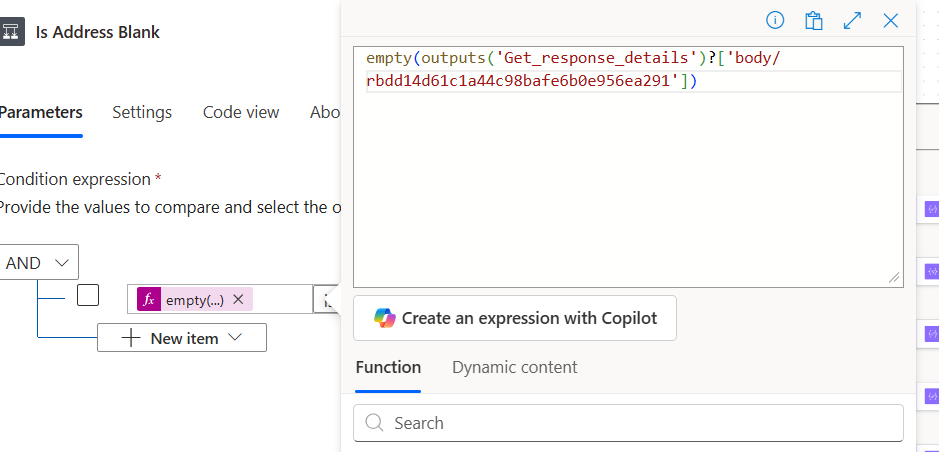 0
0 -
hmm…ok, so the formatting works for creating a new record, but not if the system matches to a record already in the database. That shouldn't matter though, right? as the formatting part is at the beginning of the flow…here is the next part once it matches 1:1.
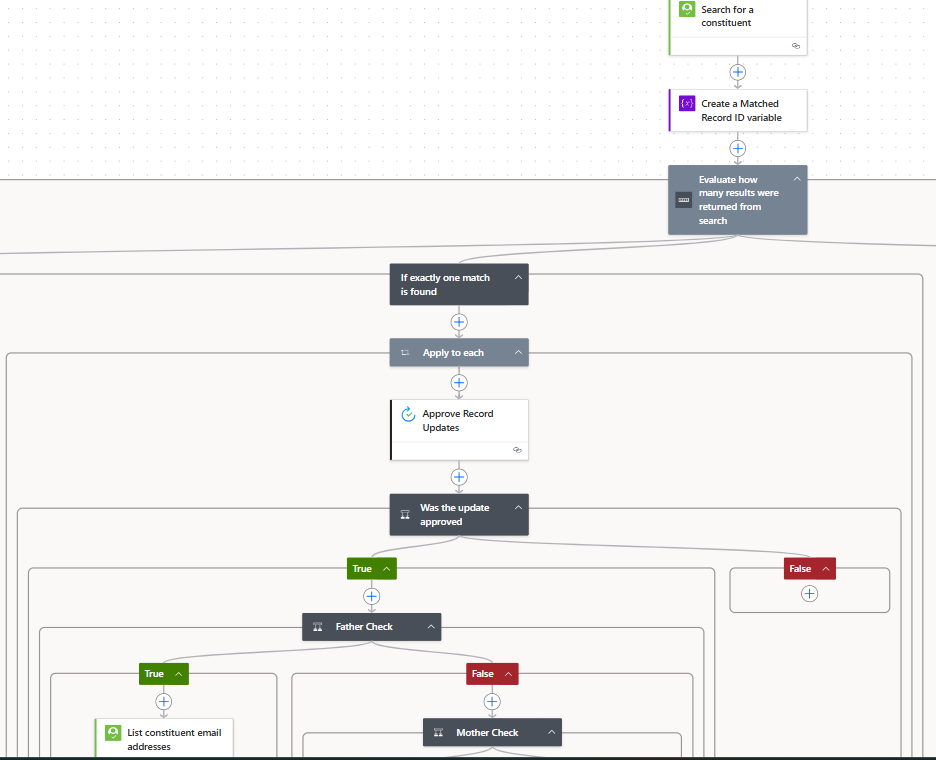 0
0 -
nm Carol, sorry to waste your time…I just realized I had not updated the address fields in the match area to the new Compose Output fields. Everything works now.
Thanks for your help. :)
0 -
Great news! It's all about trial and error with these flows.
1














Categories
- All Categories
- 6 Blackbaud Community Help
- 211 bbcon®
- 1.4K Blackbaud Altru®
- 403 Blackbaud Award Management™ and Blackbaud Stewardship Management™
- 1.2K Blackbaud CRM™ and Blackbaud Internet Solutions™
- 15 donorCentrics®
- 360 Blackbaud eTapestry®
- 2.6K Blackbaud Financial Edge NXT®
- 659 Blackbaud Grantmaking™
- 579 Blackbaud Education Management Solutions for Higher Education
- 3.2K Blackbaud Education Management Solutions for K-12 Schools
- 943 Blackbaud Luminate Online® and Blackbaud TeamRaiser®
- 84 JustGiving® from Blackbaud®
- 6.7K Blackbaud Raiser's Edge NXT®
- 3.8K SKY Developer
- 250 ResearchPoint™
- 120 Blackbaud Tuition Management™
- 165 Organizational Best Practices
- 241 Member Lounge (Just for Fun)
- 36 Blackbaud Community Challenges
- 37 PowerUp Challenges
- 3 (Open) PowerUp Challenge: Grid View Batch
- 3 (Closed) PowerUp Challenge: Chat for Blackbaud AI
- 3 (Closed) PowerUp Challenge: Data Health
- 3 (Closed) Raiser's Edge NXT PowerUp Challenge: Product Update Briefing
- 3 (Closed) Raiser's Edge NXT PowerUp Challenge: Standard Reports+
- 3 (Closed) Raiser's Edge NXT PowerUp Challenge: Email Marketing
- 3 (Closed) Raiser's Edge NXT PowerUp Challenge: Gift Management
- 4 (Closed) Raiser's Edge NXT PowerUp Challenge: Event Management
- 3 (Closed) Raiser's Edge NXT PowerUp Challenge: Home Page
- 4 (Closed) Raiser's Edge NXT PowerUp Challenge: Standard Reports
- 4 (Closed) Raiser's Edge NXT PowerUp Challenge: Query
- 798 Community News
- 3K Jobs Board
- 56 Blackbaud SKY® Reporting Announcements
- 47 Blackbaud CRM Higher Ed Product Advisory Group (HE PAG)
- 19 Blackbaud CRM Product Advisory Group (BBCRM PAG)