Retrieving Gifts After Filtering a Custom Field





Help! I'm trying to create an automated workflow that will send me an email with a list of gifts if the value of a custom field in the gift is true. I was able to filter the custom fields, but that's where I start getting issues. I'm either stuck in the Apply to Each loop or disconnected from it. I feel like I'm missing a step somewhere…


Best Answer
-
I fiddled with it but now I'm still stuck with getting the list of filtered gift IDs for the Get a Gift to read.
ETA: Figured it out!
On the apply to each after "If no", I selected the appended Filtered Gifts variable. On the Gift ID of get a gift, I used item()['parent_id']. This pulls that specific item from the array.
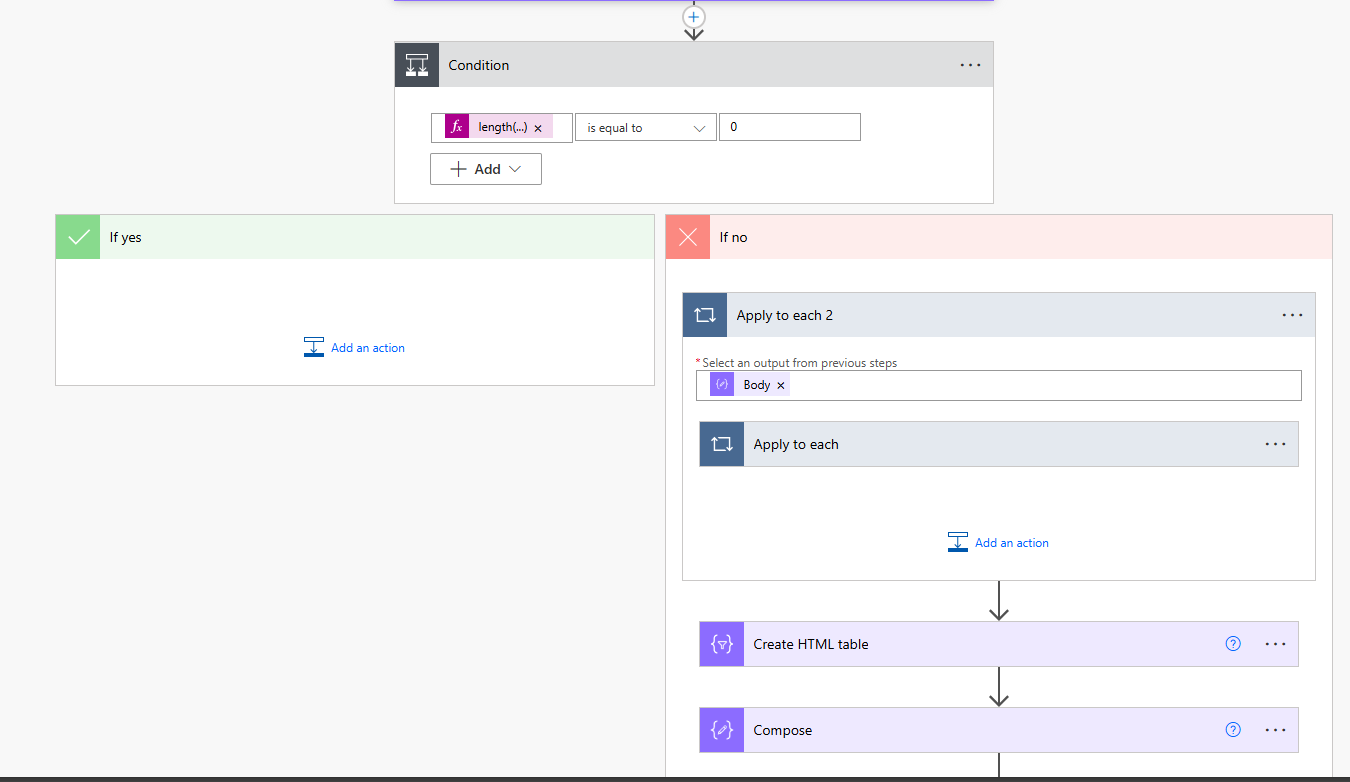
The Condition is length(outputs('Compose_2')) is equal to 0.
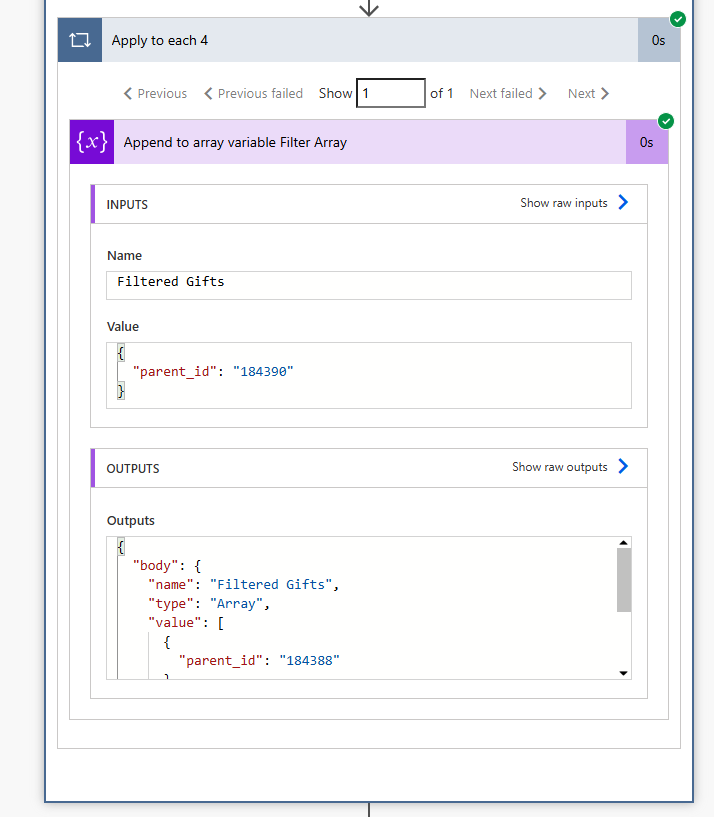
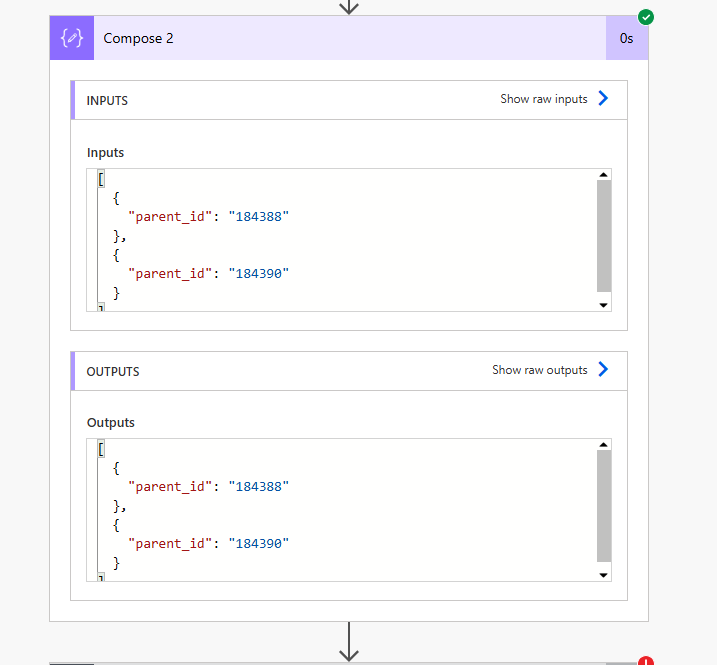
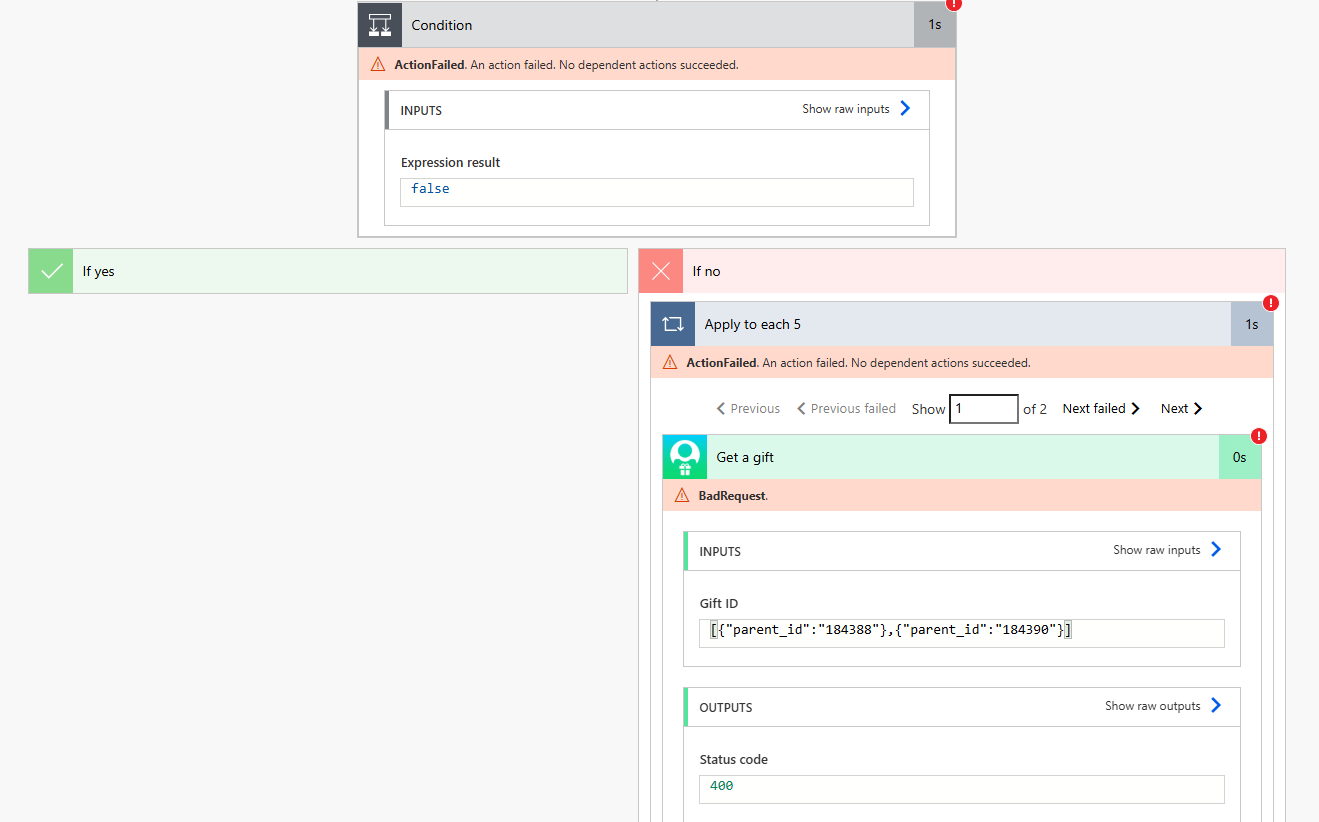 0
0


Answers
-
Within your condition what does the 'Outputs' reference, are you trying to send an email if the custom field = true is present on a record? If so, I'd set your control up like this instead -
Utilize the length() expression using the output of the Filter Array. Expression = length(body('Filter_array'))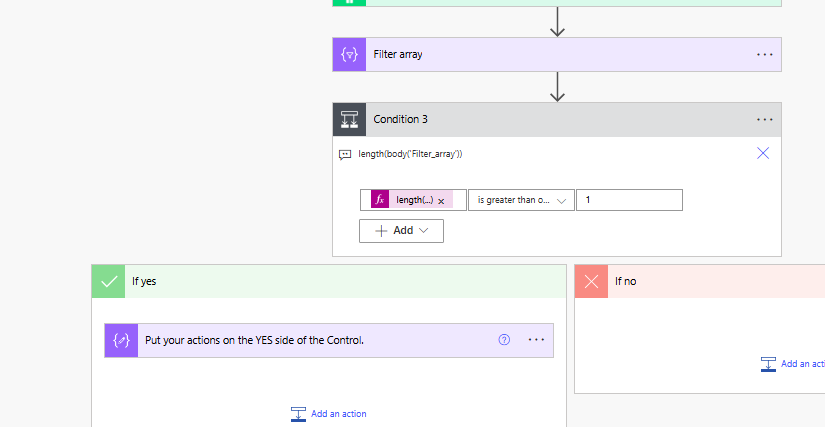
Presume you only want to get one email, not an email for each instance found. Recommend moving the Create HTML Table to Email actions outside of the loop.
0 -
Thank you, @Austen Brown. That's where I'm stuck now, I can't get the gift ID of the filtered custom fields out of the loop for me to select as an output to get the gifts.
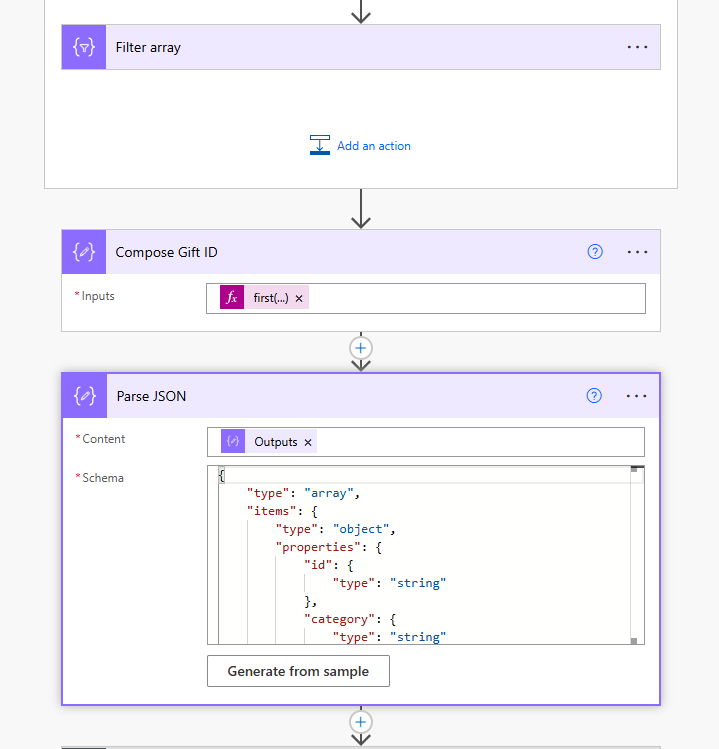
I tried below but it gives me an error of "Unable to process template language expressions in action 'Compose_Gift_ID' inputs at line '0' and column '0': 'The template language function 'first' expects its parameter be an array or a string. The provided value is of type 'Null'. Please see https://aka.ms/logicexpressions#first for usage details.'."
 0
0 -
@Stella Limuel - Put a "get a gift" action above the control. Then use the gift ID output from that on the side of the control that you want to continue. You don't need to get the gift ID from the custom field directly. You just need the custom field to determine if you continue with the loop or not.
0 -
What's the reason for get a gift? and even if you do have to get a gift, there's no need to get the "parent_id" from the list custom field to get the gift id, you already have this id, which is used to get the custom fields for the gift. That's said, from what I see your flow does, here's a breakdown of the actions:
- List gifts
- Apply to each 3 (apply to each gift from List gifts action)
- List gift custom fields 2 (provide the ID field from the List gifts action)
- Filter array (condition is likely correct, but can't tell if you selected the right value dynamic content, the correct one should be
outputs('List_gift_custom_fields')?['body/value'] Compose 2first(body('Filter_array'))?['parenti_id']- Condition
LEFT:length(body('Filter_array'))
is equal to
RIGHT: 0- If yes
- no actions needed, means the attribute you are filtering on doesn't exists on this gift
- If no
- Get a constituent (use the Constituent ID from the List gifts action)
- Append to array variable 2 (this is where you will add the data you want into the array ready for making into HTML Table to include into Email)
- If yes
- Condition 2
LEFT:length(variables('Email Content'))
is greater than
RIGHT: 0- If yes (means there are gift data added to the Email Content variable
- Create HTML table
- Compose
- Send an email (V2) 2
- If yes (means there are gift data added to the Email Content variable
A few note to help you understand:
- I used the same naming you are using, which basically is using naming given by Power Automate (i.e. Condition 2)
- I strongly suggest you rename the action to make it more meaningful:
Condition > Condition Filter Array Custom Field No Match
Condition 2 > Condition Having Email Content
- I strongly suggest you rename the action to make it more meaningful:
- If I understand your intent correctly, you want to receive ONE email of all the gift that matches your criteria, not ONE email PER gift, this is why the Create HTML table, Compose, and Send an email (V2) 2 is taken outside of the Apply to each 3 loop
- If any reason why you need the Gift a gift 2 action, the Gift ID field you can simply use the same ID field from the List gifts action that you used in the List gift custom fields 2 action
- but I will say this again, you are unlikely going to need to add this additional action, the List gifts action provides the data you want to show in the email already
0









Categories
- All Categories
- 6 Blackbaud Community Help
- 211 bbcon®
- 1.4K Blackbaud Altru®
- 403 Blackbaud Award Management™ and Blackbaud Stewardship Management™
- 1.2K Blackbaud CRM™ and Blackbaud Internet Solutions™
- 15 donorCentrics®
- 360 Blackbaud eTapestry®
- 2.6K Blackbaud Financial Edge NXT®
- 659 Blackbaud Grantmaking™
- 579 Blackbaud Education Management Solutions for Higher Education
- 3.2K Blackbaud Education Management Solutions for K-12 Schools
- 943 Blackbaud Luminate Online® and Blackbaud TeamRaiser®
- 84 JustGiving® from Blackbaud®
- 6.7K Blackbaud Raiser's Edge NXT®
- 3.8K SKY Developer
- 250 ResearchPoint™
- 120 Blackbaud Tuition Management™
- 165 Organizational Best Practices
- 241 Member Lounge (Just for Fun)
- 36 Blackbaud Community Challenges
- 37 PowerUp Challenges
- 3 (Open) PowerUp Challenge: Grid View Batch
- 3 (Closed) PowerUp Challenge: Chat for Blackbaud AI
- 3 (Closed) PowerUp Challenge: Data Health
- 3 (Closed) Raiser's Edge NXT PowerUp Challenge: Product Update Briefing
- 3 (Closed) Raiser's Edge NXT PowerUp Challenge: Standard Reports+
- 3 (Closed) Raiser's Edge NXT PowerUp Challenge: Email Marketing
- 3 (Closed) Raiser's Edge NXT PowerUp Challenge: Gift Management
- 4 (Closed) Raiser's Edge NXT PowerUp Challenge: Event Management
- 3 (Closed) Raiser's Edge NXT PowerUp Challenge: Home Page
- 4 (Closed) Raiser's Edge NXT PowerUp Challenge: Standard Reports
- 4 (Closed) Raiser's Edge NXT PowerUp Challenge: Query
- 798 Community News
- 3K Jobs Board
- 56 Blackbaud SKY® Reporting Announcements
- 47 Blackbaud CRM Higher Ed Product Advisory Group (HE PAG)
- 19 Blackbaud CRM Product Advisory Group (BBCRM PAG)