Listing a Dropped Class on the Transcript




If a student at your school DROPS a course after a DROP/ADD deadline, how do you account for the course on the transcript? Do you list the “withdrawal” in some way (ex. “W”)? It looks like it can be listed on a report card but not on a transcript that uses “Numeric Grades”.
Comments
-
You can create a ‘W’ for withdrawal in your Grade Translations. Then you can change it under Grades management> Grade by Student> Edit the grade to the ‘W’.
1 -
@Martha Bainbridge
Thank you. I think our issue is that we use Numeric Grades for our transcript, and I do not think there is a way to enter a “W” that will show if you are using Numeric grades. We are reluctant to create a Letter Grade column on our transcript, though that would allow for the addition of the “W”.0 -
@JudeMark Szczerba we add the WD to our withdrawn students' grades (like Martha's W) - ours are numeric grades also.
We set up in our Grade translations - on our Numeric translation we added WD, Range 0-0; Numeric Equivalent 0; checked Include in GPA1, GPA 2 columns
 2
2 -
@JudeMark Szczerba - We take a different approach to recording the late drop/withdrawal from a course that involves Transfer Grades and an “Alternate Grades” translation table.
1) The Alternate Grades translation includes a grade label W (along with some other notations for odd situations - credit from another school, credit by exam, No Credit granted.) That translation table is used by a Grade plan group “xxAlternate Grades”. (The xx forces it to the bottom of alphabetical lists.)
2) We created a course “*US Transfer Course Equivalent” that uses xxAlternate Grades. The course is inactive. (The leading asterisk in the name forces it to the top of the list of equivalent courses.)
- the student is dropped from the course as if they dropped before the deadline
- we create an entry in the student's Transfer Grades using “US Transfer Course Equivalent” as the Equivalent Course, and set the course title to the name of the dropped course
- the Grade Category is Alternate Grade
- other info is completed as needed
- the final grade is set to W
This combination of “Alternate Grades” translation and “*US Transfer Course Equivalent” allows us to handle everything that's come up in the past couple of years. We can easily add another grade to the translation if needed.
Some caveats:
- We report only final grades on transcripts. We don't report term or exam grades.
- We report letter grades - not numeric.
- There were probably a couple of steps in the initial set-up that I've forgotten.
- Your mileage may vary.
3 -
@JudeMark Szczerba
We use numeric grades as well. If a student drops after the drop date we give them either a WP (withdraw pass) or a WF (withdraw fail). We have a grade plan for WP/WF as part of our grading setup. In report card set up and transcript set up we have a separate column for these grades.0 -
@Stephanie Crouch
Thank you, Stephanie. Out of curiosity, what do you label the column that would have the WP or WF grades ?0 -
Here is a screenshot of our transcript:
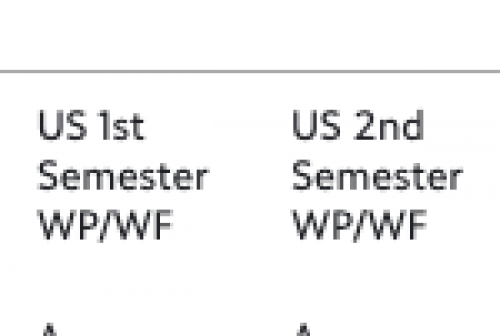
We use the same headings for our report cards. I have this set so that if a student does not have a WP/WF the columns do not show on either the transcript or the report card.0 -
I've attempted to replicate this method because we do not want letter grades to appear on our report cards, but do need a WF/WP option. Thank you for posting this option. If I can get it to work, I think it will cover a few atypical scenarios.
0 -
@Stacey Jansen and I traded several emails about this. My solution works for our transcripts (which report a final grade only). Stacey is looking for a solution for report cards.
I didn't find a solution for what she wants to do. Others may have an idea.
0













Categories
- All Categories
- 6 Blackbaud Community Help
- 213 bbcon®
- 1.4K Blackbaud Altru®
- 403 Blackbaud Award Management™ and Blackbaud Stewardship Management™
- 1.2K Blackbaud CRM™ and Blackbaud Internet Solutions™
- 15 donorCentrics®
- 360 Blackbaud eTapestry®
- 2.6K Blackbaud Financial Edge NXT®
- 656 Blackbaud Grantmaking™
- 577 Blackbaud Education Management Solutions for Higher Education
- 3.2K Blackbaud Education Management Solutions for K-12 Schools
- 940 Blackbaud Luminate Online® and Blackbaud TeamRaiser®
- 84 JustGiving® from Blackbaud®
- 6.7K Blackbaud Raiser's Edge NXT®
- 3.7K SKY Developer
- 249 ResearchPoint™
- 119 Blackbaud Tuition Management™
- 165 Organizational Best Practices
- 241 Member Lounge (Just for Fun)
- 34 Blackbaud Community Challenges
- 37 PowerUp Challenges
- 3 (Open) PowerUp Challenge: Grid View Batch
- 3 (Closed) PowerUp Challenge: Chat for Blackbaud AI
- 3 (Closed) PowerUp Challenge: Data Health
- 3 (Closed) Raiser's Edge NXT PowerUp Challenge: Product Update Briefing
- 3 (Closed) Raiser's Edge NXT PowerUp Challenge: Standard Reports+
- 3 (Closed) Raiser's Edge NXT PowerUp Challenge: Email Marketing
- 3 (Closed) Raiser's Edge NXT PowerUp Challenge: Gift Management
- 4 (Closed) Raiser's Edge NXT PowerUp Challenge: Event Management
- 3 (Closed) Raiser's Edge NXT PowerUp Challenge: Home Page
- 4 (Closed) Raiser's Edge NXT PowerUp Challenge: Standard Reports
- 4 (Closed) Raiser's Edge NXT PowerUp Challenge: Query
- 796 Community News
- 3K Jobs Board
- 54 Blackbaud SKY® Reporting Announcements
- 47 Blackbaud CRM Higher Ed Product Advisory Group (HE PAG)
- 19 Blackbaud CRM Product Advisory Group (BBCRM PAG)