Journal Entry Enhancements

Justin Ward
Blackbaud Employee




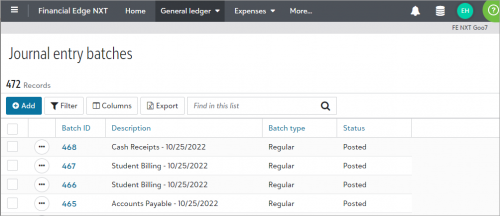
Estimated read time: 2 minutesTo improve how you view and enter Journal entry batch information in Financial Edge NXT, we have made the following enhancements:
These enhancements are being released in waves so that we can gauge user impact and make updates along the way. If you have not seen these enhancements yet, don’t worry, they will be available to everyone very soon!
As you begin to work with these features, you can leave you feedback and suggestions below. We will monitor this page and continue to improve where we can. Big thanks to those of you who have provided feedback already!
- When adding and editing journal entries, you can now view additional journal entry lines.
- On the Journal entry batches page, from a journal entry's menu, you can now copy and reverse batches.
- On a journal entry batch record, you now access attachments and add-ins from a record's quick view on the right side of the screen. Previously, these were accessed through tiles on the record.
- On the journal entry batch record, you can now view 100 journal entry lines per page. Previously, you could only view 50 lines per page.

These enhancements are being released in waves so that we can gauge user impact and make updates along the way. If you have not seen these enhancements yet, don’t worry, they will be available to everyone very soon!
As you begin to work with these features, you can leave you feedback and suggestions below. We will monitor this page and continue to improve where we can. Big thanks to those of you who have provided feedback already!
4
Comments
-
Can you please work on getting a batch template feature set up. In the database view this is called “Recurring Batch Amount”. I use this every month to start several of my journal entries for payroll, recurring entries, investment activities, etc. It's very easy to delete the lines you don't need to use some months. If I copy from a prior period journal entry, then there are too many new lines I need to add some months.
0 -
I would rather see being able to copy and paste directly into the Journal entry screen from an excel. Similar to how Great Plains does it. It makes life so much easier and quicker when doing monthly accruals etc.
0 -
Blackbaud has a plug-in from Microsoft you can use. This can be found in the BB Marketplace:
0






Categories
- All Categories
- New K-12 Community Home (TEST)
- New Higher Education Home Page (Test)
- New Impact Edge Community TEST
- New YourCause Community TEST
- New SKY Community TEST
- New Grantmaking TEST Community
- New Altru Test Community
- New bbcon Community - TEST
- 12 Blackbaud Agents for Good™
- New Raiser's Edge NXT Community
- 8 Blackbaud Community Help
- 222 bbcon®
- 1.4K Blackbaud Altru®
- 410 Blackbaud Award Management™ and Blackbaud Stewardship Management™
- 1.2K Blackbaud CRM™ and Blackbaud Internet Solutions™
- 16 donorCentrics®
- 361 Blackbaud eTapestry®
- 2.7K Blackbaud Financial Edge NXT®
- 687 Blackbaud Grantmaking™
- 603 Blackbaud Education Management Solutions for Higher Education
- 3.3K Blackbaud Education Management Solutions for K-12 Schools
- 954 Blackbaud Luminate Online® and Blackbaud TeamRaiser®
- 85 JustGiving® from Blackbaud®
- 7K Blackbaud Raiser's Edge NXT®
- 4K SKY Developer
- 258 ResearchPoint™
- 123 Blackbaud Tuition Management™
- 165 Organizational Best Practices
- 248 Member Lounge (Just for Fun)
- 40 Blackbaud Community Challenges
- 37 PowerUp Challenges
- 3 (Closed) PowerUp Challenge: Grid View Batch
- 3 (Closed) PowerUp Challenge: Chat for Blackbaud AI
- 3 (Closed) PowerUp Challenge: Data Health
- 3 (Closed) Raiser's Edge NXT PowerUp Challenge: Product Update Briefing
- 3 (Closed) Raiser's Edge NXT PowerUp Challenge: Standard Reports+
- 3 (Closed) Raiser's Edge NXT PowerUp Challenge: Email Marketing
- 3 (Closed) Raiser's Edge NXT PowerUp Challenge: Gift Management
- 4 (Closed) Raiser's Edge NXT PowerUp Challenge: Event Management
- 3 (Closed) Raiser's Edge NXT PowerUp Challenge: Home Page
- 4 (Closed) Raiser's Edge NXT PowerUp Challenge: Standard Reports
- 4 (Closed) Raiser's Edge NXT PowerUp Challenge: Query
- 829 Community News
- 3.1K Jobs Board
- 57 Blackbaud SKY® Reporting Announcements
- 47 Blackbaud CRM Higher Ed Product Advisory Group (HE PAG)
- 19 Blackbaud CRM Product Advisory Group (BBCRM PAG)