When you build an insight, you can choose to display its data as a table or a column, bar, or line chart. As you design your insight, its format is an important decision. When you choose which format to use, we recommend you consider the audience, data, and intent of your insight.
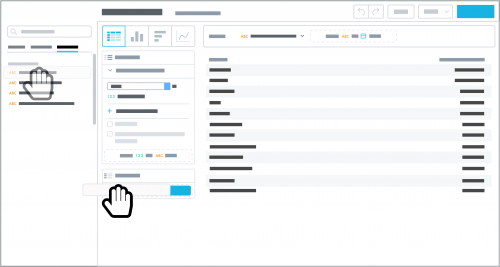 Table.
 As a table, your data appears as rows and columns of numbers and text, similar to spreadsheet in Microsoft
Excel. We recommend this format when you:
- Prefer to read data rather than visualize it
- Have a large number of data points
- Have a diverse audience, where each person wants to focus on their specific data points
- Want to track multiple attributes and measures about each data point
To sort a table by a column, select its header. You can sort a column's data in ascending or descending — alphabetical or numerical — order.
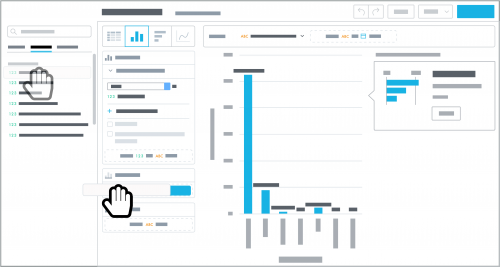 Column or bar chart.
 As a column or bar chart, your data appears as groupings of vertical columns or horizontal bars, respectively. Use this format to quickly see and compare categorical data — the taller or longer the column or bar, the larger the category's value. While the choice between columns and bars is largely personal preference, we recommend you use bars when categories have long titles or to compare a large number of categories. (To sort a measure in the chart in ascending or descending order, select
Table, sort the table by the column, and then select
Column chart or
Bar chart again.)
When an insight includes only one measure, you can analyze how sub-groups within the measure contribute as a
stacked column or bar chart. With a stacked chart, the sub-groups appear on top of or next to each other in the column or bar. The height or length of the column or bar indicates the size of the overall category, while the height or length of each segment — differentiated by color — indicates the relative contribution of its sub-group.
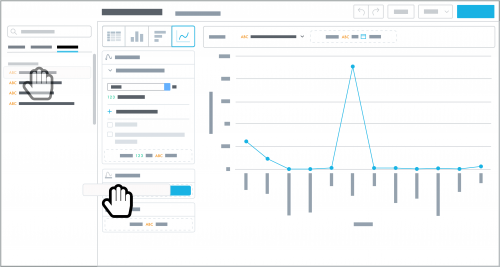 Line chart.
 As a line chart, your data appears as a trend line, with data points as markers between its segments. We recommend this format to track continuous activity — such as over time — and visualize underlying patterns within the data. When an insight includes only one measure, you can analyze how sub-groups within the measure contribute — as separate segmented lines — to easily identify and compare trends.
As you design your insights, keep these considerations in mind to ensure they clearly communicate your data and analytics. Also, we recommend you play around with your analysis to see how the same data looks in different formats. You might uncover additional insight just by shifting your perspective!
