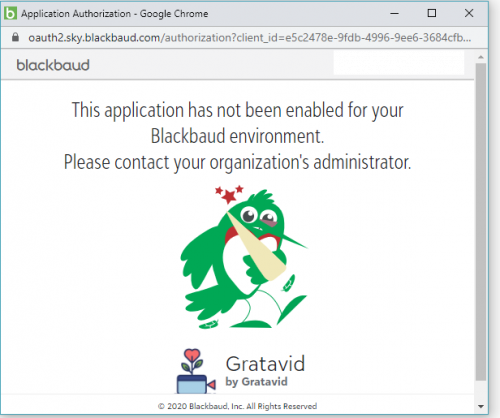
Auth Error: This app has not been enabled for your Blackbaud environemt.
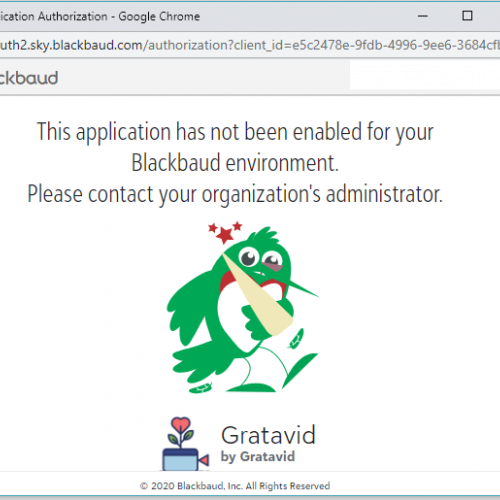



My users are trying to connect to my app and getting this error, does anyone know what it means? How can I fix it?

0
Comments
-
Hi Will,
Have you had a read through here https://developer.blackbaud.com/skyapi/docs/authorization/common-auth-issues?
You need to "connect" your app to your environment.
Cheers,
Steve Cinquegrana | CEO and Principal Developer | Protégé Solutions
0 -
Hi Will,
Steven's answer is correct, but just wanted to clarify a little...
That message indicates that the user who is logged in doesn't have access to any environments in which your Gratavid application has been "connected". Most users only have access to a single environment, but some users will have access to multiple environments, even environments for different organizations.
An environment administrator at the organization will need to connect your application to the environment - that's not something that you as the app developer can do, it's a step that requires administrator privileges. The intent here is that an admin must explicitly "connect" an app from a 3rd-party developer before the app can obtain any user-level access tokens for making API calls.
The admin can perform this connect action from within the Control Panel -> Applications page by clicking the "Connect app" button and pasting in your application ID. This is currently the process for SKY applications that aren't yet visible in the Blackbaud Marketplace. Once in the Marketplace, admins can easily discover and connect your application to their environment via the UI.
(I do think we should improve that error message on our end...we've been inconsistent in our terminology over the years, sometimes we've said "connect" but other times we've used words like "add/activate/install/enable". It's been a challenge to find the word that properly reflects the action being taken. I'll create a work item on our end to improve that error message, so thanks for bringing this to our attention!)
Hope this helps - let us know if you have any issues and we'll be glad to help troubleshoot.1







Categories
- All Categories
- 6 Blackbaud Community Help
- 211 bbcon®
- 1.4K Blackbaud Altru®
- 402 Blackbaud Award Management™ and Blackbaud Stewardship Management™
- 1.1K Blackbaud CRM™ and Blackbaud Internet Solutions™
- 15 donorCentrics®
- 360 Blackbaud eTapestry®
- 2.6K Blackbaud Financial Edge NXT®
- 656 Blackbaud Grantmaking™
- 577 Blackbaud Education Management Solutions for Higher Education
- 3.2K Blackbaud Education Management Solutions for K-12 Schools
- 941 Blackbaud Luminate Online® and Blackbaud TeamRaiser®
- 84 JustGiving® from Blackbaud®
- 6.7K Blackbaud Raiser's Edge NXT®
- 3.7K SKY Developer
- 248 ResearchPoint™
- 120 Blackbaud Tuition Management™
- 165 Organizational Best Practices
- 240 Member Lounge (Just for Fun)
- 34 Blackbaud Community Challenges
- 37 PowerUp Challenges
- 3 (Open) PowerUp Challenge: Grid View Batch
- 3 (Closed) PowerUp Challenge: Chat for Blackbaud AI
- 3 (Closed) PowerUp Challenge: Data Health
- 3 (Closed) Raiser's Edge NXT PowerUp Challenge: Product Update Briefing
- 3 (Closed) Raiser's Edge NXT PowerUp Challenge: Standard Reports+
- 3 (Closed) Raiser's Edge NXT PowerUp Challenge: Email Marketing
- 3 (Closed) Raiser's Edge NXT PowerUp Challenge: Gift Management
- 4 (Closed) Raiser's Edge NXT PowerUp Challenge: Event Management
- 3 (Closed) Raiser's Edge NXT PowerUp Challenge: Home Page
- 4 (Closed) Raiser's Edge NXT PowerUp Challenge: Standard Reports
- 4 (Closed) Raiser's Edge NXT PowerUp Challenge: Query
- 796 Community News
- 3K Jobs Board
- 54 Blackbaud SKY® Reporting Announcements
- 47 Blackbaud CRM Higher Ed Product Advisory Group (HE PAG)
- 19 Blackbaud CRM Product Advisory Group (BBCRM PAG)