Issue Creating Custom Framework Part




Hello,
I am trying to create a simple custom part type that is an exact copy of another part we already have in the system. However, no matter what I try when I go to create a part that inherits my custom framework part (type), it won't even display the settings it just gets stuck on a white screen trying to load the part settings (I think). I went and followed the Blackbaud tutorial to create a new framework part and how to deploy it. I created a part that, for now, only has a title, and even still it won't load, just a white screen. I have attached some screenshots.
-Thanks
- this is what displays when I try to add a part with my new part type

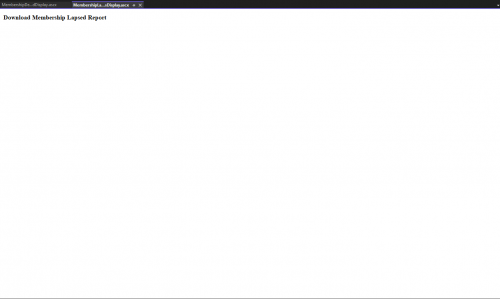
- and this is the designer for the Display of my custom framework part in visual studio
Comments
-
@Kyle Brady
If you run a debugger on the editor code behind and set a break point in the page load function, does the breakpoint get reached when you try to edit it? I would also double check that the assembly and code-behind referenced in the editor's .ascx file is the new part's assembly and not the old one.0 -
@Jay Trussell
When I try to debug the code behind it won't hit the breakpoint for my new custom framework part. I have tried other reports and it works fine. When I try to create a new part with my custom framework part (part type) it just loads a blank screen instead of loading the settings for the new part. 0
0 -
@Kyle Brady
The debugger will not load symbols for my new report code behind. It will however for older reports that have already been created.0 -
@Kyle Brady
If the break point is not being hit, that code is never being loaded. In the ascx page for your new part, is the info in the Assembly and Control sections pointing at your new part's assembly or the assembly of the part you copied from? 0
0 -
Two suggestions:
- Look in the “ERROR” table and see if there are any informative errors there (SELECT TOP 1000 * FROM ERROR ORDER BY ID DESC)
- When you build your project, make sure that your project references in Visual Studio are pointed at the \\SDK\\DLLReferences\\ for the exact same version of the SDK that is deployed on the server (right down to any hotfixes, etc). BBIS is much pickier about matching binaries than CRM is.
0 -
Thank you for your response. I have made all the versions match for my SDK DLL references and the DLLs deployed on the server. However, now I am getting these errors when attempting to view ANY of the report pages on BBIS:
- Exception of type 'System.Web.HttpUnhandledException' was thrown.
- Page cannot be null. Please ensure that this operation is being performed in the context of an ASP.NET request.
- Invalid value for 'encryptedTicket' parameter.
- Exception of type 'System.Web.HttpUnhandledException' was thrown.
- Page cannot be null. Please ensure that this operation is being performed in the context of an ASP.NET request.
- The input is not a valid Base-64 string as it contains a non-base 64 character, more than two padding characters, or an illegal character among the padding characters.0 -
@Kyle Brady
Do you have a local dev environment? Do you get the same errors there?Not to beat a dead horse, but those errors are exactly what i get when my sdk versions are out of sync. Did you run “setcurrentsdk.bat” on your dev machine before building?
0 -
No, I had not run the bat file. I ran the setcurrentssdk.bat and then copied all the DLLs to the server to ensure they match and that fixed the issue. Thank you!
1 -
@Kyle Brady
That is great! In my experience, once the deployed files match the server exactly, future service packs will carry the customizations along with them, so you don't have to redeploy with each upgrade.0 -
@Joseph Styons
Great! Thank you for all your help!0




Categories
- All Categories
- 6 Blackbaud Community Help
- 211 bbcon®
- 1.4K Blackbaud Altru®
- 402 Blackbaud Award Management™ and Blackbaud Stewardship Management™
- 1.1K Blackbaud CRM™ and Blackbaud Internet Solutions™
- 15 donorCentrics®
- 360 Blackbaud eTapestry®
- 2.6K Blackbaud Financial Edge NXT®
- 655 Blackbaud Grantmaking™
- 576 Blackbaud Education Management Solutions for Higher Education
- 3.2K Blackbaud Education Management Solutions for K-12 Schools
- 941 Blackbaud Luminate Online® and Blackbaud TeamRaiser®
- 84 JustGiving® from Blackbaud®
- 6.7K Blackbaud Raiser's Edge NXT®
- 3.7K SKY Developer
- 248 ResearchPoint™
- 120 Blackbaud Tuition Management™
- 165 Organizational Best Practices
- 240 Member Lounge (Just for Fun)
- 34 Blackbaud Community Challenges
- 37 PowerUp Challenges
- 3 (Open) PowerUp Challenge: Grid View Batch
- 3 (Closed) PowerUp Challenge: Chat for Blackbaud AI
- 3 (Closed) PowerUp Challenge: Data Health
- 3 (Closed) Raiser's Edge NXT PowerUp Challenge: Product Update Briefing
- 3 (Closed) Raiser's Edge NXT PowerUp Challenge: Standard Reports+
- 3 (Closed) Raiser's Edge NXT PowerUp Challenge: Email Marketing
- 3 (Closed) Raiser's Edge NXT PowerUp Challenge: Gift Management
- 4 (Closed) Raiser's Edge NXT PowerUp Challenge: Event Management
- 3 (Closed) Raiser's Edge NXT PowerUp Challenge: Home Page
- 4 (Closed) Raiser's Edge NXT PowerUp Challenge: Standard Reports
- 4 (Closed) Raiser's Edge NXT PowerUp Challenge: Query
- 796 Community News
- 3K Jobs Board
- 54 Blackbaud SKY® Reporting Announcements
- 47 Blackbaud CRM Higher Ed Product Advisory Group (HE PAG)
- 19 Blackbaud CRM Product Advisory Group (BBCRM PAG)