Batch Happens: High-Speed Gift Entry in Blackbaud Raiser’s Edge NXT®
Comments
-
We have decided to pursue the following method for dealing-with automatically-created Gift Batches…
- Create a Gift Batch view-Template
- Always create a Gift Batch manually, specifying the desired Gift Batch view-Template
- Move all Gifts from automatic Batches to manually-created ones.
We figure it's easier, mindless work to move Gifts into a manually-created Gift Batch (with the proper view-Template pre-configured) than it would be to open each new automatically-created Gift Batch and re-arrange its customized columns each time.
6 -
This is not going to be the case for most users. This is only the case if you have papersave as that plugin is not available in the grid yet. Most everyone will only have the link for batch and it will bring them to the new experience.
0 -
You will just need to create or edit a batch in web view. The new grid has replaced the previous UI.
0 -
This should be available for you. There is not a specific link for it, you will just need to either create a new batch or edit and existing one and it will put you into the new grid experience.
1 -
Yes, templates include batch defaults for newly entered gifts.
0 -
Please file a bug with support for this. We have an option for papersave clients where we can give you back the functionality you lost access to.
0 -
You should be able to do everything you used to do in the new batch. You may need to add the Payment details column to the grid to finish that part of the process but all the same functionality is there.
1 -
We have this work planned for Q2/Q3
0 -
When will we be able to convert an excel file into into a Web View batch via an upload process?
3 -
@Lee Duncan you have to add a column called payment details to pop up the credit card processor. I was having the same issue!
1 -
I had to use the new Grid Batch today as some online gifts came in via NXT forms. I created a template and manually moved each gift one by one that came in online over to the template. Half of the columns are grayed out and I can't type anything in them (Receipt date, package, etc). Is this because that is not a possibility yet? I also don't have any drop downs in Campaign, Appeal, Fund. Are we planning to add this? I don't know a way around all the missing pieces other than to go into database view after I commit and fix everything.
1 -
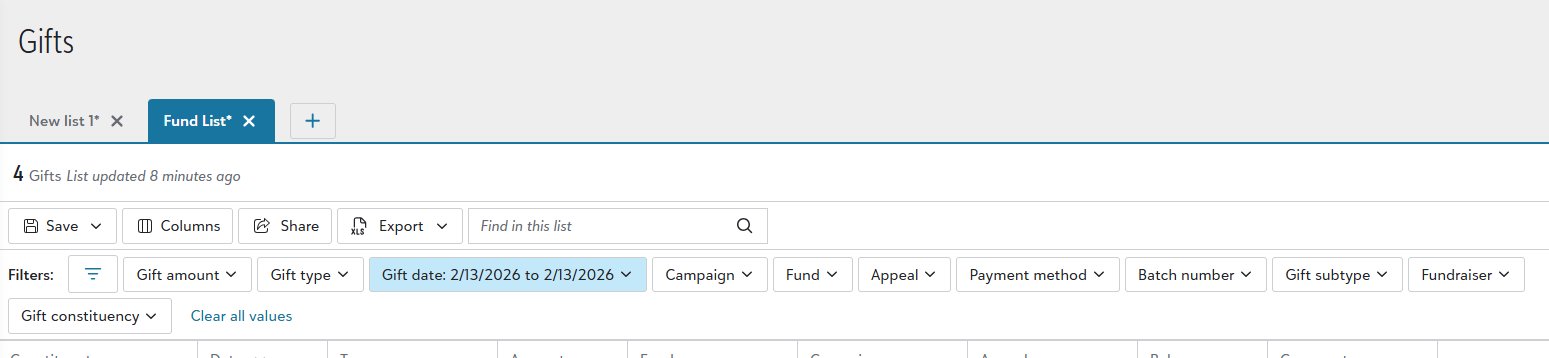
How do you add a field in Gifts? I need to add Fund ID, how do I do that?
 0
0 -
Thank you so much Michelle!
0 -
Are there dropdown items in Fund, Campaign, Appeal *after* you type the initial 3-4-5 characters? …and try the Description as well as the code.
if it works like the single-screen Gift Batch editor screen (the predecessor to this grid-view…) then I expect that’s the “search” strategy for these dropdowns.
0 -
We should be able to toggle between the online form view and the new grid batch view.
I do not find grid batch to be intuitive or faster (you can't even copy and paste gifts), and I know the code for the older form must still exist. We should be able to choose between grid batch or the NXT form view.3 -
0
-
Yes, this is very important for daily tasks!
2 -
Some other issues I'm seeing- need the constituent ID column added(if entering multiple gifts from same donor it's quicker to add by const ID). Also very important****- The add constituent needs to be inline and once you add the new donor, it needs to populate on that line.*** Also finding that campaign that are tied to funds are always popluating
1 -
It seems to me that updating features in piecemeal fashion is causing a lot of problems. With some features not available yet, clients have to jump back and forth from NXT to RE7. Not good practice since this causes users to constantly adjust their mindset. This does not streamline the work nor save time. I often wonder with all the updates if there is someone in company that tests the features to make sure all works as it should. This happens when companies want get the updates out as fast as possible without testing the newest version to make sure that the kinks have been worked through and there is a smooth transition. The transition from RE7 and RE NXT has been very smooth at all.
2 -
Correction to my previous comment - The transition from RE7 to RE NXT has NOT been very smooth at all.
2 -
I was working in a batch and navigating through the columns - I accidentally hit the tab button at the end of the row and obviously a new row was created . The system thought that I was adding a gift. Is there a way to delete that row? I was unable to do so and had to back my way out and start over. I could not even save it because it indicated that there was an error.
0 -
The delete / trash can is at the far right of each row. You should be able to delete an empty row. I have.
2 -
So if this does not appear, does that mean have yet to receive the update?
0 -
The most reasonable “default” set of grid columns for a new Gift Batch, absent any Batch Temple specification on creation, should have been (should be) *all columns.
That way all features (i.e. the Pledges column link) would be immediately available, even if one has to scroll to locate it.
And scroll bar atop the grid (similar to Query results) is preferable.
0 -
I love the new grid view! We had this quick entry ability in Abila and it is SO much faster. Question though: Is there a way to copy the line above it, rather than re-entering the details or date? I know when I configure my column settings, I can set the entire batch to be a certain date, appeal, comment, etc. But what if a handful of checks are different and I just want to copy the line above it? Thanks!
1 -
@Luke Christie and @Emily Marshall Go to Gift, Overview and Grid View. You will see it there.
0 -
Releasing the grid view in waves is really causing unnecessary problems that should not occur. Instead of being in a hurry to release the new features in waves, all features should be tested to make sure everything is running as it should. Based upon the problems that seem to be popping up, I wonder if anyone is testing the new features so that the transition from RE 7 to RE NXT Batch Grid View is smooth and seamless. I have NOT found that to be the case. Test everything first and then release everything at once but make sure the way it works is similar to RE 7.
Observation - we (here in my company) don't need to see the post date column when working with the batch grid view yet there is no way to hide it in the batch. We do not use the "post to general ledger" feature. It might have been a good idea to find out what features your various clients need and make the necessary adjustments. Blackbaud seems to be making sweeping generalizations regarding what the features are and whether clients use them or not they seem to be stuck with them. Rather amateurish.
4 -
When entering gifts into a batch, our preferred method is to input them alphabetically, by gift date, and by gift amount to facilitate the reconciliation process, as deposits are made weekly. With the new system enhancements, I am able to enter the information in this order; however, once the batch is saved and reviewed, the information is no longer displayed accordingly. Is there a way to correct this so the entered order is preserved?
1 -
Hi Erica,
You did hit on a bug we are looking at. Since we ship the entire batch to our service when we save, that service sends them back as they are successful and then they come back in a different order. For instance gifts with more links or schedules take longer.
For this we are going to introduce and auto save (TBD on timing) that will save the gifts after you exit each row so that it doesnt have to save in bulk and ship that much data around at once.
It would eliminate the reordering you are seeing. We are also going to put an actual Sort operation in there along with this work.
This is hopefully something we will fit into our Q2 plans. I will know for sure in the next few weeks what Q2 looks like.
Anthony
1 -
For Pledge payments in the web batch gridview, when applying a pledge payment to a pledge, the system does identify the pledge nicely, however, it does not autofill the Appeal, Campaign, Acknowledgement, gift subtype fields, which it does do in DB batch. In another twist, it seems the fields auto populate properly for recurring gift payments, but they don't for pledge payments. Is anyone else experiencing this issue? Is there is a difference between how information is being retrieved from a pledge record vs. a recurring gift record? Thanks!
1



























Categories
- All Categories
- 7 Blackbaud Agents for Good™
- New Raiser's Edge NXT Community
- 7 Blackbaud Community Help
- 214 bbcon®
- 1.4K Blackbaud Altru®
- 407 Blackbaud Award Management™ and Blackbaud Stewardship Management™
- 1.2K Blackbaud CRM™ and Blackbaud Internet Solutions™
- 16 donorCentrics®
- 361 Blackbaud eTapestry®
- 2.6K Blackbaud Financial Edge NXT®
- 669 Blackbaud Grantmaking™
- 591 Blackbaud Education Management Solutions for Higher Education
- 3.3K Blackbaud Education Management Solutions for K-12 Schools
- 950 Blackbaud Luminate Online® and Blackbaud TeamRaiser®
- 85 JustGiving® from Blackbaud®
- 6.9K Blackbaud Raiser's Edge NXT®
- 3.9K SKY Developer
- 252 ResearchPoint™
- 121 Blackbaud Tuition Management™
- 165 Organizational Best Practices
- 245 Member Lounge (Just for Fun)
- 38 Blackbaud Community Challenges
- 37 PowerUp Challenges
- 3 (Closed) PowerUp Challenge: Grid View Batch
- 3 (Closed) PowerUp Challenge: Chat for Blackbaud AI
- 3 (Closed) PowerUp Challenge: Data Health
- 3 (Closed) Raiser's Edge NXT PowerUp Challenge: Product Update Briefing
- 3 (Closed) Raiser's Edge NXT PowerUp Challenge: Standard Reports+
- 3 (Closed) Raiser's Edge NXT PowerUp Challenge: Email Marketing
- 3 (Closed) Raiser's Edge NXT PowerUp Challenge: Gift Management
- 4 (Closed) Raiser's Edge NXT PowerUp Challenge: Event Management
- 3 (Closed) Raiser's Edge NXT PowerUp Challenge: Home Page
- 4 (Closed) Raiser's Edge NXT PowerUp Challenge: Standard Reports
- 4 (Closed) Raiser's Edge NXT PowerUp Challenge: Query
- 813 Community News
- 3K Jobs Board
- 57 Blackbaud SKY® Reporting Announcements
- 47 Blackbaud CRM Higher Ed Product Advisory Group (HE PAG)
- 19 Blackbaud CRM Product Advisory Group (BBCRM PAG)