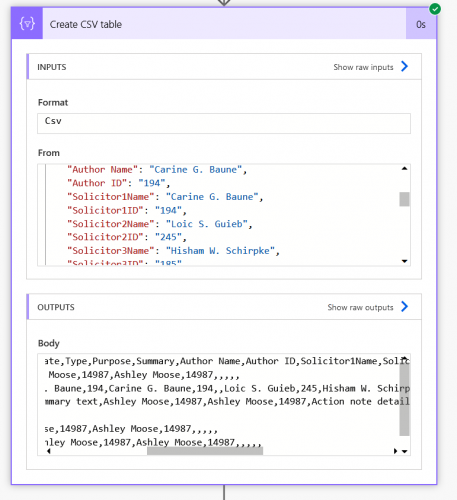
Background: When exporting 1:M fields, programs like Raiser's Edge and BBCRM will automatically add numbers to column headers to indicate different sets of fields, i.e. SolicitorName1, SolicitorID1, SolicitorName2, SolicitorID2. If you are using Power Automate to extract the data, there may be scenarios where you need to produce similar column headers, such as producing files for 3rd party vendors. The exact number of each instance may not be known so individual column values cannot be set. Instead column headers need to increment based on the max number of instances for a single record.
Set-up
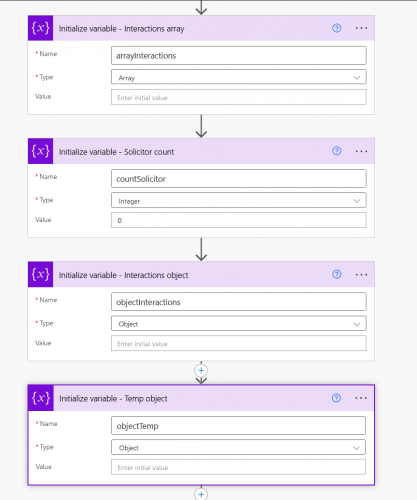
Create 4 variables
- 1 array variable - Used as the final table/data holder
- 2 object variables - Used to store the data before adding to the array variable
- 1 temp (in screen shots below, mine is called objectTemp)
- 1 main (in screen shots below, mine is called objectInteractions)
- 1 integer variable - To "count" the number of instances of the field that will be used in the column headers
Steps
1. Use a Set variable action to add all non-repeating columns to main object variable, formatted as an array.
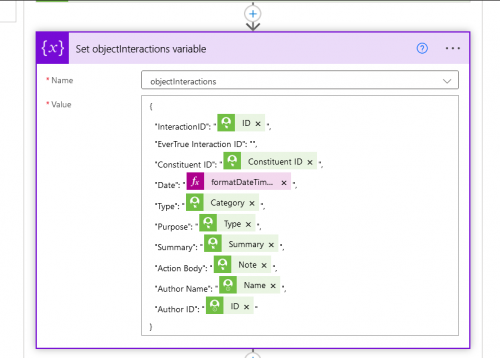
2. Add an Apply to each action to get the repeating columns
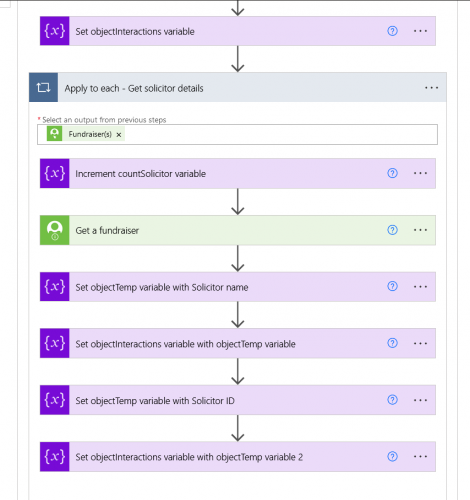
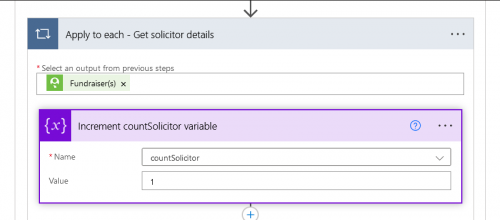
a. Start by incrementing the integer variable by 1 - this is the number value that will be added to the column header
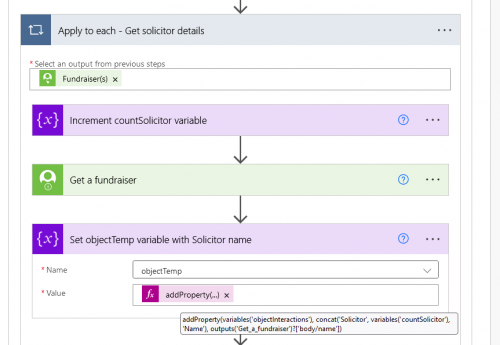
b. Then use a Set variable action to add the repeating column to the tempObject
Expression = addProperty(variables('objectInteractions'), concat('Solicitor', variables('countSolicitor'), 'Name'), outputs('Get_a_fundraiser')?['body/name'])
- variables('objectInteractions') = main object variable
- concat('Solicitor', variables('countSolicitor'), 'Name') = column header
- outputs('Get_a_fundraiser')?['body/name'] = column value
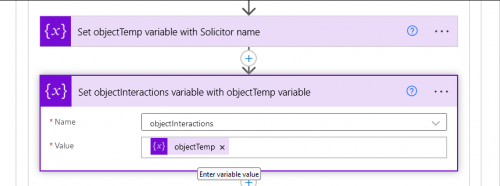
c. Use another Set variable action to set the main Object variable with the tempObject variable
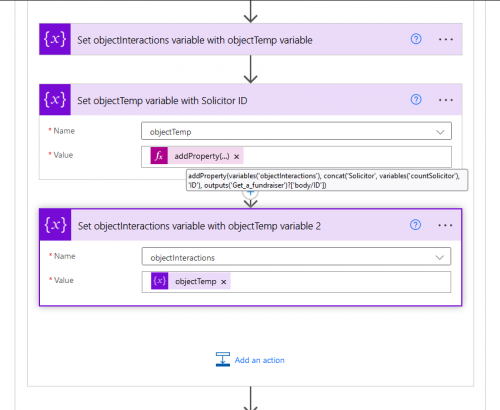
d. Repeat steps b and c inside the Apply to each action for any other repeating columns
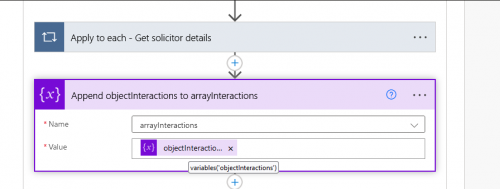
3. Outside of the Apply to each action, use an Append to array variable action to add the mainObject variable to the array variable
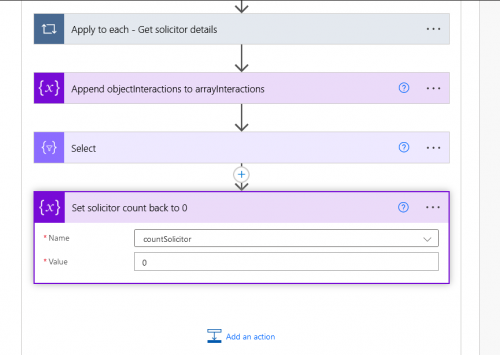
4. Still outside of the Apply to each, use a Set variable action to reset the Integer variable back to 0
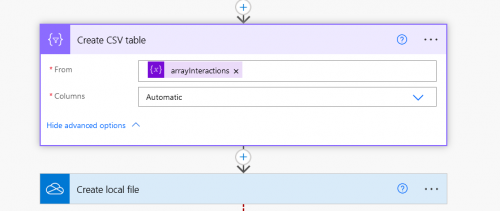
5. Use the Array variable in a create csv table action (or however else) to create the table
And Voila! The column headers increment up to the max number of instances for a single record!