Creating Green Hanging File Folders And Constituent Records

Melissa Rancour
Blackbaud Employee




In my first office job, we didn’t have a database to track information about our customers or vendors or anything else. We had rows of filing cabinets filled with green hanging file folders that contained manila folders. Now, when I think about a constituent record, I always picture a green hanging file folder filled with information about the person or organization. When I think of a panel (in Web View) or a tab (in Database View) on a constituent record, I think of a manila file folder in the constituent’s green hanging file folder.
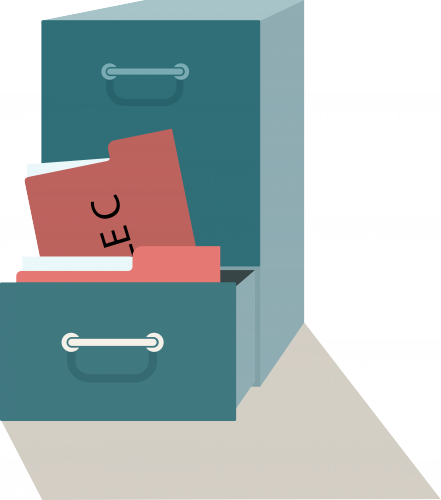
With the invention of personal computers and databases, when we need to find a record, we don’t need to head to the filing room, find the right drawer in the filing cabinet, and search through the green hanging file folders. We can access a constituent record from anywhere and not worry about carrying around or losing those precious (and heavy) green hanging file folders. We don’t have to worry about paper cuts or manila file folder cuts either (ouch)!
But how do new constituents get added to Raiser’s Edge NXT? Back in the day, if I wanted to create a new record for a new donor, I would head over to the supply closet and pull out a green hanging file folder and a few manila folders. But when we are in Web View, where is the supply closet where we can find a new green hanging file folder (and create a new constituent)? As I’ve mentioned in previous blog posts, our builders are still building the Web View, but the Database View is completely built out and is our go-to place for the Web View functionality that the builders are still building.
Remember: We have lots of great functionality in the Web View and can add manila file folders for actions, notes, and proposals.
Action Items:

With the invention of personal computers and databases, when we need to find a record, we don’t need to head to the filing room, find the right drawer in the filing cabinet, and search through the green hanging file folders. We can access a constituent record from anywhere and not worry about carrying around or losing those precious (and heavy) green hanging file folders. We don’t have to worry about paper cuts or manila file folder cuts either (ouch)!
But how do new constituents get added to Raiser’s Edge NXT? Back in the day, if I wanted to create a new record for a new donor, I would head over to the supply closet and pull out a green hanging file folder and a few manila folders. But when we are in Web View, where is the supply closet where we can find a new green hanging file folder (and create a new constituent)? As I’ve mentioned in previous blog posts, our builders are still building the Web View, but the Database View is completely built out and is our go-to place for the Web View functionality that the builders are still building.
Remember: We have lots of great functionality in the Web View and can add manila file folders for actions, notes, and proposals.
Action Items:
- Want to learn how to create and manage constituent records in the Database View? Take the instructor-led course Raiser’s Edge: Fundamentals—Constituents 1
- Want to learn how to work with constituents in the Web View? Watch the eLearning course Raiser’s Edge NXT: Basics of Fundraising
0
Categories
- All Categories
- New K-12 Community Home (TEST)
- New Higher Education Home Page (Test)
- New Impact Edge Community TEST
- New YourCause Community TEST
- New SKY Community TEST
- New Grantmaking TEST Community
- New Altru Test Community
- New bbcon Community - TEST
- 12 Blackbaud Agents for Good™
- New Raiser's Edge NXT Community
- 8 Blackbaud Community Help
- 222 bbcon®
- 1.4K Blackbaud Altru®
- 411 Blackbaud Award Management™ and Blackbaud Stewardship Management™
- 1.2K Blackbaud CRM™ and Blackbaud Internet Solutions™
- 16 donorCentrics®
- 361 Blackbaud eTapestry®
- 2.7K Blackbaud Financial Edge NXT®
- 688 Blackbaud Grantmaking™
- 604 Blackbaud Education Management Solutions for Higher Education
- 3.3K Blackbaud Education Management Solutions for K-12 Schools
- 954 Blackbaud Luminate Online® and Blackbaud TeamRaiser®
- 85 JustGiving® from Blackbaud®
- 7.1K Blackbaud Raiser's Edge NXT®
- 4K SKY Developer
- 258 ResearchPoint™
- 123 Blackbaud Tuition Management™
- 165 Organizational Best Practices
- 249 Member Lounge (Just for Fun)
- 40 Blackbaud Community Challenges
- 37 PowerUp Challenges
- 3 (Closed) PowerUp Challenge: Grid View Batch
- 3 (Closed) PowerUp Challenge: Chat for Blackbaud AI
- 3 (Closed) PowerUp Challenge: Data Health
- 3 (Closed) Raiser's Edge NXT PowerUp Challenge: Product Update Briefing
- 3 (Closed) Raiser's Edge NXT PowerUp Challenge: Standard Reports+
- 3 (Closed) Raiser's Edge NXT PowerUp Challenge: Email Marketing
- 3 (Closed) Raiser's Edge NXT PowerUp Challenge: Gift Management
- 4 (Closed) Raiser's Edge NXT PowerUp Challenge: Event Management
- 3 (Closed) Raiser's Edge NXT PowerUp Challenge: Home Page
- 4 (Closed) Raiser's Edge NXT PowerUp Challenge: Standard Reports
- 4 (Closed) Raiser's Edge NXT PowerUp Challenge: Query
- 829 Community News
- 3.1K Jobs Board
- 57 Blackbaud SKY® Reporting Announcements
- 47 Blackbaud CRM Higher Ed Product Advisory Group (HE PAG)
- 19 Blackbaud CRM Product Advisory Group (BBCRM PAG)