Publishing To Netclassroom: Report Cards, Transcripts and Statements




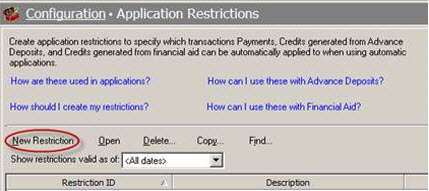
If you have the optional online module NetClassroom, you have the ability to publish documents such as report cards, transcripts and statements online for students and parents to view without having to print out a hard copy to send out. Not only is this convenient for both students and parents but it also saves trees, and thus helps to decrease paper usage and mailings the school uses. In order to publish to NetClassroom, you must have your statement, report card, or transcript parameter already set up in Registrar’s Office and Student Billing. You also need to activate these features in Configuration > NetClassroom > Features:
How to publish report cards and transcripts to NetClassroom:
In Registrar’s Office, go to Grades, then under Administrative tasks click either Publish report cards to NetClassroom or Publish transcripts to the web then highlight the report card or transcript you want to publish and click Select.
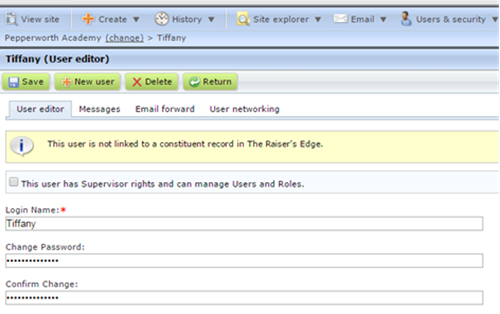
The report cards or transcripts will publish only to the records listed on the Filters tab of the parameter. Keep in mind that the process of publishing report cards could take anywhere from a few seconds to a couple of minutes depending on the number of student records that are included, so just sit back and let the process take as long as it needs to complete.
When parents and students log into NetClassroom they will see that a new report card or transcript has been published when they hover over the <Student’s grades> dropdown and see the words “Report Card (New!)” in red.
Do note that it could take up to 30 minutes for the report cards/transcripts to show up in NetClassroom, so don’t worry if they don’t show up in NetClassroom immediately after publishing.
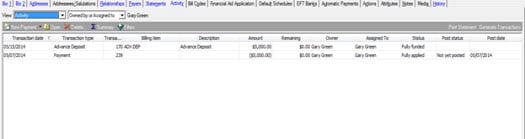
For more information on publishing report cards and transcripts to NetClassroom, see Knowledgebase article: 65772
If you follow these steps and report cards or transcripts do not publish to NetClassroom for some or all of your students, check out Knowledgebase article: 43752
How to publish statements to NetClassroom:
In Student Billing, go to Mail > Forms and then highlight Statements. Here you will right-click the statement parameter that you want to publish to NetClassroom, and select Publish to the web. The statements will publish to NetClassroom based on the filters that are set up in the statement parameter. Just like publishing report cards and transcripts, the process of publishing the statements could take a few minutes, so just let the process take as long as it needs to complete.
NetClassroom users can view their statements in NetClassroom by clicking the Billing option on the toolbar.
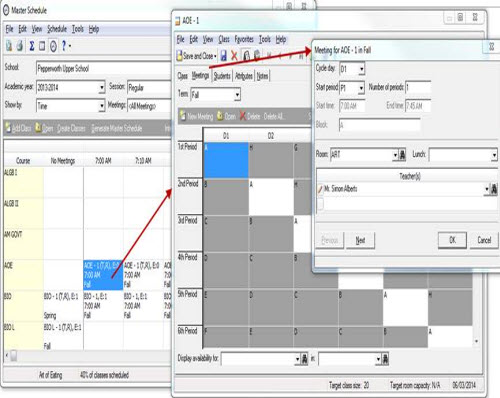
For more information on publishing statements to NetClassroom, see Knowledgebase article: 42385.
If statements are not publishing to NetClassroom take a look at this article: 43259
Have any questions? Leave a comment below!

How to publish report cards and transcripts to NetClassroom:
In Registrar’s Office, go to Grades, then under Administrative tasks click either Publish report cards to NetClassroom or Publish transcripts to the web then highlight the report card or transcript you want to publish and click Select.

The report cards or transcripts will publish only to the records listed on the Filters tab of the parameter. Keep in mind that the process of publishing report cards could take anywhere from a few seconds to a couple of minutes depending on the number of student records that are included, so just sit back and let the process take as long as it needs to complete.
When parents and students log into NetClassroom they will see that a new report card or transcript has been published when they hover over the <Student’s grades> dropdown and see the words “Report Card (New!)” in red.
Do note that it could take up to 30 minutes for the report cards/transcripts to show up in NetClassroom, so don’t worry if they don’t show up in NetClassroom immediately after publishing.

For more information on publishing report cards and transcripts to NetClassroom, see Knowledgebase article: 65772
If you follow these steps and report cards or transcripts do not publish to NetClassroom for some or all of your students, check out Knowledgebase article: 43752
How to publish statements to NetClassroom:
In Student Billing, go to Mail > Forms and then highlight Statements. Here you will right-click the statement parameter that you want to publish to NetClassroom, and select Publish to the web. The statements will publish to NetClassroom based on the filters that are set up in the statement parameter. Just like publishing report cards and transcripts, the process of publishing the statements could take a few minutes, so just let the process take as long as it needs to complete.
NetClassroom users can view their statements in NetClassroom by clicking the Billing option on the toolbar.

For more information on publishing statements to NetClassroom, see Knowledgebase article: 42385.
If statements are not publishing to NetClassroom take a look at this article: 43259
Have any questions? Leave a comment below!
0
Categories
- All Categories
- New K-12 Community Home (TEST)
- New Higher Education Home Page (Test)
- New Impact Edge Community TEST
- New YourCause Community TEST
- New SKY Community TEST
- New Grantmaking TEST Community
- New Altru Test Community
- New bbcon Community - TEST
- 12 Blackbaud Agents for Good™
- New Raiser's Edge NXT Community
- 8 Blackbaud Community Help
- 222 bbcon®
- 1.4K Blackbaud Altru®
- 411 Blackbaud Award Management™ and Blackbaud Stewardship Management™
- 1.2K Blackbaud CRM™ and Blackbaud Internet Solutions™
- 16 donorCentrics®
- 361 Blackbaud eTapestry®
- 2.7K Blackbaud Financial Edge NXT®
- 688 Blackbaud Grantmaking™
- 604 Blackbaud Education Management Solutions for Higher Education
- 3.3K Blackbaud Education Management Solutions for K-12 Schools
- 954 Blackbaud Luminate Online® and Blackbaud TeamRaiser®
- 85 JustGiving® from Blackbaud®
- 7.1K Blackbaud Raiser's Edge NXT®
- 4K SKY Developer
- 258 ResearchPoint™
- 123 Blackbaud Tuition Management™
- 165 Organizational Best Practices
- 249 Member Lounge (Just for Fun)
- 40 Blackbaud Community Challenges
- 37 PowerUp Challenges
- 3 (Closed) PowerUp Challenge: Grid View Batch
- 3 (Closed) PowerUp Challenge: Chat for Blackbaud AI
- 3 (Closed) PowerUp Challenge: Data Health
- 3 (Closed) Raiser's Edge NXT PowerUp Challenge: Product Update Briefing
- 3 (Closed) Raiser's Edge NXT PowerUp Challenge: Standard Reports+
- 3 (Closed) Raiser's Edge NXT PowerUp Challenge: Email Marketing
- 3 (Closed) Raiser's Edge NXT PowerUp Challenge: Gift Management
- 4 (Closed) Raiser's Edge NXT PowerUp Challenge: Event Management
- 3 (Closed) Raiser's Edge NXT PowerUp Challenge: Home Page
- 4 (Closed) Raiser's Edge NXT PowerUp Challenge: Standard Reports
- 4 (Closed) Raiser's Edge NXT PowerUp Challenge: Query
- 829 Community News
- 3.1K Jobs Board
- 57 Blackbaud SKY® Reporting Announcements
- 47 Blackbaud CRM Higher Ed Product Advisory Group (HE PAG)
- 19 Blackbaud CRM Product Advisory Group (BBCRM PAG)