Set Up Your Grading Scoreboard

Michelle Grant
Blackbaud Employee




The clock starts ... the game begins ... and even if we need to step away from the action, we monitor the scoreboard for the 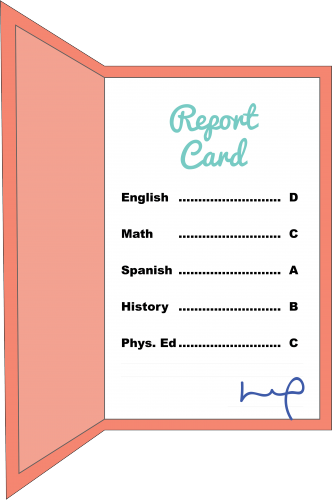 next three hours. We might not get to see every play in every game we watch, but as avid fans we keep a close eye on each game’s scoreboard.
Much like a football game, a lot goes on in school throughout the academic year. Students learn and grow—and teachers, students, and parents all keep a watchful eye on performance! While there are many different plays throughout a school year, the progress reports, report cards, and transcripts convey the numbers that keep parents alert to their student’s progress. And if your school uses onRecord, the Grading feature provides the perfect scoreboard for parents and students to monitor their scores.
The onRecord Grading feature helps you effortlessly set up grading calculations, performance calculations, comments, and more. Because these evaluations will be displayed in your school’s online community, it’s important they’re properly used and configured to school standards. To ensure you’re effectively using Grading, you’ll want to join us for our newest virtual instructor-led course onRecord: Grading. Sign up today and use our sample-site to learn the best methods for displaying and managing grading information—then go play your best onRecord Grading game yet!
Good news for Learn® subscribers! If you have a Learn More or Learn Everything training subscription, this class is included. Not a subscriber? Find out how a Learn subscription can help develop your efficiency and ongoing skills.
 next three hours. We might not get to see every play in every game we watch, but as avid fans we keep a close eye on each game’s scoreboard.
 Much like a football game, a lot goes on in school throughout the academic year. Students learn and grow—and teachers, students, and parents all keep a watchful eye on performance! While there are many different plays throughout a school year, the progress reports, report cards, and transcripts convey the numbers that keep parents alert to their student’s progress. And if your school uses onRecord, the Grading feature provides the perfect scoreboard for parents and students to monitor their scores.
The onRecord Grading feature helps you effortlessly set up grading calculations, performance calculations, comments, and more. Because these evaluations will be displayed in your school’s online community, it’s important they’re properly used and configured to school standards. To ensure you’re effectively using Grading, you’ll want to join us for our newest virtual instructor-led course onRecord: Grading. Sign up today and use our sample-site to learn the best methods for displaying and managing grading information—then go play your best onRecord Grading game yet!
Good news for Learn® subscribers! If you have a Learn More or Learn Everything training subscription, this class is included. Not a subscriber? Find out how a Learn subscription can help develop your efficiency and ongoing skills.
0
Categories
- All Categories
- New YourCause Community TEST
- New SKY Community TEST
- New Grantmaking TEST Community
- New Altru Test Community
- New bbcon Community - TEST
- 12 Blackbaud Agents for Good™
- New Raiser's Edge NXT Community
- 7 Blackbaud Community Help
- 218 bbcon®
- 1.4K Blackbaud Altru®
- 409 Blackbaud Award Management™ and Blackbaud Stewardship Management™
- 1.2K Blackbaud CRM™ and Blackbaud Internet Solutions™
- 16 donorCentrics®
- 361 Blackbaud eTapestry®
- 2.7K Blackbaud Financial Edge NXT®
- 680 Blackbaud Grantmaking™
- 598 Blackbaud Education Management Solutions for Higher Education
- 3.3K Blackbaud Education Management Solutions for K-12 Schools
- 952 Blackbaud Luminate Online® and Blackbaud TeamRaiser®
- 85 JustGiving® from Blackbaud®
- 7K Blackbaud Raiser's Edge NXT®
- 3.9K SKY Developer
- 257 ResearchPoint™
- 123 Blackbaud Tuition Management™
- 165 Organizational Best Practices
- 247 Member Lounge (Just for Fun)
- 40 Blackbaud Community Challenges
- 37 PowerUp Challenges
- 3 (Closed) PowerUp Challenge: Grid View Batch
- 3 (Closed) PowerUp Challenge: Chat for Blackbaud AI
- 3 (Closed) PowerUp Challenge: Data Health
- 3 (Closed) Raiser's Edge NXT PowerUp Challenge: Product Update Briefing
- 3 (Closed) Raiser's Edge NXT PowerUp Challenge: Standard Reports+
- 3 (Closed) Raiser's Edge NXT PowerUp Challenge: Email Marketing
- 3 (Closed) Raiser's Edge NXT PowerUp Challenge: Gift Management
- 4 (Closed) Raiser's Edge NXT PowerUp Challenge: Event Management
- 3 (Closed) Raiser's Edge NXT PowerUp Challenge: Home Page
- 4 (Closed) Raiser's Edge NXT PowerUp Challenge: Standard Reports
- 4 (Closed) Raiser's Edge NXT PowerUp Challenge: Query
- 822 Community News
- 3.1K Jobs Board
- 57 Blackbaud SKY® Reporting Announcements
- 47 Blackbaud CRM Higher Ed Product Advisory Group (HE PAG)
- 19 Blackbaud CRM Product Advisory Group (BBCRM PAG)