As previously mentioned, you can now build insights as pie charts to quickly view and compare categorical data!
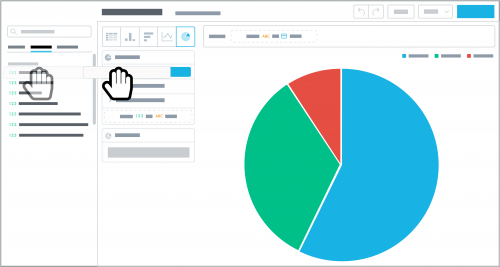
In a pie chart, your data appears as a circle divided into slices — like, well, a
pie — to represent each value's proportion within the whole. With
SKY Reporting, you can use the pie chart to compare:
- Multiple related measures
- An attribute's categories within a measure
- A measure by a specific time period, such as fiscal year
To design an insight as a pie chart, select
Pie chart and choose what to analyze:
- To compare multiple measures as slices, move them from the data catalogue to Measures.
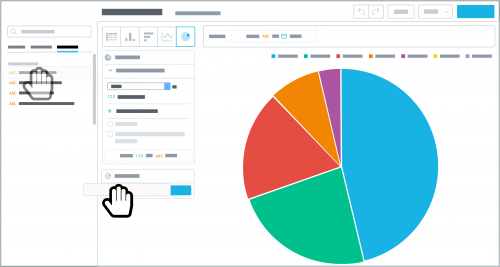 To compare an attribute's categories within a measure, move the measure to analyze — as the circle — and the attribute to divide it into — as the slices — from the data catalogue to Measures and View by.
- To compare a measure by a specific time period, move the measure to analyze — as the circle — to Measures, and then move Date to View by and choose the date and time frame to compare — as the slices.
As you design your pie chart, keep in mind:
- We recommend this format for general comparison, since the relative size of slices may be difficult to compare visually. For more accurate comparision, use a bar or column chart or a table.
- To ease analysis, a pie chart can include up to 20 slices. If you pair a measure with an attribute that includes more than 20 categories, apply a filter to narrow its focus.
- To temporarily hide a slice, select its category or time period in the legend.
- When you apply an attribute or Date to a measure, each slice displays the number of its category's criteria or time period. To instead show its percentage of the overall measure, select the measure and show in %.
- To narrow the focus of a measure, select it under Measures, select Add attribute filter, and choose which attribute and criteria to include in its calculation.
With the new pie chart format, you can slice your data (literally!) for quick comparisons. Don't be afraid to throw in different ingredients to uncover new insight; you can always quickly undo recent changes if necessary.
Bon appetit!
