Blackbaud for Gmail





Hello!
I hope you are all doing well. Has anyone used the plugin Blackbaud for Gmail? My Director of Development was asking about it. I installed it and it looks like the only benefit is you can look up constituent details in Gmail? It takes forever to load so I don't see the value in this plugin. What am I missing (if anything)?
Thanks!
Kristen
Comments
-
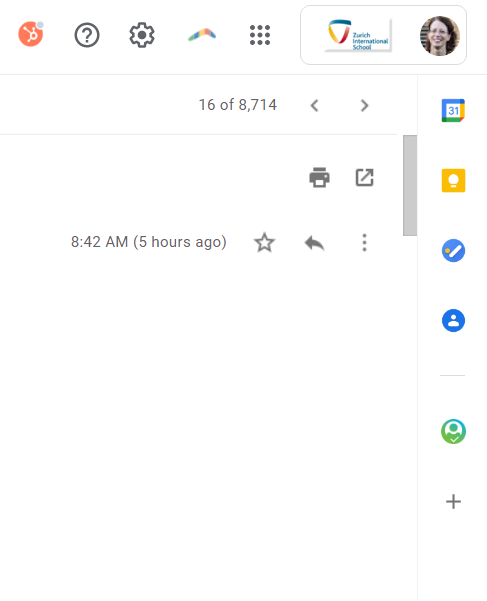
Hi Kristen - I installed this a few months ago and I find it really useful in creating an action out of correspondence on Gmail. If the plug-in is installed correctly (and I recall I had to do it twice before I figured it out), then on the right side of the screen when you open and read a message, you will see the BB for Gmail icon. When you touch it, a screen opens up in which the action is prepared from the correspondence and the likely constituent is selected. You can also search for another constituent name on whose record you can include the action (e.g., if the email was forwarded to you, BB won't be able to find the right constituent to match to). Below you can see the right side menu with the green BB for Gmail icon. I hope this helps!
 2
2 -
We use Blackbaud for Outlook, which is very similar. I recently launched it internally to our teams, and they have found it helpful. Like Jennifer mentioned, it's mainly used to create an action from an email - either a completed action, or an open action to be followed up on. Because of that, it mainly only has functionality for grant managers, solicitors, etc.
0



Categories
- All Categories
- New YourCause Community TEST
- New SKY Community TEST
- New Grantmaking TEST Community
- New Altru Test Community
- New bbcon Community - TEST
- 12 Blackbaud Agents for Good™
- New Raiser's Edge NXT Community
- 7 Blackbaud Community Help
- 218 bbcon®
- 1.4K Blackbaud Altru®
- 409 Blackbaud Award Management™ and Blackbaud Stewardship Management™
- 1.2K Blackbaud CRM™ and Blackbaud Internet Solutions™
- 16 donorCentrics®
- 361 Blackbaud eTapestry®
- 2.7K Blackbaud Financial Edge NXT®
- 680 Blackbaud Grantmaking™
- 598 Blackbaud Education Management Solutions for Higher Education
- 3.3K Blackbaud Education Management Solutions for K-12 Schools
- 952 Blackbaud Luminate Online® and Blackbaud TeamRaiser®
- 85 JustGiving® from Blackbaud®
- 7K Blackbaud Raiser's Edge NXT®
- 3.9K SKY Developer
- 257 ResearchPoint™
- 123 Blackbaud Tuition Management™
- 165 Organizational Best Practices
- 247 Member Lounge (Just for Fun)
- 40 Blackbaud Community Challenges
- 37 PowerUp Challenges
- 3 (Closed) PowerUp Challenge: Grid View Batch
- 3 (Closed) PowerUp Challenge: Chat for Blackbaud AI
- 3 (Closed) PowerUp Challenge: Data Health
- 3 (Closed) Raiser's Edge NXT PowerUp Challenge: Product Update Briefing
- 3 (Closed) Raiser's Edge NXT PowerUp Challenge: Standard Reports+
- 3 (Closed) Raiser's Edge NXT PowerUp Challenge: Email Marketing
- 3 (Closed) Raiser's Edge NXT PowerUp Challenge: Gift Management
- 4 (Closed) Raiser's Edge NXT PowerUp Challenge: Event Management
- 3 (Closed) Raiser's Edge NXT PowerUp Challenge: Home Page
- 4 (Closed) Raiser's Edge NXT PowerUp Challenge: Standard Reports
- 4 (Closed) Raiser's Edge NXT PowerUp Challenge: Query
- 822 Community News
- 3.1K Jobs Board
- 57 Blackbaud SKY® Reporting Announcements
- 47 Blackbaud CRM Higher Ed Product Advisory Group (HE PAG)
- 19 Blackbaud CRM Product Advisory Group (BBCRM PAG)