Blackbaud ID Migration: May 8, 2024





Hi all,
My team is currently working to update the verbiage on the Blackbaud ID tile in Core. Here is what it will say:
"The Blackbaud ID migration is scheduled for Wednesday, May 8, 2024.
"Although this update was originally scheduled for April, it was temporarily delayed to ensure an optimal experience for users of Blackbaud's education solutions. May 8th was carefully chosen to avoid a common tuition payment day, to allow other significant product enhancements to release on Tuesday, to minimize disruption of the end-of-year season, and to provide you with at least a full business day of notice. The new BBID experience will be enabled between 8 a.m. and 6 p.m. ET on Wednesday to ensure our award-winning Support team is available to assist you if needed. If users are already logged in, then they will not be interrupted; they will simply see the new BBID experience when they next log in."
As a reminder, the Blackbaud ID Migration site has lots of resources to help answer any questions you may have: https://docs.blackbaud.com/bbid-docs/migration
Yours in partnership,
Jessi Walters
Sr. Product Manager - Core
Comments
-
@Jessi Walters and hivemind - anyone sending communication to parents/parents of candidates to advise of this change? Would love to see sample messages. I'm trying to understand how much of a speedbump this may be initially to families.
0 -
@Lauren Marcus Eisenberg I've added this to our weekly online newsletter (a resource board tile).
mySevern LOGIN UPDATE - Coming May 8th
At Severn, we partner with Blackbaud for our Learning Management System, mySevern. Blackbaud is making changes that allow for improved reliability for sign-in.
The updated sign-in experience for parents and trustees is coming soon. It was originally scheduled for April 23 but will now take place May 8th. You will still log in through our website as usual, but the password page may look a bit different. Students, Faculty, and Staff will not notice a change.
A couple of things to note:- Your sign-in credentials won’t change.
- If you use an email and (Blackbaud ID) password to log in, you will choose “Continue with email”, the last option on the password page.
- If you enabled Multi-Factor Authentication (MFA), you will need to set up MFA again.
- If you authenticate using “Google” or *“Apple”, you will be prompted to reauthorize that connection the first time. *Please note that if you use “Sign in/Continue with Apple” do not select “Hide my email”. If you do so, mySevern will not recognize your account
If you have any questions contact mysevernhelp@severnschool.com.I have also added a note on the Branding page.
4 -
@Nancy Kierstead Thanks for sharing! Have you been able to test this in any way?
0 -
@Lauren Marcus Eisenberg Unfortunately, no. I'm just keeping my fingers crossed for tomorrow!
0 -
@Nancy Kierstead Got it. [Sigh]
0 -
The Migration has begun. Your users who move through a fresh login process should see the new experience in the next few minutes. About 92% of non-SSO users who logged in since 11:50am ET are on the new experience. As previously mentioned, users who are already behind the login will not notice anything until they are logged out and go through the login process again.The changes roll out to customers serially, kind of like legs are covered in sequence as a person pulls their pants on in the morning. Goofy analogy, but it helps illustrate why not everyone sees the new experience all at once - it's not as simple as an on/off switch.

If you have any trouble, please contact Support as your first action. They are best positioned to help, but of course I'm here to listen for any unlikely issues!
2 -
@Jessi Walters thank you for the continuous communication through this update!
1 -
@Jessi Walters A few thoughts.
Why can we no longer see how folks authenticate? I'm trying to help parents navigate the new login. We have received a few “we can't log in anymore” or “it doesn't recognize me” emails. I always go and peek first to see if they use Google instead of an email and password. I no longer have that ability.
I'm a bit surprised this new modern experience doesn't allow for users to view their passwords while typing them in. Any chance that is going to happen? I was hoping this new authentication would give them the little “eye” that allows the user to see their password as they type it in.
Most of our parents use the email and password option. What was once two clicks (one page to enter email, one page to enter password) is now four (one page to enter email, one page to choose “Continue with email” a third page to click “Continue” and finally a page to enter your password). I had hoped this was going to be an improved login experience and not a more cumbersome one. How can this be streamlined, without forcing folks to use social sign-in?
3 -
Hi @Nancy Kierstead - Jessie has posted about the authentication method on another post. Here is her response:
"this month, the Access Management team (who oversees the blackbaud.com>Admin area) released changes to what was previously Environment Admin access. These changes made the access more granular to adhere to the Principle of Least Privilege.
This week, the Core team released a change so that we aren't showing a blank Authentication status box to users who don't have access to view the Authentication details in it. Because BBID is used across and org for all Blackbaud solutions, user management permissions prevail from the blackbaud.com>Admin area. Now, if a user doesn't have the needed access to view Authentication method and MFA details for a BBID user, we are showing a link to relevant docs so they will know what access they need."
1 -
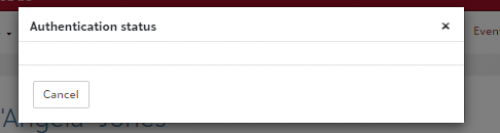
@Bryan Lorenzo Thanks, Bryan. I have every access imaginable in Blackbaud.com as an Organization Admin. We have a full suite of BB products and I have full solution admin rights to all of them, including the one titled “Blackbaud account management feature security roles”. I also am a platform manager in Core and have full access to everything in EMS.
Update. I went over to Blackbaud.com while writing this. I didn't change a thing when looking at my access, but I did hit “save”. I now can see the Authentication status again. I had rights, but they needed to be “saved”.
1 -
@Jessi Walters @Bryan Lorenzo . I was able to get the authentication status window to show again by saving the new BBID role in Blackbaud.com. It had been on my profile, but I needed to hit “save”. I did the same for our IT director. I will also now add this role in Blackbaud.com for a few other folks on our team who work with parent password problems and don't have any other access to our Blackbaud products, so they haven't had a need for Blackbaud.com admin access of any kind.
1 -
@Nancy Kierstead @Jessi Walters I am not even getting that far! According to the Learn more link:

I should have full access. I am getting the above message instead.
…and now it seems to be fixed. I did log in to blackbaud.com and look at my roles; like Nancy said that must have triggered it? Though I did not find any “BBID” role in our environment.
…and now it's gone again. I will re-open my support case.
0 -
@Lauren Henderson @Nancy Kierstead @Jessi Walters So, I guess it's not just me - and I came to realize after all that hullaballoo in the other thread that I was a solution admin after all. (Who knew? ?♂️) I do sometimes lose access at random as well, still. There's got to be some sort of database glitch that's causing permission errors preventing people from being able to see this. I had gotten the blank box popup previously, and just assumed it was a wonky connection; it usually fixed itself within a few minutes.
I never gave it a second thought until I realized that it was permissions-based, and now that I know I've had that permission all along, there's definitely something weird going on. Jessi, should I go ahead and tag onto Lauren's support case? It's an identical scenario on my end.
0 -
@Brian LeBlanc @Lauren Henderson
Do you have admin rights in Blackbaud.com? If so, go to Admin > Security> User Management and look yourself up. Click the three dots by your name and choose “Manage Roles”. There is a new “Blackbaud Account Management” item on the menu. Make sure you have access here. If you are an environment admin and it looks like you already have it (it's grayed out like below), go ahead and click “Save” anyway. That's what I needed to do to make this role active for myself. Once I did this, I was able to once again view Authentication Status by clicking on that black question mark on the Access tab of a record in Core. As @Jessi Walters mentioned in another post if this doesn't work, support may be able to help.
 1
1 -
@Nancy Kierstead @Brian Leblanc @Jessi Walters I contacted support, and their answer was that I always need to sign in to Blackbaud.com to access Education Management; accessing it from myschoolapp.com wasn’t giving me the necessary permission. We are on SSO. So more clicks for me and our parents who are not on the SSO. Hopefully things will get smoother as more updates and alignment happen.
0 -
@Lauren Henderson Um…..no. I'm not going to go to that extent just to sign in every day. I'll just take my chances until this is fixed. @Jessi Walters, there's no way this can be the intended workflow, right? If we're adding this many more steps, it might be more secure, but any ease of access argument falls flat – and, more to the point, what would be the purpose of even having the myschoolapp login in the first place anymore if it's not going to provide the requisite functionality?
0 -
@Nancy Kierstead thanks for taking time to compose this feedback.
- You should still be able to see authentication method. You need to be a “Solution admin” in the Education (aka Analysis) area, just like before. Sometimes it takes a few seconds to load. If it doesn't, try refreshing the page. If that doesn't work, please contact Support. I've heard a similar complaint from someone else anecdotally, so I'd love to have Support's help diagnosing and checking all the things in case we have a defect.
- I could be wrong, but I don't think the old BBID experience showed the password either. Nevertheless, I shared that feedback with John Vogel, the Product Manager for BBID, and he has added an item in the backlog to make this enhancement when they're able to squeeze it in! (No timeline yet)
- I walked through the Email/Password process on a test account, and I see what you're talking about. John and I will discuss and see what can be done to minimize the time and clicks to log in. One tip I have to offer: if the user clicks Remember me on the BBID sign-in page, then they will skip the Authentication method buttons and always land where they belong. I expected that to happen by default, but that's the best I have to offer today.
Online sign-ins across the web (where PII is involved) seem to be more cumbersome in general, but I aim to make the process as seamless as possible without thwarting needed security to protect your schools data. I don't have details yet, but I hear you and I agree.
1 -
@Nancy Kierstead The trick below of clicking Save in the new Blackbaud Account Management box just worked for me. Thank you, Nancy!
2 -
@Liz King
Excellent!0 -
@Lauren Henderson they were misinformed; that's not accurate. BEM is able to “listen” for bb.com permissions now that everybody logs in with BBID. Please email me your case number and I'll help that agent and investigate the issue further.
You're right; enhancements are ongoing, so I appreciate the continued feedback here.
Brian, I'm not able to tag you. Are you still having this issue with viewing Auth Status in Core, too? If yes, please send me your case number, too. Something smells fishy.
1 -
@Nancy Kierstead:
I’ve added this to our weekly online newsletter (a resource board tile).mySevern LOGIN UPDATE - Coming May 8th
Thank you for sharing this template. I know BB gave us some sample language when the migration was first talked about - but I liked your version.
So far - our parents have had zero problems logging in. I have two other personas of my own that do not use SSO. I logged in to both of those without a hitch on May 8.
@Jessi Walters Thank you for your support here in the community with folks who are having issues. Rolling this out is a big undertaking.
1 -
@Jessi Walters that didn't seem right to me, but who am I to question support? The Case ID is Case #: 019718290.
This morning, on another device, I was able to see authentication information without a problem by logging directly into BEM.
Thanks for your attention to this! I appreciate it.
0 -
@Jessi Walters and now it's gone again.
It maybe seems like an issue with having more than one session open, and then closing one of them. I tried logging in to blackbaud.com on the same browser, closing and re-launching Core, and it's still giving me the blue “i” instead of the black “?” I will try clearing cookies, shutting down my browser, and giving it another go. I'll let you know if that works.
0 -
@Jessi Walters - I've done a bit of laying around on my site to replicate the problem with the Authentication Status display. This may be of use to others seeing the same problem (or not).
For several years, I have had a browser bookmark to the Core dashboard (https://sstx.myschoolapp.com/edu-core/dashboard) that I use whenever I need to get to our database. If I needed to log in, I saw the prompt below - the old “sign in again” page with the blue button to click. This screenshot was taken today - several days after the BB-ID change. It still says that a “new look coming” last week.

When I sign in from that screen, I get the blue dot that says I don't have the correct permissions to see the additional information.
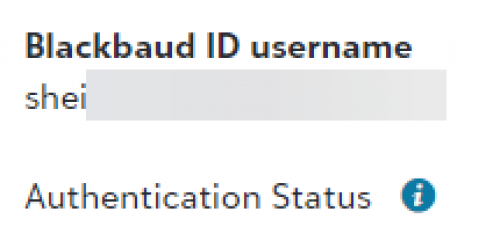
If I sign out and start the sign-in process at our standard sign-in page (https://sstx.myschoolapp.com/app#login)…

…I get the black dot with a question mark, and I can see the additional information in the modal that opens when I click the dot.

This makes me think that I have been short-circuiting the sign-in process a bit, and when I start at the old-style sign-in screen the process isn't checking for all of the permission that it does when I start at the beginning.
0 -

Brian, when I use the standard login bookmark, it gives me the access, which it seems to retain as long as I don't open/close another session. I will try closing out of Community (which also uses my SSO login) and see if that removes my access.
0 -

@Jessi Walters @Brian Gray when I go to log in to blackbaud.com on a different browser, I get the old message. But logging in, and then closing the session, did NOT remove my authentication access in the other browser. Neither did logging in to BEM directly and getting the notification, then closing the newer session. Looks like clearing my cookies/cache has done the trick for all the iterations I've tried to kick myself out.
0 -
@Lauren Henderson SSO users haven't been migrated to the new BBID yet, so the sign-in-again page is technically still on the old experience. The blue alert should go away with the new SSO connection; we expect configuration to be available next month.
Now, if you're not on SSO and this still shows up for you, let me know.
0 -
@Brian Gray thank you for detailing the process and experience for me. I'm passing this along for further investigation. Your account permissions are the same regardless of where you log in, so that shouldn't be affecting your ability to see Auth status. That has to be consistent before back-to-school, so we'll prioritize a solution for this weirdness before then.
0 -
@Lauren Henderson it does seem to be a caching issue, for whatever that's worth, and multiple sessions can do weird things to cache. I have a work item planned for work and release ASAP. (Unfortunately, Product timelines are longer than schools' so ASAP means within a few weeks, but we'll squeeze it in at the first possible moment.)
2 -
Hi @Jessi Walters,
Thanks for this information and for a fix. Will this be applied to BBID MFA across Blackbaud solutions? We were told by Joh Vogel at Blackbaud that BBID remembering MFA is tied to IP address, not cache, so those not on a staic IP will not be able to save their MFA for 30 days since their IP address constantly changes. (Here is a link to the post “New MFA Not Remembering for 30 Days” where that information appears.)Thanks, Amy
0



















Categories
- All Categories
- New YourCause Community TEST
- New SKY Community TEST
- New Grantmaking TEST Community
- New Altru Test Community
- New bbcon Community - TEST
- 12 Blackbaud Agents for Good™
- New Raiser's Edge NXT Community
- 7 Blackbaud Community Help
- 218 bbcon®
- 1.4K Blackbaud Altru®
- 409 Blackbaud Award Management™ and Blackbaud Stewardship Management™
- 1.2K Blackbaud CRM™ and Blackbaud Internet Solutions™
- 16 donorCentrics®
- 361 Blackbaud eTapestry®
- 2.7K Blackbaud Financial Edge NXT®
- 680 Blackbaud Grantmaking™
- 598 Blackbaud Education Management Solutions for Higher Education
- 3.3K Blackbaud Education Management Solutions for K-12 Schools
- 952 Blackbaud Luminate Online® and Blackbaud TeamRaiser®
- 85 JustGiving® from Blackbaud®
- 7K Blackbaud Raiser's Edge NXT®
- 3.9K SKY Developer
- 257 ResearchPoint™
- 123 Blackbaud Tuition Management™
- 165 Organizational Best Practices
- 247 Member Lounge (Just for Fun)
- 40 Blackbaud Community Challenges
- 37 PowerUp Challenges
- 3 (Closed) PowerUp Challenge: Grid View Batch
- 3 (Closed) PowerUp Challenge: Chat for Blackbaud AI
- 3 (Closed) PowerUp Challenge: Data Health
- 3 (Closed) Raiser's Edge NXT PowerUp Challenge: Product Update Briefing
- 3 (Closed) Raiser's Edge NXT PowerUp Challenge: Standard Reports+
- 3 (Closed) Raiser's Edge NXT PowerUp Challenge: Email Marketing
- 3 (Closed) Raiser's Edge NXT PowerUp Challenge: Gift Management
- 4 (Closed) Raiser's Edge NXT PowerUp Challenge: Event Management
- 3 (Closed) Raiser's Edge NXT PowerUp Challenge: Home Page
- 4 (Closed) Raiser's Edge NXT PowerUp Challenge: Standard Reports
- 4 (Closed) Raiser's Edge NXT PowerUp Challenge: Query
- 822 Community News
- 3.1K Jobs Board
- 57 Blackbaud SKY® Reporting Announcements
- 47 Blackbaud CRM Higher Ed Product Advisory Group (HE PAG)
- 19 Blackbaud CRM Product Advisory Group (BBCRM PAG)