Student Checklists - Assigning Faculty/staff

What does assigning staff to a checklist actually do? I can't find documentation anywhere about it, and when I assign the checklist and impersonate the assigned staff, I don't see anywhere obvious for them to track the checklist. The Manage Checklist tab is available to them regardless, from another role.


Comments

  • @Daniel Wallach good question! I was just wondering the same thing.

  • @Daniel Wallach great question. Would love to utilize this functionality in a smart way.

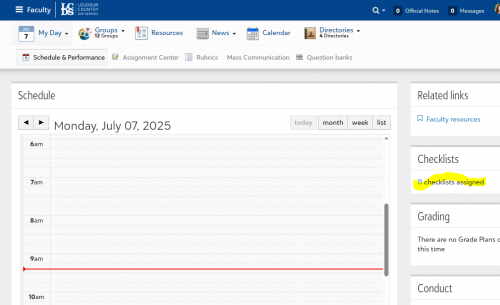
  • @Daniel Wallach It's not immediately obvious, but assigning the checklist results in a clickable link on the Schedule & Performance tab in their Faculty view. There will be a “Checklists” tile on the right, and when they click on the number of checklists assigned they are taken to the process checklists list, but only the checklists assigned to them will be displayed. This allows a person with no admissions roles to process the checklist steps. If they already have an admissions role, then it may not help you much.

    16183a927c30ae11821dd31609c11b32-huge-im

    The big downside of this for me is that they cannot view the manage checklist screen this way, so they are seeing a list of all steps for each student. Since our directors only view this list when I am down to a handful of outstanding families it works out okay for us.

  • @Shannon Krise I ended up discovering this eventually, noticing the number showing up in the checklists tile when I impersonated.

    IMHO this could be designed much better - Schedule & Performance is only actively used by teachers (for attendance) and other academic staff dealing with gradebook & conduct.

    The main reason I didn't see this immediately is because most Student Checklist use cases for us would involve admin only, for tracking things like required forms/docs. As it is, I've set up most admin staff to Academics or EMS as landing pages.

    It makes much more sense to me to have a banner/popup/tile at the EMS dashboard. It also seems like assigning to staff is only useful if the checklist involves file submissions to be processed, vs tracking steps like forms, etc.

    Also agreed re: seeing the manage checklists screen.

  • Can someone help me, I have assigned faculty to 2 checklists, I see it on her schedule & performance page but when I click in, I don't see anything. What role or additional permissions are needed? We are using this for chaperones of trips to download any uploaded travel documentation. Thanks!

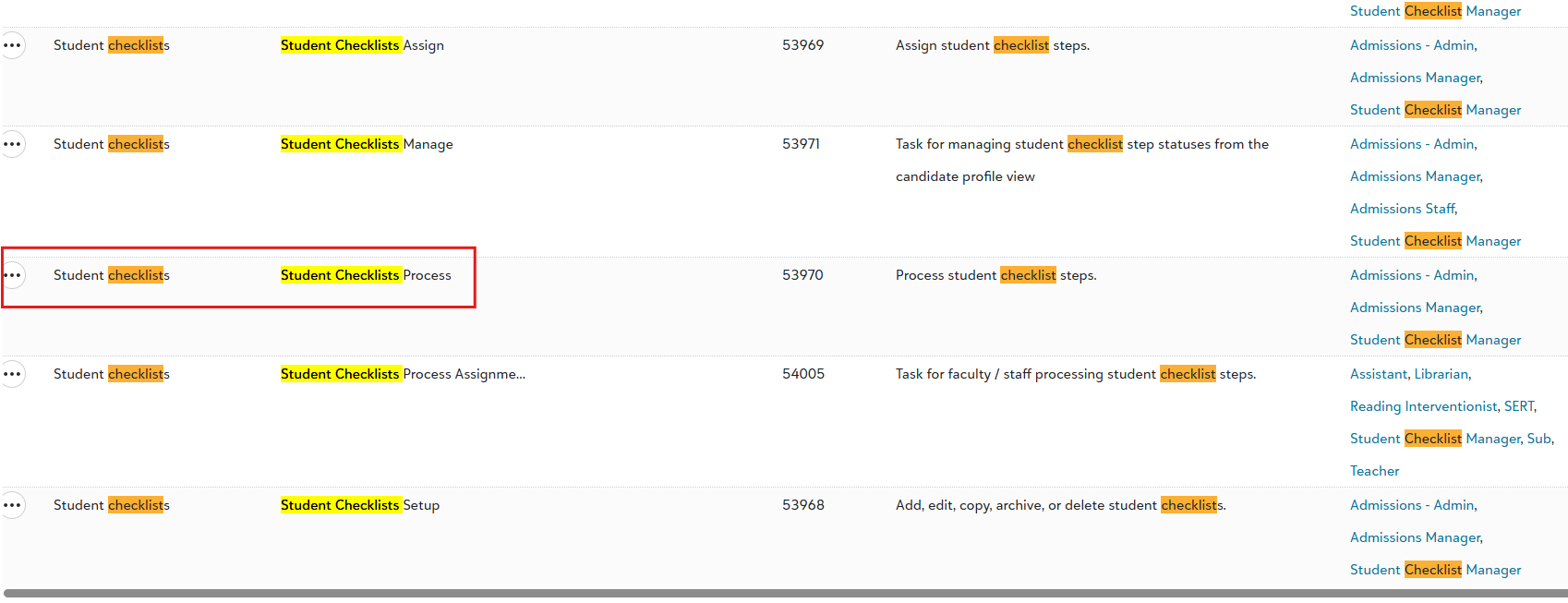
  • @Kristi Romanik I had this problem, if I remember correctly it was the Student Checklists Process task. Assign a role with this task to those staff.

    image.png