Adaptive Card w/Action trigger - Cannot get selection





I created an adaptive card with Action trigger. In a separate adaptive card, I created a drop down list where the user makes a section and then 'submits' the selection which triggers the adaptive card w/action trigger. It wis working, however, I cannot get the value of what was selected in the action w/trigger flow. The choices are set in the adaptive card as follows:
{
"type": "Input.ChoiceSet",
"choices": [
{
"title": "Individual",
"value": "Individual"
},
{
"title": "Corporate",
"value": "Corporate"
},
{
"title": "Foundations",
"value": "Foundations"
}
],
"placeholder": "-select-",
"id": "IdChoiceSet"
}
],
I then added the following to the step 'When a HTTP request is received' in the adaptive card w/trigger
"data": {
"type": "object",
"properties": {
"ChoiceSet": {
"type": "string" } } }
I initialized ChoiseSet as a variable in case that worked, but the value is blank. I have gone through examples in this discussion group and cannot figure out what I am missing. Thank you for your help!
Answers
-
your specific issue is connecting the dot between the form field id to the trigger data json definition.
your id on the form is idChoiceSet
your trigger data json definition is ChoiceSet
they need to match exactly.
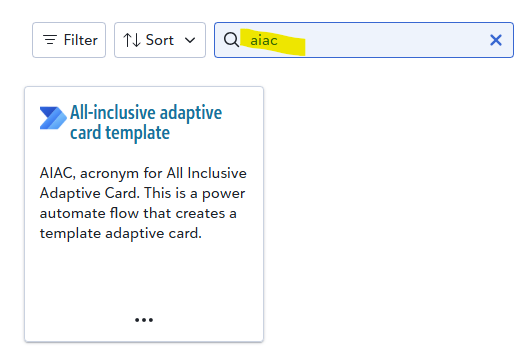
May want to consider using the AIAC template which allows you to do what you want to do but all within 1 flow instead of separating into 2.
Blackbaud Community Power Platform template showcase
 1
1 -
@Alex Wong Thank you Alex!! What a silly mistake. A good reminder that sometimes you need to walk away and come back to solve the problem. I actually have gone through the AIAC template but didn't quite understand it. So I decided to take a step back and create a 2 flow process to better understand how it works. What I don't understand about AIAC is when is the adaptive card created? I don't see the json although it is probably right there and I am missing it.0
-
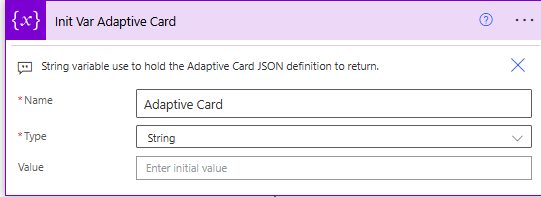
AIAC does display, process, result all in 1 flow, so Adaptive Card JSON is done by setting the variable Adaptive Card.
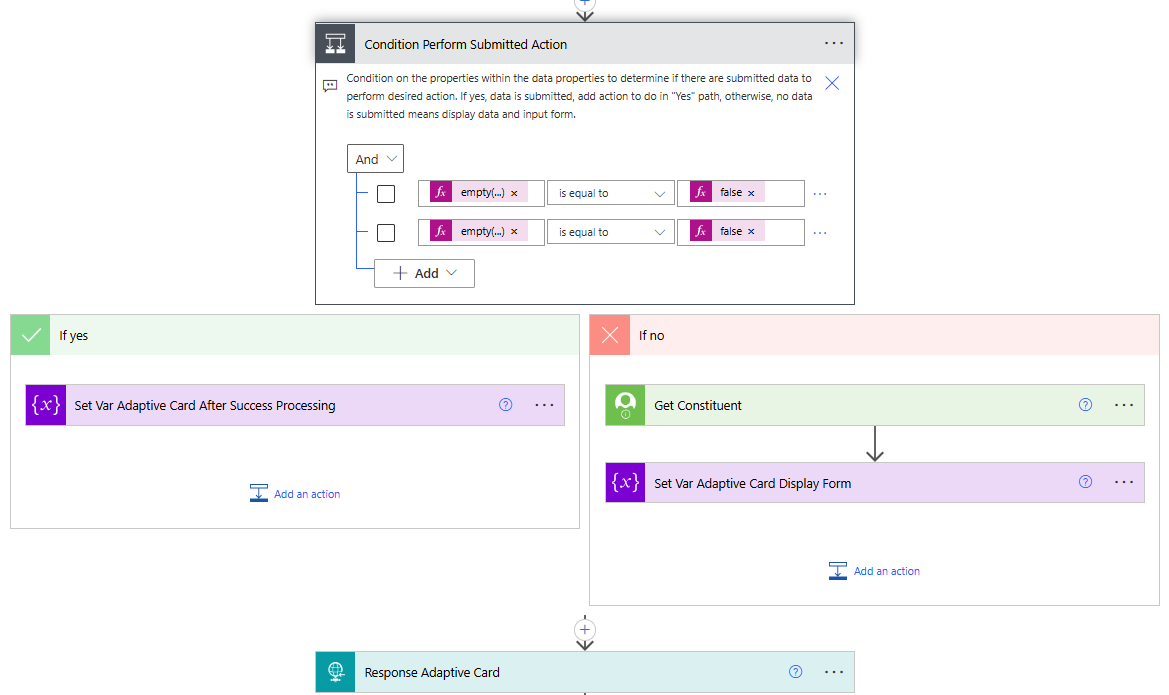
Condition Perform Submitted Action checks on all paramater passed in (assuming you have some input field in the adaptive card for processing, then parameter passed in is when the submit button is clicked. So when going down the "yes" path means processing of submitted info, while going down the "no" path means it's when the tile is initially loaded.
"yes" path will do what you want to do when submit button clicked, and then finally Set Var Adaptive Card After Success Processing.
"no" path will gather info (if any needed to be gathered (i.e. Get Constituent, Get Gift, etc), and then Set Var Adaptive Card Display Form.
0 -
@Alex Wong oh, that makes sense!! I see now and understand how it runs through. I thought the adaptive card had to be set in the beginning before the paths but see how one path is to set the adaptive card and the other is the handle the information provided. Thank you for helping me to work through this!
0







Categories
- All Categories
- New K-12 Community Home (TEST)
- New Higher Education Home Page (Test)
- New Impact Edge Community TEST
- New YourCause Community TEST
- New SKY Community TEST
- New Grantmaking TEST Community
- New Altru Test Community
- New bbcon Community - TEST
- 12 Blackbaud Agents for Good™
- New Raiser's Edge NXT Community
- 8 Blackbaud Community Help
- 222 bbcon®
- 1.4K Blackbaud Altru®
- 411 Blackbaud Award Management™ and Blackbaud Stewardship Management™
- 1.2K Blackbaud CRM™ and Blackbaud Internet Solutions™
- 16 donorCentrics®
- 361 Blackbaud eTapestry®
- 2.7K Blackbaud Financial Edge NXT®
- 688 Blackbaud Grantmaking™
- 604 Blackbaud Education Management Solutions for Higher Education
- 3.3K Blackbaud Education Management Solutions for K-12 Schools
- 954 Blackbaud Luminate Online® and Blackbaud TeamRaiser®
- 85 JustGiving® from Blackbaud®
- 7.1K Blackbaud Raiser's Edge NXT®
- 4K SKY Developer
- 258 ResearchPoint™
- 123 Blackbaud Tuition Management™
- 165 Organizational Best Practices
- 249 Member Lounge (Just for Fun)
- 40 Blackbaud Community Challenges
- 37 PowerUp Challenges
- 3 (Closed) PowerUp Challenge: Grid View Batch
- 3 (Closed) PowerUp Challenge: Chat for Blackbaud AI
- 3 (Closed) PowerUp Challenge: Data Health
- 3 (Closed) Raiser's Edge NXT PowerUp Challenge: Product Update Briefing
- 3 (Closed) Raiser's Edge NXT PowerUp Challenge: Standard Reports+
- 3 (Closed) Raiser's Edge NXT PowerUp Challenge: Email Marketing
- 3 (Closed) Raiser's Edge NXT PowerUp Challenge: Gift Management
- 4 (Closed) Raiser's Edge NXT PowerUp Challenge: Event Management
- 3 (Closed) Raiser's Edge NXT PowerUp Challenge: Home Page
- 4 (Closed) Raiser's Edge NXT PowerUp Challenge: Standard Reports
- 4 (Closed) Raiser's Edge NXT PowerUp Challenge: Query
- 829 Community News
- 3.1K Jobs Board
- 57 Blackbaud SKY® Reporting Announcements
- 47 Blackbaud CRM Higher Ed Product Advisory Group (HE PAG)
- 19 Blackbaud CRM Product Advisory Group (BBCRM PAG)